AI Chatbots Are Everywhere. Are They Accessible to Everyone?
AI Chatbot Accessibility – This guide is for you if you are a product owner. It is also for CTOs or Chief Digital Officers. It also targets decision-makers who sign off on digital experiences. This article is not a technical checklist. It is a strategic briefing on what AI chatbot accessibility means. It explains why global law now demands it and what your organization needs to do about it.
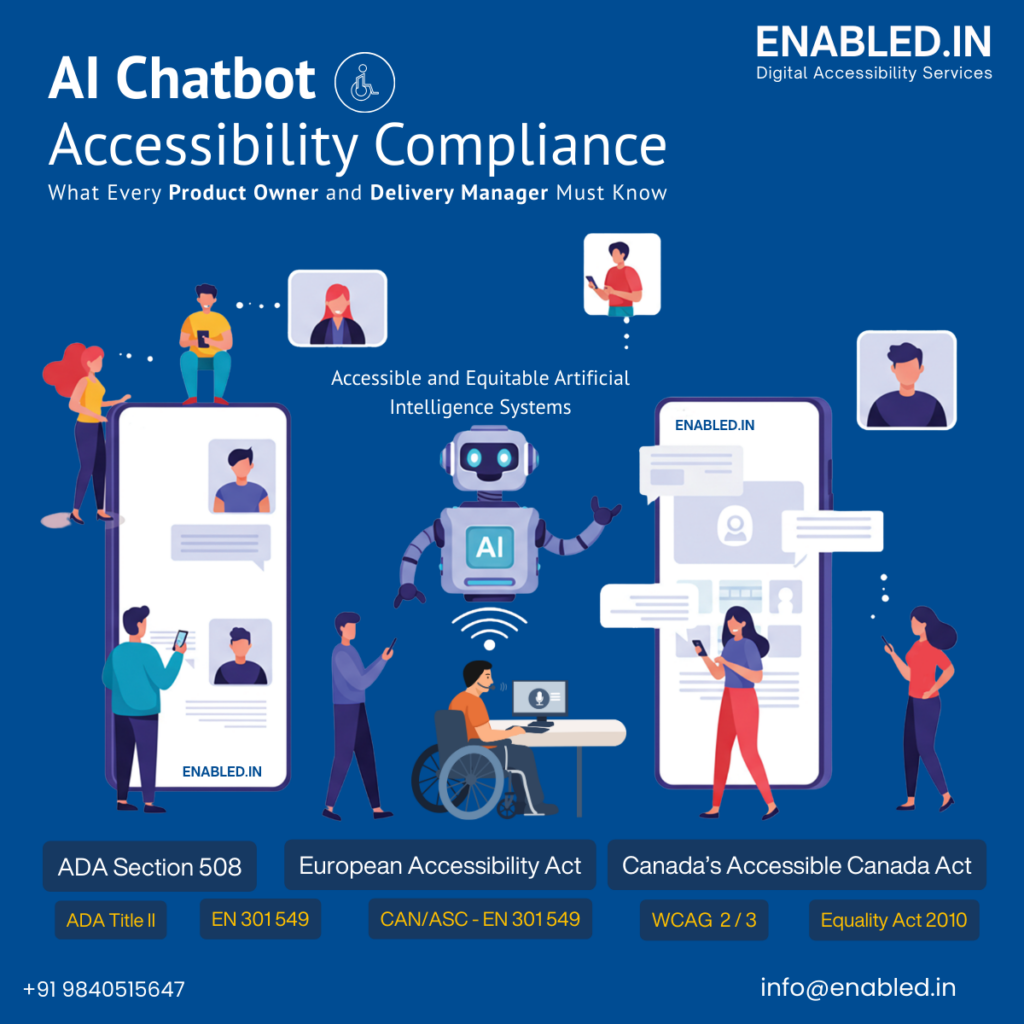
Why This Matters Right Now
- The European Accessibility Act (EAA) has been fully enforceable since June 28, 2025. Penalties can reach up to €100,000 or 4% of annual revenue.
- ADA Title II final rules require WCAG 2.1 AA compliance for state and local government digital services by April 2026.
- Section 508 of the Rehabilitation Act remains in full force for all US federal procurement and digital services.
- Canada’s Accessible Canada Act mandates barrier-free federal digital services by 2040, with AI-specific guidance already published.
- Nearly 2,800 ADA digital accessibility lawsuits were filed in US federal courts in 2023 alone. Chatbots are an increasing target.
What Is an AI Chatbot, and Why Does Accessibility Apply to It?
An AI chatbot is a software system. It uses Natural Language Processing (NLP) and Machine Learning. These technologies enable it to simulate human conversation in real time.
They are deployed in customer service portals, banking platforms, healthcare systems, government websites, e-commerce stores, and enterprise software.
That shift is precisely what makes accessibility non-negotiable. When the chatbot is the primary touchpoint, any failure of accessibility becomes a failure of the entire service.
The Core Capabilities Modern AI Chatbots Deliver
| Capability | What It Does | Accessibility Implication |
| Natural Language Processing | Understands intent behind free-form text or voice | Must work with screen readers and alternative inputs |
| 24/7 Automated Support | Responds instantly at any hour without a live agent | Must not require time-limited sessions that rush users with disabilities |
| Personalized Guidance | Tailors responses based on user context and history | Must not infer disability as a negative data point |
| Multilingual Handling | Detects and responds in the user’s language | Expands accessibility to non-native speakers and diverse communities |
| Voice Interaction | Accepts speech input and provides spoken output | Must support diverse speech patterns; offer text alternative always |
| Human Handoff | Escalates to a live agent with full context preserved | Users must not have to repeat themselves; handoff must also be accessible |
| Rich Media Delivery | Embeds images, videos, documents in chat window | All embedded media must have text equivalents and captions |
| Agentic Task Execution | Books, orders, submits, navigates on behalf of user | Actions must be reversible and confirmable for all users |
The Global Compliance Landscape: What the Law Now Demands
ADA & Section 508 (United States)
In the US, accessibility is enforced through:
- ADA (Americans with Disabilities Act)
- Section 508
Canada AI Accessibility Standards
Canada is leading with accessible and equitable AI frameworks.
The guidance emphasizes:
- Inclusion in AI lifecycle
- Fair decision-making
- Transparent systems
It clearly highlights that AI systems must not exclude people due to design or bias .
European Accessibility Act (EAA)
Starting 2025, EAA mandates accessibility for:
- Digital services
- Customer interaction tools (including chatbots)
EN 301 549: The Technical Standard
This is the gold standard for accessibility in Europe.
It ensures:
- Software accessibility
- Web compliance
- Assistive technology compatibility
For product owners, this is your technical checklist.
The Accessibility Failures Hidden Inside Your Chatbot
Screen Reader Incompatibility
Screen readers are software tools used by blind and low-vision users to convert digital content into speech or braille output. A chatbot that works visually but fails with a screen reader is completely unusable for these users. Common failures include:
- Focus jumps to the top of the page after a message is submitted. This forces the user to navigate the entire page to return to the chat.
- Background content remaining active and “bleeding through” while the chatbot window is open, creating a confusing dual-layer of content.
- Buttons and icons with no accessible labels — the screen reader announces “button” with no indication of what it does.
- New messages not announced automatically, requiring users to manually scan the interface each time the chatbot responds.
- Excessive emojis that each read out as their full Unicode description, fragmenting the reading experience.
Keyboard Navigation Failures: When Users Get Stuck
For many users, a mouse is not an option. People with motor disabilities often rely entirely on a keyboard. Those with repetitive strain injuries (RSI) or limited hand control also depend on a keyboard to navigate digital interfaces.
Now imagine opening a chatbot, pressing “Tab”… and getting stuck.
This happens more often than expected. Poor tab order, missing focus indicators, or keyboard traps can completely block a user from continuing the conversation. In some cases, users can enter a chatbot but cannot exit it. This effectively locks them out of the rest of the website.
This is not just a usability issue. It is a compliance failure under WCAG 2.1, Section 508, and EN 301 549.
Why it matters:
- Users abandon the experience immediately
- Businesses lose potential customers silently
- Legal exposure increases
A chatbot must be fully usable with a keyboard. This includes smooth navigation, clear focus states, and no keyboard traps.
Insufficient Color Contrast: When Content Becomes Invisible
Design choices often prioritize aesthetics over usability, and users pay the price.
Text blends into the background, or buttons are hard to distinguish, causing issues. Users with low vision cannot read the chatbot effectively.
People with color blindness face similar challenges. They also cannot interact with it successfully. This is not a small audience. Over 300 million people worldwide have color vision deficiency, and many more experience low vision.
WCAG 2.1 Level AA sets clear minimums:
- 4.5:1 contrast ratio for normal text
- 3:1 for large text and user interface components
Yet many chatbot interfaces fail these basic thresholds in their default state.
Why it matters:
- Critical information becomes unreadable
- Users struggle, slow down, or drop off
- Your product feels broken even if it technically works
Accessible contrast is not about limiting design creativity. It is about making your product usable for everyone.
Cognitive and Language Barriers: When AI Overwhelms Users
AI chatbots are designed to be helpful, but often they try to do too much.
Long, complex, jargon-heavy responses can overwhelm users, especially those with cognitive disabilities, ADHD, learning disabilities, or low literacy levels. Even experienced users can feel frustrated when responses are dense and difficult to scan.
Now consider session timeouts. If a user needs more time to read or respond and the session expires, the interaction becomes stressful. It also becomes unusable.
Why it matters:
- Users feel confused instead of supported
- Important tasks remain incomplete
- Trust in the product drops quickly
Accessible chatbots should use plain language, break content into smaller sections, and allow enough time for users to respond.
Clarity is not oversimplification. It is good design.
Voice Interface Exclusion: When Accessible Features Exclude Users
Voice-enabled chatbots are often promoted as accessibility features, and for some users, they are helpful.
However, they can create barriers for others.
Users who may struggle include people with speech impairments, individuals who stutter, users with strong regional accents, and non-native speakers.
When a chatbot repeatedly fails to understand a user’s voice, frustration builds quickly. If the only fallback option is hidden in a help menu, the experience becomes unusable.
Why it matters:
- Users feel excluded by a feature meant to help them
- Repeated failures lead to abandonment
- Accessibility becomes superficial instead of practical
Every voice interface must provide a clear and immediate text alternative that is visible from the start.
Missing Alternative Formats and Notifications: When Users Are Left Out
Many chatbot experiences rely heavily on visual or audio cues without considering users who cannot see or hear them.
Common issues include:
- Notifications delivered only through sound, which deaf users cannot perceive
- Images without alt text, making them invisible to screen readers
- Videos without captions, excluding hearing-impaired users
These are not rare situations. They affect millions of users every day.
Why it matters:
- Parts of the chatbot experience become inaccessible
- Users miss critical information or updates
- Compliance risks increase during audits
Accessible chatbots should provide both visual and non-visual notifications. They should include meaningful alt text for images. Chatbots must also offer captions or transcripts for video content.
Accessibility is not something to add later. It must be built in from the beginning.
How the Standards Map to Your Chatbot: A Practical Framework
The good news is that the major accessibility standards WCAG 2.1, Section 508, EN 301 549, and the Canadian CAN/ASC standard are substantially harmonized. Achieving conformance with one builds significant progress toward the others. Below is a practical mapping of key requirements to chatbot-specific contexts.
| Standard | Key Requirement | Chatbot Application |
| WCAG 2.1 AA (Perceivable) | Text alternatives for non-text content | Alt text for icons, images, attachments in chat |
| WCAG 2.1 AA (Perceivable) | Captions for audio/video content | Captions for any video delivered in chatbot window |
| WCAG 2.1 AA (Perceivable) | 4.5:1 color contrast for text | All chat text, input fields, buttons meet contrast ratio |
| WCAG 2.1 AA (Operable) | All functions via keyboard | Chat input, send, close, scroll — all keyboard operable |
| WCAG 2.1 AA (Operable) | Sufficient time to complete interactions | No session timeouts under 20 minutes; user warned and can extend |
| WCAG 2.1 AA (Understandable) | Readable language | Plain language responses; reading level appropriate to audience |
| WCAG 2.1 AA (Robust) | Name, role, value for UI components | All ARIA labels correct; screen reader announces updates |
| Section 508 (Software) | Same access as without disability | Chatbot provides comparable experience for all users |
| Section 508 (Voice) | Clear verbal prompts | Voice interface uses concise, unambiguous language |
| EN 301 549 (Software 11) | Keyboard trap prevention | Focus never trapped within chat elements |
| EN 301 549 (Software 11) | Personalization of display | Chat window respects OS-level font and contrast settings |
| Canada ACA / CAN/ASC | Accessible feedback mechanisms | Accessible reporting for users who encounter barriers |
| Canada ACA / CAN/ASC | Human alternative always available | Option to reach human agent with equivalent service quality |
The WCAG POUR Principles Applied to AI Chatbots
WCAG 2.1 is organized around four core principles. For product owners, it is crucial to understand how these apply specifically to chatbots. This understanding provides the clearest framework for what your development and design teams need to achieve.
| POUR Principle | What It Means for Your Chatbot |
| Perceivable | Every piece of information the chatbot delivers must be accessible to users. It must be in a format they can perceive. This is important whether users can see, hear, or neither. This means alt text, captions, text transcripts, and readable contrast for all content. |
| Operable | Every control must be operable via keyboard, switch device, or other input method beyond a mouse. Users must have enough time to read and respond. No content should flash in ways that cause seizures. |
| Understandable | The chatbot’s language, instructions, and error messages must be understandable. Ambiguous errors (“Something went wrong”) fail this test. Jargon-heavy responses fail this test. Unpredictable interface behavior fails this test. |
| Robust | The chatbot must be built in a way that current assistive technologies can parse and interact with it. Future technologies should also be able to do so reliably. This requires proper semantic HTML, ARIA attributes, and compatibility testing with real screen readers and voice control tools. |
What an Accessible AI Chatbot Actually Looks Like: Best Practices
Transitioning from compliance obligations to practical design needs a clear picture. We need to understand what an accessible chatbot actually looks like in production. These practices represent the current consensus across WCAG 2.1, EN 301 549, Section 508 guidance, and the Accessibility Standards Canada technical framework.
Interface and Interaction Design
- Focus management : After each message is sent, focus must remain at the chat input. It should also stay at the latest message. Focus should never jump to the top of the page or to unrelated content.
- Chat isolation: When the chatbot window opens, the background page content must become inert. This ensures that assistive technology focuses exclusively on the conversation.
- Clear labelling: Every button, close icon, attachment control, and action link must have an accessible name. This name should communicate its purpose, not just its visual appearance. For example, use “Close chat window” instead of “X”.
- Focus indicators: Keyboard focus must always be visible. It should have at least a 3:1 contrast against adjacent colors. This contrast must be clearly identifiable at a glance.
- Session management: Sessions must not expire in fewer than 20 minutes of inactivity. Users must be warned before expiry and offered the option to extend without losing their conversation history.
Content and Language
- Plain language: Write chatbot responses at the reading level appropriate for your audience. Government and financial services should target a grade 8 reading level for general queries. Avoid passive voice, double negatives, and unexplained acronyms.
- Concise summaries: When complex or lengthy information must be delivered, lead with a summary. Offer expanded detail as an option, not a default.
- Error clarity: Error messages must explain what went wrong and how to fix it. “Something went wrong. Please try again.” is an accessibility failure. “We couldn’t process your request because your session expired. Please type your question again.” is an accessibility pass.
- Emoji discipline: Limit emojis strictly. Screen readers read each emoji’s full Unicode name aloud. A message with five emojis becomes an incomprehensible string of descriptions for a screen reader user.
Multi-Modal Support
A fully accessible chatbot must support multiple input and output modalities simultaneously. This is not an advanced feature and it is baseline accessibility for a diverse user population.
| User Group | Required Features |
| Blind / low vision users | Full screen reader compatibility, keyboard navigation, ARIA live regions announcing new messages, text-based interaction always primary |
| Deaf / hard of hearing | Visual message notifications (color change, banner), captions for audio/video, text as primary output with no audio-only content |
| Motor / physical disability | Keyboard-only operation, voice input as option, switch access compatibility, large click targets (minimum 44×44 px per WCAG 2.5.5) |
| Cognitive / learning disability | Plain language, step-by-step guidance, no time pressure, ability to return to previous messages, consistent interface behavior |
| Speech impairment | Text input always available as a full alternative to voice — never voice-only |
| Low vision | Zoom to 200% without loss of content or function, high contrast mode support, adjustable font size |
Technical Implementation
- Semantic HTML and ARIA: The chat interface must use semantic HTML elements correctly. Dynamic content updates must use ARIA live regions (aria-live=“polite” or “assertive”) so screen readers announce new messages without user action.
- Assistive technology testing: Automated tools catch approximately 30% of accessibility issues. The other 70% need manual testing with real assistive technologies. As a minimum, use NVDA + Chrome, JAWS + Edge, VoiceOver + Safari, and Dragon NaturallySpeaking.
- Mobile accessibility: The chatbot must function accessibly on iOS (VoiceOver) and Android (TalkBack) as well as desktop platforms. Touch targets must be sufficient for users with motor impairments.
- VPAT / ACR documentation: Maintain a current Voluntary Product Accessibility Template that explicitly maps your chatbot’s conformance to WCAG 2.1 AA, Section 508, and EN 301 549. Federal procurement and EU market access increasingly require this documentation.
About enabled.in
enabled.in is a specialist digital accessibility services provider. It helps organizations across India, the US, Europe, and Canada. They build, audit, and maintain accessible digital experiences.
Our services include WCAG and EN 301 549 audits. We also handle Section 508 compliance and VPAT preparation. Additionally, we offer accessible development consultancy. Finally, we conduct user testing with people with disabilities.
Take the Next Step
If you are a product owner, AI leader, or digital transformation executive, act now. Integrate accessibility into your product strategy.
Learn how Enabled.in can help your organization build accessible, compliant AI products.
Reach out: https://enabled.in or mobile : +91 9840515647
Or contact our accessibility experts to start your AI accessibility assessment and compliance roadmap today – info@enabled.in