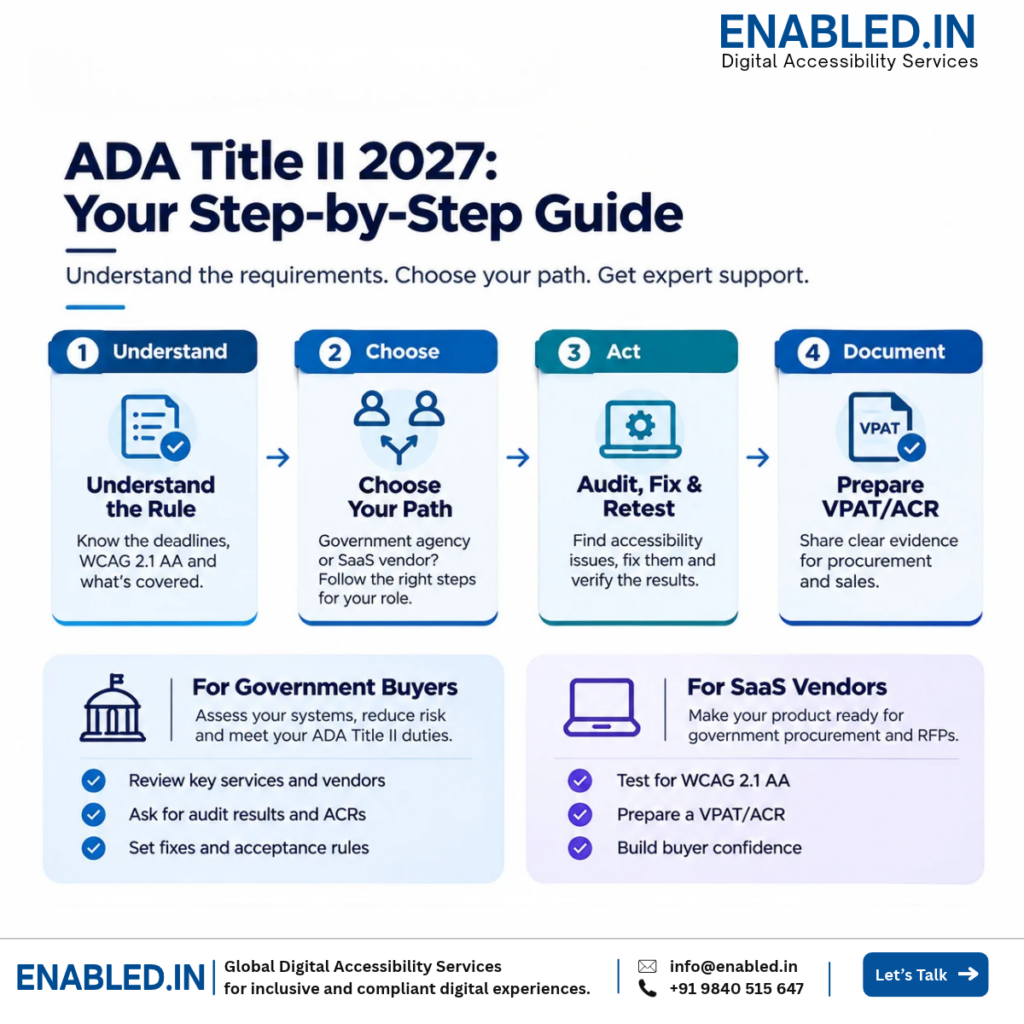
Buying government software, selling a SaaS product, or preparing for the ADA Title II deadline? Start with the right accessibility assessment.
Government agencies need accessible websites and mobile apps. Software vendors need clear evidence to help buyers review their products.
This guide shows what to check, what to fix, and what to ask for next.
Find Your Next Step Request an AssessmentGovernments with 50,000 or more people
Extended deadline for covered state and local government web content and mobile apps.
Smaller governments and special districts
Extended deadline for these covered public entities.
Quick answer: The DOJ web rule sets WCAG 2.1 Level AA as the technical standard. The 2026 extension changed the dates, not the standard. Existing ADA duties still apply.
A VPAT/ACR can help with buying decisions, but the rule does not require every vendor to provide one.
What Does ADA Title II Mean for Your Digital Services?
The US Department of Justice (DOJ) rule covers web content and mobile apps that state and local governments provide or make available, subject to defined exceptions.
It also covers applicable services offered through vendors.
Start with the services people rely on: public websites, benefit forms, payment portals, student systems, mobile apps and online appointments.
Review PDFs and other documents too. Some older or archived content may qualify for an exception, but exceptions are not blanket permission to leave needed services inaccessible.
Your next action: List your main websites, apps, forms, PDFs and vendor products. Mark which ones people need for essential tasks.
What Should You Do Next?
Path A: Government Agency or Software Buyer
Your goal: Find barriers before a deadline, purchase, renewal or launch.
- List key services and vendors.
- Ask for recent audit results and an ACR, where useful.
- Test high-risk user tasks.
- Set fix dates and acceptance rules.
- Retest before sign-off.
Ask Enabled.in for: A government accessibility readiness audit or vendor product review.
Request Agency AssessmentPath B: SaaS Product Owner or Vendor
Your goal: Give government buyers clear, current accessibility evidence.
- Define the product and version.
- Audit key screens and tasks.
- Fix major accessibility barriers.
- Retest the updated product.
- Prepare an evidence-based ACR.
Ask Enabled.in for: A SaaS WCAG audit, VPAT/ACR preparation and retesting.
Request Product AssessmentHow Does the Accessibility Audit Process Work?
Use one clear process whether you run a public website or sell a software product.
- Scope the Product Share the URL, product type, pages or modules, and key user tasks.
- Audit Accessibility Test WCAG 2.1 AA using expert review, keyboard access, screen readers and relevant mobile tools.
- Receive a Fix-Ready Report Get each issue, its location, user impact, steps to repeat it, and advice for developers.
- Fix the Barriers Your development team updates the affected screens, forms, documents and controls.
- Retest the Changes Verify fixes and record any issues that remain.
- Prepare the Final Evidence Receive retesting results and, when requested, a VPAT-based ACR for the tested product.
What You Receive: A defined test scope, WCAG findings, screen reader test results, clear fix guidance, a priority list, and retesting evidence.
VPAT/ACR preparation can be included in the agreed project scope.
Why Does VPAT/ACR Matter When Buying or Selling Software?
VPAT means Voluntary Product Accessibility Template. It is a reporting template from the Information Technology Industry Council (ITI).
A completed VPAT is called an Accessibility Conformance Report (ACR).
An ACR explains how a specific product supports the accessibility requirements covered by the report. It also records known limits.
Government buyers can use it to ask better questions. Vendors can use it in RFP and procurement reviews.
How Does VPAT/ACR Help Government Buyers and SaaS Vendors?
| If You Buy Software | If You Sell Software |
|---|---|
| Check the tested product and version. | Identify the product and version in the report. |
| Review known barriers and test evidence. | Explain support and known limits clearly. |
| Ask for fixes before acceptance. | Share a fix plan and retesting results. |
| Set accessibility terms in the contract. | Keep reports current after major updates. |
Important: A VPAT is not a certificate. An ACR does not guarantee legal compliance.
ADA Title II does not universally require an ACR, but buyers may ask for one through an RFP or contract.
Five Questions to Ask Before Buying Government Software
- Does the Report Match the Product? Check its name, version and date.
- What Was Tested? Ask which pages, tasks and assistive tools were included.
- What Barriers Remain? Review issues that may stop users from completing key tasks.
- When Will Fixes Be Ready? Ask for owners, dates and a clear fix plan.
- Who Will Verify the Fixes? Request retesting before final acceptance.
For Product Teams: Use the same five questions before sending an ACR to a government buyer.
A clear, current report is more useful than a broad claim that your product is accessible.
How Enabled.in Helps Your Team Move Forward
Government Readiness Audit
Review websites, portals, mobile apps, forms and key service tasks against the applicable WCAG standard.
SaaS Accessibility Audit
Test product screens and workflows before a sale, renewal or product release.
VPAT/ACR Preparation
Prepare a product-specific conformance report based on documented test evidence.
Remediation and Retesting
Give developers clear fixes, then check whether those changes remove the barriers.
Tell Us What You Need to Test
To help us scope your project, share the following details:
- Product: Website, SaaS platform, mobile app or PDF collection.
- Scope: URL and approximate number of pages, screens, modules or documents.
- Goal: ADA Title II readiness, procurement review, WCAG audit or VPAT/ACR.
- Timeline: Your planned launch, purchase or reporting date.
We can then discuss the test scope, deliverables, schedule and a project quotation.
Email Your Project Details Discuss on WhatsAppEmail: sathasivam@enabled.in
Phone: +91 9840515647
Common Questions
What is the ADA Title II accessibility deadline?
Under the April 2026 deadline extension, covered governments with populations of 50,000 or more have until April 26, 2027.
Smaller governments and special districts have until April 26, 2028.
Which WCAG version does the DOJ rule require?
The rule sets WCAG 2.1 Level AA as the technical standard. Teams may also choose to test WCAG 2.2 AA as an added goal.
Do government SaaS vendors need a VPAT?
ADA Title II does not require every vendor to provide one.
Some buyers ask for an ACR in their RFP or contract. It can help them review product accessibility.
Can an automated scan replace an audit?
No. Automated tools can find some issues. Expert keyboard, screen reader and task-based testing can find barriers that scans miss.
Can Enabled.in help after developers make fixes?
Yes. Retesting can confirm whether reported fixes work. Any remaining barriers can be recorded for the next release.
Official References
- DOJ April 2026 Deadline Extension
- ADA.gov State and Local Government Web Rule
- W3C WCAG 2.1
- ITI VPAT Resources
This guide explains the 2024 DOJ web rule and its April 2026 deadline extension. Check for later official updates before making legal decisions. This article is not legal advice.
Sathasivam Kannupayan
Head of Digital Accessibility Services, Enabled.in
IAAP Certified Professional in Web Accessibility (CPWA), with over 17 years of experience in accessibility audits, assistive technology testing, enterprise applications and conformance reporting.
Discover more from Enabled.in
Subscribe to get the latest posts sent to your email.