Electronic Health Record (EHR) software is essential for healthcare organizations. It helps them securely manage patient information. Sharing is facilitated across hospitals, clinics, laboratories, pharmacies, and other healthcare providers. It supports patient care, appointments, billing, telehealth, and clinical workflows.
Many healthcare organizations require a VPAT (Voluntary Product Accessibility Template). They also need an Accessibility Conformance Report (ACR) to show compliance with WCAG 2.2 Level AA and other accessibility standards.
In this guide, you’ll learn the essential accessibility features every EHR system should include, how to meet WCAG 2.2 requirements, and why VPAT and ACR are important for healthcare software.
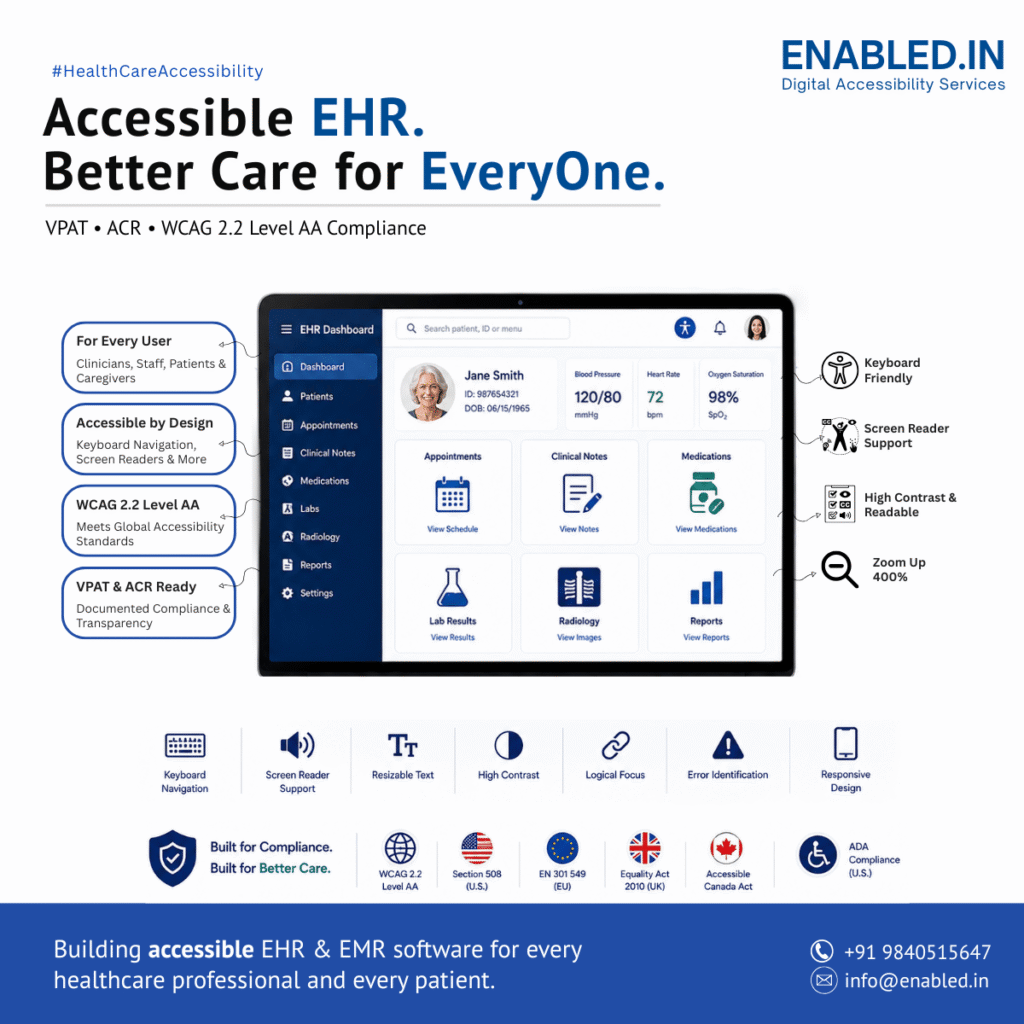
Why Accessibility Matters for EHR Software
EHR platforms are used by a wide range of people, including:
- Physicians
- Specialists
- Nurses
- Pharmacists
- Laboratory technicians
- Radiologists
- Administrative staff
- Billing teams
- Patients
- Caregivers
- Healthcare administrators
These users have different roles, technical skills, and accessibility needs. Some rely on assistive technologies because of visual, hearing, cognitive, or motor impairments.
An accessible EHR reduces barriers, supports inclusive healthcare, and improves productivity by making complex clinical workflows easier to navigate.
Benefits include:
- Improved patient care
- Better clinical efficiency
- Reduced documentation errors
- Increased patient independence
- Inclusive digital healthcare
- Better procurement readiness
- Compliance with accessibility requirements
Accessibility Standards for EHR Software by Country
Healthcare organizations often deploy EHR platforms across multiple countries. While accessibility laws differ, many reference or align with WCAG.
| Country / Region | Accessibility Standards | Healthcare Scope |
|---|---|---|
| United States | Section 508, ADA, WCAG 2.2 | Healthcare providers, federal agencies, public hospitals |
| United Kingdom | Equality Act 2010, Public Sector Bodies Accessibility Regulations, NHS Digital accessibility guidance | NHS trusts, public healthcare organizations |
| European Union | European Accessibility Act (EAA), EN 301 549, WCAG 2.2 | Public healthcare organizations and digital health providers |
| Canada | Accessible Canada Act (ACA), AODA, WCAG 2.2 | Federal and provincial healthcare organizations |
| Australia | Disability Discrimination Act (DDA), WCAG 2.2 | Government healthcare services |
| International | WCAG 2.2 (W3C) | Global digital accessibility best practice |
Organizations serving multiple markets should design EHR platforms to meet WCAG 2.2 Level AA, helping satisfy accessibility expectations across many jurisdictions.
Accessibility Features for EHR Software
Accessibility should be built into every workflow, module, and enterprise integration.
1. Patient Registration and Demographics
Patient registration is the first step in the care journey. Because this workflow is used frequently by front-desk staff and patients, it should be easy to navigate and fully accessible.
Functional Accessibility Features
- Keyboard-accessible registration forms
- Clearly associated labels for all input fields
- Accessible date pickers
- Screen reader support for demographic information
- Accessible document uploads for identification
- Keyboard-accessible digital signatures
- Multi-language support
- Responsive forms for desktop, tablet, and mobile devices
- Error messages announced to assistive technologies
- Required fields identified using text and icons instead of color alone
Benefits
- Faster patient registration
- Reduced administrative errors
- Improved usability for patients and staff
- Better compatibility with assistive technologies
2. Appointment Scheduling
Appointment management includes provider availability, resource scheduling, follow-up appointments, waiting lists, and telemedicine bookings.
Functional Accessibility Features
- Keyboard-operable calendar controls
- Screen reader announcements for selected appointments
- Accessible provider and location selectors
- High-contrast appointment calendars
- Color-independent appointment status indicators
- Accessible waiting list management
- Keyboard shortcuts for scheduling tasks
- Accessible reminder preferences
- Responsive scheduling interface
- Accessible telemedicine appointment booking
Benefits
- Easier appointment management
- Improved patient self-service
- Reduced scheduling errors
3. Patient Medical History
Healthcare professionals need quick access to comprehensive patient histories to make informed clinical decisions.
Functional Accessibility Features
- Proper heading hierarchy
- Keyboard-accessible navigation
- Screen reader-compatible timelines
- Accessible medication history tables
- Expandable sections with ARIA support
- Accessible allergy alerts
- Search with keyboard-accessible autocomplete
- Logical reading order
- High-contrast display options
Benefits
- Faster review of patient information
- Better clinical efficiency
- Improved accessibility for clinicians using assistive technologies
4. Clinical Documentation
Clinical documentation includes SOAP notes, consultation notes, nursing notes, procedure reports, discharge summaries, and referrals.
Functional Accessibility Features
- Accessible rich text editors
- Keyboard-only editing
- Voice-to-text documentation support
- AI-assisted documentation compatible with screen readers
- Accessible note templates
- Electronic signatures
- Version history
- Auto-save notifications announced to assistive technologies
- Logical keyboard focus during editing
- Accessible error identification
Benefits
- Increased documentation efficiency
- Better support for healthcare professionals
- Improved clinical accuracy
5. Electronic Prescribing (eRx)
Electronic prescribing is a core function of modern EHR systems and should be accessible for all prescribing clinicians.
Functional Accessibility Features
- Accessible medication search
- Keyboard navigation throughout prescribing workflows
- Screen reader announcements for drug interactions
- Accessible allergy alerts
- Keyboard-accessible dosage calculators
- Prescription history in accessible tables
- Pharmacy integration with accessible selection controls
- Medication reconciliation workflows that support keyboard and screen reader users
Benefits
- Improved medication safety
- Reduced prescribing errors
- Better accessibility for clinicians
6. Clinical Decision Support (CDSS)
Clinical Decision Support Systems provide alerts, reminders, and evidence-based recommendations to assist healthcare professionals.
Functional Accessibility Features
- Screen reader announcements for alerts
- Accessible preventive care reminders
- Keyboard-accessible notification panels
- Drug interaction warnings with descriptive text
- Duplicate therapy alerts
- Risk score explanations in plain language
- Accessible vaccination reminders
- Color-independent warning indicators
- Focus management when alerts appear
Benefits
- Better clinical decision-making
- Safer medication prescribing
- Reduced alert fatigue through clear, accessible presentation
7. Laboratory Management
Laboratory modules allow clinicians to order tests, review results, monitor trends, and respond to critical findings.
Functional Accessibility Features
- Accessible laboratory order entry forms
- Screen reader-compatible specimen tracking
- Properly structured laboratory result tables
- Accessible reference ranges
- Keyboard navigation for filtering and sorting
- Critical result alerts announced to assistive technologies
- Trend charts with accompanying text summaries
- Tagged PDF laboratory reports
- Accessible report downloads
Benefits
- Faster review of laboratory information
- Improved clinical efficiency
- Better accessibility for laboratory staff and clinicians
8. Inpatient Management Accessibility
Inpatient modules support patient admissions, transfers, bed management, and discharge planning.
Functional Accessibility Features
Admission
- Accessible admission forms
- Screen reader support
- Keyboard navigation
Bed Management
- Accessible bed availability dashboard
- Color-independent occupancy indicators
- Keyboard-accessible ward selection
Transfers
- Accessible patient transfer workflows
- Confirmation dialogs announced to assistive technologies
- Keyboard navigation between wards
ICU Management
- Accessible patient monitoring dashboards
- High-contrast interfaces
- Screen reader support for alerts
Discharge Planning
- Accessible discharge checklists
- Tagged PDF discharge summaries
- Accessible patient education documents
Benefits
- Better inpatient workflow management
- Improved patient transitions
- Reduced administrative errors
9. Outpatient Management Accessibility
Outpatient clinics rely on efficient consultation workflows.
Functional Accessibility Features
- Accessible consultation documentation
- Keyboard-accessible referral management
- Accessible follow-up scheduling
- Screen reader-compatible prescription printing
- High-contrast appointment summaries
- Accessible billing integration
Benefits
- Improved outpatient efficiency
- Better patient experience
- Faster clinical documentation
10. Emergency Department Accessibility
Emergency departments operate in fast-paced environments where accessibility should support rapid patient care without introducing barriers.
Functional Accessibility Features
- Fast patient registration using keyboard navigation
- Accessible triage workflows
- Clearly labelled emergency alerts
- Keyboard-accessible trauma documentation
- Screen reader support for emergency notifications
- Accessible ambulance management
- High-contrast emergency dashboards
- Responsive interfaces for mobile emergency devices
Benefits
- Faster emergency response
- Improved documentation accuracy
- Better accessibility under high-pressure conditions
11. Patient Portal Accessibility
The patient portal is one of the most visible parts of an EHR system. Patients should be able to manage their healthcare independently, regardless of ability.
Functional Accessibility Features
Secure Login
- Keyboard-accessible authentication
- Accessible multi-factor authentication (MFA)
- Screen reader-compatible login forms
- Password visibility controls
Health Records
- Accessible viewing of medical records
- Keyboard navigation
- Logical heading structure
- Search functionality
Laboratory Reports
- Accessible tables
- Tagged PDF downloads
- Screen reader support
Appointment Booking
- Keyboard-accessible scheduling
- Accessible calendars
- Confirmation messages announced to assistive technologies
Online Payments
- Accessible payment forms
- Error prevention
- Clear validation
- Accessible payment confirmation
Secure Messaging
- Accessible message editor
- Keyboard navigation
- Screen reader support
- Accessible attachments
Patient Education
- Accessible PDFs
- Captions for educational videos
- Alternative text for images
- Plain language content
Benefits
- Greater patient independence
- Better patient engagement
- Improved healthcare access
12. Telemedicine Accessibility
Telemedicine has become an essential part of modern healthcare. Accessible virtual care ensures all patients can participate in consultations.
Functional Accessibility Features
Video Consultations
- Keyboard controls
- Screen reader-compatible meeting controls
- Visible focus indicators
- High-contrast interface
Audio Accessibility
- Live captions (where available)
- Volume controls
- Clear audio indicators
Chat
- Accessible chat interface
- Keyboard navigation
- Screen reader announcements for new messages
File Sharing
- Accessible upload controls
- Keyboard navigation
- Tagged downloadable documents
Follow-up Scheduling
- Accessible appointment booking
- Keyboard-accessible confirmation
- Screen reader notifications
13. Clinical Analytics Accessibility
Healthcare leaders rely on analytics dashboards to monitor clinical quality, operational performance, and population health.
Functional Accessibility Features
- Keyboard-accessible dashboards
- Screen reader-compatible charts
- Text summaries for graphs
- Accessible filters
- Responsive dashboards
- Export to tagged PDF, Excel, and CSV
- Accessible physician performance reports
- Population health dashboards with accessible tables
Benefits
- Inclusive data analysis
- Better operational decision-making
- Improved reporting for all users
14. AI Features Accessibility
Many enterprise EHR platforms now include Artificial Intelligence to improve productivity and clinical decision-making. These AI-powered features must also be accessible.
Functional Accessibility Features
AI Medical Scribe
- Screen reader-compatible generated notes
- Keyboard-accessible editing
- Accessible approval workflows
Voice-to-Text Documentation
- Keyboard alternatives
- Clear transcription status messages
- Accessible editing controls
Clinical Summarization
- Structured headings
- Plain language summaries
- Keyboard navigation
AI Chatbots
- Accessible chat interface
- Screen reader announcements
- Keyboard operation
- Clear identification of AI-generated responses
Predictive Analytics
- Accessible risk score explanations
- Text alternatives for charts
- High-contrast dashboards
Intelligent Search
- Keyboard-accessible search
- Screen reader-compatible autocomplete
- Accessible filters
Benefits
- Improved clinician productivity
- Inclusive AI-assisted workflows
- Better accessibility for advanced healthcare technologies
Accessibility Conformance Report (ACR)
The Accessibility Conformance Report (ACR) is the completed VPAT document.
A comprehensive ACR should include:
- Accessibility scope
- Supported standards
- Manual testing results
- Automated testing results
- Assistive technologies used
- Browser compatibility
- Mobile accessibility
- Known limitations
- Planned accessibility improvements
Maintaining an up-to-date ACR demonstrates an ongoing commitment to accessibility.
Best Practices for Accessible EHR Development
Healthcare software teams should:
- Design accessibility from the beginning.
- Follow WCAG 2.2 Level AA.
- Test every release for accessibility.
- Maintain accessible design systems.
- Use semantic HTML and appropriate ARIA patterns.
- Ensure complete keyboard accessibility.
- Avoid relying on color alone to communicate information.
- Provide descriptive labels and error messages.
- Support multiple assistive technologies.
- Include people with disabilities in usability testing.
- Keep VPATs and ACRs current after major releases.
FAQ – EHR accessibility
Accessible EHR software enables healthcare professionals and patients to perform essential tasks efficiently while supporting inclusive healthcare and improving overall usability.
Most enterprise EHR platforms are designed to support WCAG 2.2 Level AA. Depending on deployment regions and customer requirements, organizations may also consider Section 508 (United States), EN 301 549 (European Union), the Equality Act 2010 and NHS accessibility requirements (United Kingdom), and the Accessible Canada Act (Canada).
A modern EHR should support screen readers such as JAWS, NVDA, VoiceOver, and TalkBack, along with screen magnifiers, speech recognition software, alternative keyboards, switch devices, and other assistive technologies.
How Enabled.in Can Help
Enabled.in helps healthcare organizations and software providers build accessible EMR and EHR applications that align with WCAG 2.2 and international accessibility standards.
Our services include accessibility audits, VPAT and Accessibility Conformance Report (ACR) preparation. We provide manual and automated testing.
We offer remediation guidance and accessibility consulting. These services help create inclusive digital healthcare solutions.
Contact Enabled.in to learn how we can support your EMR or EHR accessibility journey.
Email: info@enabled.in
Phone: +919840515647(whatsapp)
Contact Page: https://enabled.in/contact-us/
Discover more from Enabled.in
Subscribe to get the latest posts sent to your email.