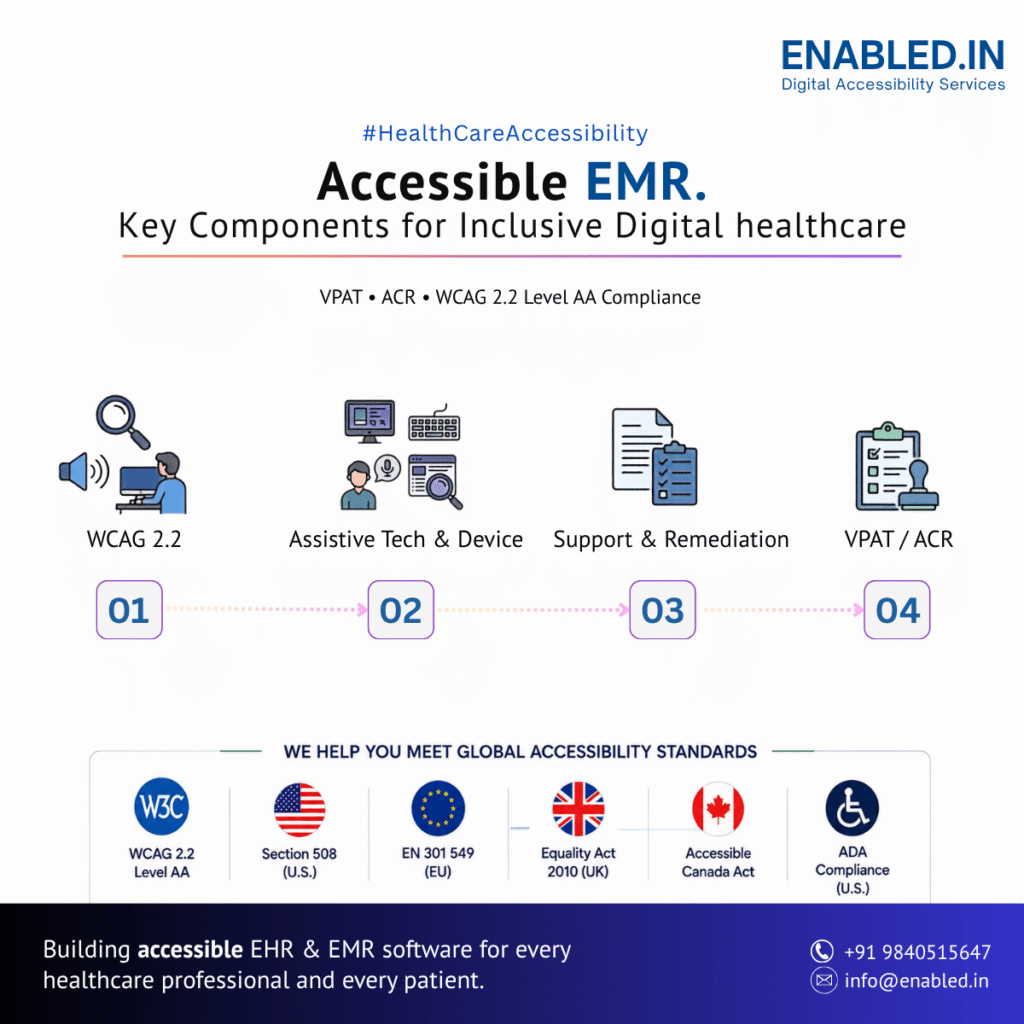
Accessible EMR software should follow WCAG 2.2 guidelines and support assistive technologies such as screen readers, keyboard navigation, voice control, and screen magnification.
Many healthcare organizations also provide a VPAT (Voluntary Product Accessibility Template). They also offer an Accessibility Conformance Report (ACR) to show how their software meets accessibility standards.
In this guide, you’ll learn the key accessibility features every EMR system should include, how to meet WCAG 2.2 requirements, and why VPAT and ACR documentation are important for healthcare software.
- Patient demographics
- Medical history
- Allergies
- Medications
- Laboratory results
- Clinical notes
- Diagnoses
- Treatment plans
- Immunization records
- Billing information
Why Accessibility Matters for EMR Software
Healthcare software is used by professionals with different abilities, experience levels, and work environments. Some users rely on assistive technologies because of visual, hearing, cognitive, or motor impairments. Others may temporarily benefit from accessible features due to injury, fatigue, or changing work conditions.
An inaccessible EMR can make routine tasks difficult. It can increase the likelihood of data entry errors. It slows clinical workflows. It creates barriers for both healthcare professionals and patients.
Accessible EMR software helps organizations:
- Improve usability for all users
- Support employees with disabilities
- Enhance patient experiences
- Reduce user errors
- Improve productivity
- Meet procurement requirements
- Demonstrate commitment to inclusive healthcare
Accessibility Standards for EMR Software Around the World
Healthcare software is used globally, and accessibility requirements differ by country. Many organizations require software vendors to demonstrate accessibility before purchasing or deploying an EMR system.
The following standards are commonly referenced for healthcare software.
| Country / Region | Accessibility Standards | Typical Scope |
|---|---|---|
| United States | Section 508, Americans with Disabilities Act (ADA), WCAG 2.2 | Federal agencies, healthcare providers, government-funded organizations |
| United Kingdom | Equality Act 2010, Public Sector Bodies Accessibility Regulations, WCAG 2.2 | NHS organizations, public healthcare services |
| European Union | European Accessibility Act (EAA), EN 301 549, WCAG 2.2 | Public sector organizations and many private digital services |
| Canada | Accessible Canada Act (ACA), Accessibility for Ontarians with Disabilities Act (AODA), WCAG 2.2 | Federal organizations and provincial public sector bodies |
| Australia | Disability Discrimination Act (DDA), WCAG 2.2 | Government healthcare services and many public-facing applications |
| International | WCAG 2.2 (W3C) | Global best practice for web accessibility |
Although legal requirements vary, WCAG 2.2 Level AA is the most widely accepted technical standard for accessible web applications.
Why WCAG 2.2 is Important for EMR Applications
The Web Content Accessibility Guidelines (WCAG) 2.2 provide recommendations for designing digital products that are usable by people with disabilities.
For EMR software, following WCAG 2.2 helps ensure users can:
- Navigate without a mouse
- Use screen readers effectively
- Read content with sufficient color contrast
- Complete forms independently
- Understand error messages
- Resize text without losing information
- Access content on desktops, tablets, and mobile devices
Meeting WCAG 2.2 Level AA also supports organizations preparing VPATs and Accessibility Conformance Reports.
Accessibility Features for EMR Software
Accessibility should be integrated into every module of an EMR system, not added as an afterthought. Below are the key accessibility features and functional requirements for common EMR workflows.
1. Patient Registration Accessibility
Patient registration is often the first interaction with the system. Registration forms should be easy to understand and fully accessible.
Functional Accessibility Requirements
- Every field must have an accessible label.
- The keyboard should support all registration tasks.
- Required fields should be identified with text, not only color.
- Error messages should clearly explain how to fix mistakes.
- Screen readers should announce validation errors automatically.
- Date pickers should support keyboard navigation.
- Dropdown lists should be fully accessible.
- Identity document uploads should work with keyboard and screen readers.
- Digital signature components should be accessible.
- Tab order should follow the visual layout of the form.
These improvements help reception staff and patients complete registration efficiently.
2. Appointment Scheduling Accessibility
Appointment scheduling involves interactive calendars, provider availability, appointment statuses, and reminders.
Functional Accessibility Requirements
- Calendar controls should be fully keyboard accessible.
- Time slots should have descriptive labels.
- Screen readers should announce selected dates and appointment times.
- Appointment status should not rely only on color.
- Waiting lists should be navigable using assistive technologies.
- Reminder preferences should be accessible.
- Zooming to 200% should not break the scheduling interface.
- Focus indicators should remain visible throughout scheduling.
3. Patient Medical History Accessibility
Medical history contains detailed clinical information that users must quickly review during consultations.
Functional Accessibility Requirements
- Headings should organize information logically.
- Allergy alerts should include descriptive text.
- Medical history tables should include proper row and column headers.
- Medication history should support keyboard navigation.
- Search functionality should provide accessible autocomplete.
- Screen readers should identify expandable and collapsible sections.
- Historical records should follow a logical reading order.
- Filters should be usable without a mouse.
4. Clinical Documentation Accessibility
Doctors and nurses spend a significant portion of their day documenting patient care. Accessibility is essential for efficient documentation.
Functional Accessibility Requirements
- Clinical note editors should support keyboard-only operation.
- Rich text editing tools should include accessible toolbar controls.
- Voice dictation features should include keyboard alternatives.
- Auto-save notifications should be announced to screen readers.
- Templates should be easy to navigate using headings.
- Electronic signatures should be accessible.
- Version history should support keyboard navigation.
- Error messages should clearly identify incomplete information.
Well-designed documentation tools reduce cognitive load and improve productivity for clinicians.
5. Electronic Prescribing (eRx) Accessibility
Electronic prescribing helps improve medication safety. Accessibility ensures every clinician can prescribe medications efficiently.
Functional Accessibility Requirements
- Medication searches should support keyboard navigation.
- Autocomplete suggestions should be announced by screen readers.
- Drug interaction warnings should include descriptive text.
- Allergy alerts should not rely only on icons or colors.
- Dosage calculators should provide accessible input controls.
- Prescription history should be presented using accessible tables.
- Pharmacy selection should support keyboard interaction.
- Refill requests should include accessible confirmation messages.
6. Laboratory Management Accessibility
Laboratory results contain complex medical information that should remain easy to interpret for all users.
Functional Accessibility Requirements
- Laboratory reports should use accessible tables.
- Reference ranges should be clearly labelled.
- Critical laboratory alerts should be announced to assistive technologies.
- Trend graphs should include text summaries.
- Filters should support keyboard navigation.
- Reports should be exportable as tagged PDF documents.
- Laboratory attachments should include accessible file names and descriptions.
7. Vital Signs Accessibility
Vital sign information is reviewed frequently during patient care.
Functional Accessibility Requirements
Accessible vital sign modules should include:
- Clearly labelled measurement fields
- Keyboard-accessible data entry
- High-contrast trend charts
- Screen reader announcements for abnormal values
- Accessible BMI calculations
- Logical tab order
- Text summaries alongside visual graphs
- Accessible growth charts for pediatric patients
8. Insurance Management Accessibility
Insurance workflows involve entering policy details, checking eligibility, tracking claims, and reconciling payments.
Functional Accessibility Features
- Accessible policy verification forms
- Keyboard navigation throughout claims workflows
- Clearly labelled insurance information
- Accessible eligibility results
- Screen reader-compatible claim status updates
- Accessible reconciliation reports
- Error identification with clear instructions
- Responsive layouts for mobile claims management
Benefits
- Improved insurance processing
- Easier claim management
- Better usability for administrative staff
9. Reporting and Dashboard Accessibility
Reports and dashboards provide operational, financial, and clinical insights. They should be accessible to all users.
Functional Accessibility Features
Accessible Reports
- Patient reports
- Appointment reports
- Clinical reports
- Billing reports
- Laboratory reports
- Executive reports
Dashboard Accessibility
- Keyboard navigation
- Screen reader-compatible widgets
- Accessible charts with text summaries
- High-contrast themes
- Responsive dashboards
- Zoom support
Export Accessibility
Reports exported as PDF, Excel, or CSV should remain accessible.
Accessible PDF reports should include:
- Tagged headings
- Logical reading order
- Alternative text
- Searchable text
- Accessible tables
Benefits
- Better decision-making
- Easier reporting
- Inclusive data visualization
10. Administration Module Accessibility
System administrators configure users, departments, permissions, and application settings.
Functional Accessibility Features
- Accessible user management screens
- Keyboard-accessible role assignment
- Screen reader-compatible permission settings
- Accessible organization hierarchy trees
- High-contrast administration interface
- Accessible audit log viewers
- Responsive system settings
- Accessible search functionality
Benefits
- Easier system administration
- Better productivity
- Improved accessibility management
Preparing a VPAT for EMR Software
A Voluntary Product Accessibility Template (VPAT) documents how an EMR supports accessibility standards such as WCAG 2.2, Section 508, and EN 301 549.
A comprehensive VPAT should include:
- Product overview
- Supported accessibility standards
- Testing methodology
- Accessibility conformance level
- Known limitations
- Workarounds (if applicable)
- Contact information for accessibility support
Many hospitals, government agencies, and enterprise healthcare organizations request a VPAT during vendor evaluation and procurement.
Accessibility Conformance Report (ACR)
An Accessibility Conformance Report (ACR) is the completed report created using the VPAT template.
A high-quality ACR should document:
- WCAG 2.2 Level AA conformance
- Section 508 support
- EN 301 549 support
- Tested browsers and operating systems
- Assistive technologies used during testing
- Manual and automated testing results
- Accessibility exceptions and planned improvements
Keeping the ACR updated after major product releases helps demonstrate an ongoing commitment to accessibility.
Accessibility Testing for EMR Software
Accessibility testing should be integrated into the software development lifecycle.
Recommended Testing Activities
Manual Testing
- Keyboard-only navigation
- Focus management
- Logical reading order
- Screen magnification
- Responsive layouts
- Zoom testing
Screen Reader Testing
Verify compatibility with:
- JAWS
- NVDA
- VoiceOver
- TalkBack
Automated Testing
Use accessibility testing tools to identify common issues such as:
- Missing labels
- Color contrast failures
- Incorrect heading structure
- Missing alternative text
- ARIA implementation issues
User Testing
Include people with disabilities in usability testing to validate real-world accessibility.
EMR Accessibility Best Practices
Healthcare software teams should:
- Design accessibility from the beginning.
- Follow WCAG 2.2 Level AA.
- Use semantic HTML and accessible ARIA patterns.
- Ensure complete keyboard accessibility.
- Avoid using color alone to communicate information.
- Provide descriptive labels and instructions.
- Test every release for accessibility.
- Maintain current VPAT and ACR documentation.
- Train developers, designers, QA engineers, and product teams on accessibility.
- Review accessibility whenever new features are introduced.
FAQ – EMR accessibility
A VPAT provides a standardized way to document how an EMR supports accessibility standards. It helps healthcare organizations evaluate accessibility during software procurement.
An ACR is the completed report created using the VPAT template. It explains the accessibility features, testing results, and conformance status of the software.
Many healthcare organizations design EMR software to support WCAG 2.2 Level AA. Depending on the country or customer, additional requirements may include Section 508 (USA), EN 301 549 (Europe), the Equality Act 2010 (UK), or the Accessible Canada Act (Canada).
A modern EMR should be compatible with screen readers such as JAWS, NVDA, VoiceOver, and TalkBack, along with keyboard navigation, screen magnifiers, speech recognition software, and other assistive technologies.
Accessibility testing should be performed throughout the software development lifecycle and after major feature updates to ensure ongoing compliance and usability.
How Enabled.in Can Help
Enabled.in helps healthcare organizations and software providers build accessible EMR and EHR applications that align with WCAG 2.2 and international accessibility standards.
Our services include accessibility audits, VPAT and Accessibility Conformance Report (ACR) preparation. We provide manual and automated testing.
We offer remediation guidance and accessibility consulting. These services help create inclusive digital healthcare solutions.
Contact Enabled.in to learn how we can support your EMR or EHR accessibility journey.
Email: info@enabled.in
Phone: +919840515647(whatsapp)
Contact Page: https://enabled.in/contact-us/
Discover more from Enabled.in
Subscribe to get the latest posts sent to your email.