Every day, millions of workers log in to ERP systems to do their jobs. They approve bills. They check stock. They run payroll. They close the books.
But what if one of those workers is blind? What if they can’t use a mouse? What if a busy, confusing screen makes their job much harder?
If your ERP isn’t easy to use for them, they can’t do their job. That’s a problem. It’s a legal risk. It’s unfair. And it costs you money.
This guide explains what ERP access means, why it matters around the world, and how to get it right.
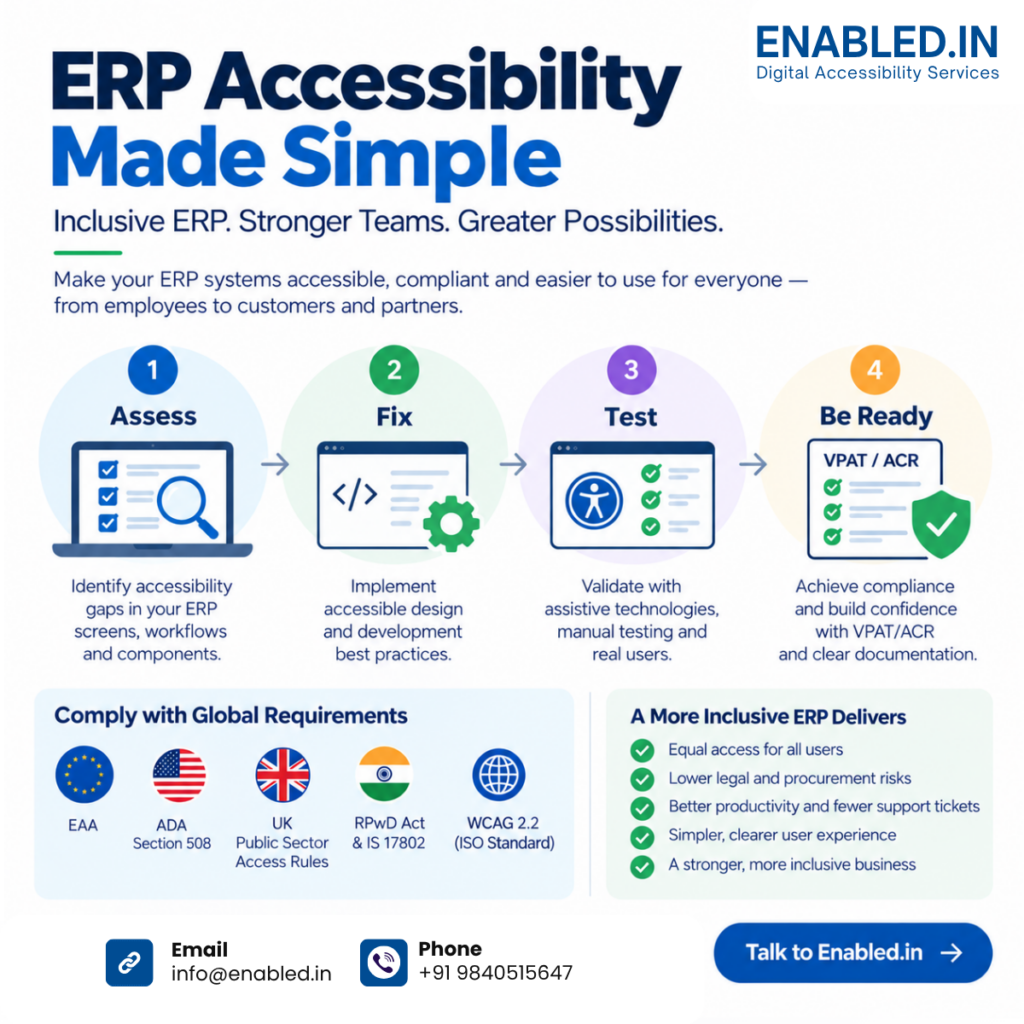
What Is ERP Accessibility?
ERP accessibility means building your ERP system so every user can use it. That includes people with visual, hearing, movement, speech, or learning disabilities.
An accessible ERP system:
- Works with screen readers (tools that read the screen out loud)
- Works with the keyboard alone no mouse needed
- Uses clear color contrast and never uses color alone to share info
- Has clear labels and helpful error messages on every form
- Lets users zoom in without the page breaking
- Shows tables, charts, and dashboards in ways assistive tech can read
All of this is based on one global set of rules: the Web Content Accessibility Guidelines (WCAG). WCAG 2.2 is now an official ISO standard. That’s why laws and buyers all over the world use it as their yardstick.
Why ERP Accessibility Matters Now
1. You’re leaving people out
About 1 in 6 people roughly 1.3 billion worldwide lives with a disability. These are your workers, your customers, and your job candidates.
This matters twice for ERP systems. Your staff need an easy-to-use system to do their work. And your customers and partners use your ERP too through portals where they order, pay, and get quotes.
2. The law has caught up
Access is no longer optional in most big markets:
| Region | Law | What it means for your ERP |
|---|---|---|
| 🇺🇸 United States | ADA + DOJ web guidance | Public-facing businesses must offer equal online access; courts look to WCAG |
| 🇺🇸 US Federal | Section 508 | Federal agencies and their vendors must use WCAG-compliant software |
| 🇪🇺 European Union | European Accessibility Act (EAA) | In force since June 2025 – digital products and services must be accessible across EU states |
| 🇨🇦 Canada | AODA (Ontario) | Big public and private firms must meet WCAG 2.0 AA |
| 🇦🇺 Australia | Disability Discrimination Act | Complaints can force sites and apps to become accessible; WCAG is the accepted standard |
| 🇮🇳 India | RPwD Act 2016 | Government and public-facing digital services must be accessible |
| 🇬🇧 United Kingdom | Public Sector Access Rules | Public sector sites and apps must meet WCAG 2.1 AA |
The trend is clear: regulators everywhere are moving toward WCAG. Building to WCAG 2.2 Level AA today is as close as it gets to a global compliance plan.
3. Lawsuits and lost deals are real risks
Access lawsuits keep rising in the US. They’re no longer aimed only at marketing sites. Business apps are targets too.
But the bigger risk often shows up earlier: procurement. Governments and big firms now ask for access proof (a VPAT or ACR) in their RFPs. If your ERP can’t show WCAG compliance, you may not even make the shortlist.
4. Access helps every user
Here’s the best part: access features make the ERP better for everyone.
- Keyboard shortcuts help power users work faster.
- Clear error messages mean fewer support tickets.
- Tidy layouts make financial data easier to read.
- Predictable screens mean less training and fewer mistakes.
Good access is good design for all.
Why ERP Systems Are Harder to Fix
Making a website accessible is well understood. ERP systems are tougher. Here’s why:
1. Big, dense data tables
ERP screens are full of grids: ledgers, stock lists, order lines. Screen readers struggle with tables that aren’t built right.
What good looks like: clear row and column headers, plus a text summary so a screen reader user hears “Invoice #4471, Amount Due, $12,400” with full context.
2. Charts and dashboards
Charts show trends at a glance unless you can’t see them. A green/red dashboard is useless for color-blind users. It’s invisible to screen reader users too.
What good looks like: every chart comes with a text or table version. Color is always paired with icons or labels.
3. Long, multi-step tasks
Creating a purchase order or running payroll involves long forms, pop-ups, and checks. Each step can break access missing labels, lost focus, silent errors.
What good looks like: every field has a label. The keyboard focus stays visible. Errors are explained in plain words.
4. Custom widgets and keyboard traps
Modern ERP screens use dropdowns, date pickers, drag-and-drop, and endless scrolling. If these aren’t built to the right standards, keyboard and screen reader users get stuck.
What good looks like: everything works by keyboard (WCAG 2.1.1). No traps where focus gets stuck (WCAG 2.1.2). Custom widgets use correct ARIA markup.
5. Session timeouts
ERP systems often log users out for security. Some users need more time to finish a task.
What good looks like: users get a warning before a timeout. They can extend their session (WCAG 2.2.1).
The POUR Test: 4 Questions to Ask
WCAG is built on four principles. Use them as your design test:
| Principle | Ask yourself | ERP example |
|---|---|---|
| Perceivable | Can users take in the info? | Alt text on images, text versions of charts, captions on videos |
| Operable | Can users work it? | Full keyboard support, visible focus, no flashing content |
| Understandable | Is it clear and predictable? | Plain labels, consistent menus, helpful error messages |
| Robust | Does it work with assistive tech? | Clean code, proper ARIA, works with current screen readers |
If your ERP passes these four questions, it passes most of WCAG and most legal rules too.
ERP Accessibility Checklist
Use this to check your current system:
Navigation & interaction
- Every function works with the keyboard alone
- A visible focus indicator shows where you are
- No keyboard traps in pop-ups, grids, or widgets
- Logical tab order and skip links
Visual design
- Text contrast of at least 4.5:1 (3:1 for large text)
- Color is never the only way to show info
- Text works when zoomed to 200%
- Nothing flashes more than 3 times per second
Forms & data entry
- Every field has a label
- Errors say what’s wrong and how to fix it not just “invalid input”
- Errors are announced to screen readers
- No placeholder-only labels
Data & content
- Tables have proper headers
- Charts have text or table options
- Pages have clear titles and headings
- Informational images have alt text
Compatibility
- Tested with NVDA, JAWS, VoiceOver, and TalkBack
- Zoom and reflow tested at 200–400%
- Works at 320px wide without sideways scrolling
How to Make Your ERP Accessible: 5 Steps
Access isn’t a one-time fix. It’s an ongoing habit. Here’s a proven path:
- Step 1 – Audit. Run automated scans (axe, WAVE, Lighthouse) and test by hand with screen readers and keyboard-only use. Automated tools catch only about 30–40% of issues.
- Step 2 – Prioritize. Fix the blockers first: keyboard traps, missing labels, low contrast, broken tables. These lock users out completely.
- Step 3 – Remediate. Work with developers who know both WCAG and complex enterprise screens. Quick-fix overlay widgets don’t work – and they won’t protect you in court.
- Step 4 – Build it into your process. Train designers on accessible patterns. Add access checks to QA. Demand VPAT/ACR documents from every software vendor you buy from.
- Step 5 – Test with real users. Test with people who use assistive tech every day. No checklist replaces lived experience.
The Bottom Line
ERP systems run your business. If they only work for some of your people, your business only works for some of your people.
Standards have matured. Laws now have teeth. Buyers now check. The companies winning in global markets aren’t treating access as a patch. They’re building it into how they create, buy, and run business software.
The good news: with the right help, an accessible ERP isn’t a rebuild. It’s a series of known, tested fixes. The sooner you start, the smaller the gap.
Ready to Make Your ERP Work for Everyone?
At Enabled, we help organizations audit, fix, and future-proof their ERP and enterprise systems for global standards WCAG 2.2, EN 301 549, Section 508, and more.
Get a free ERP accessibility assessment today → ERP Accessibility Audit and Testing
Found this guide useful? Share it with a team running an ERP system.
Discover more from Enabled.in
Subscribe to get the latest posts sent to your email.