Healthcare Accessibility Requirements, Testing and Procurement Readiness
A practical guide for healthcare organizations and technology vendors covering ADA accessibility, HHS Section 504, Section 508, WCAG testing, patient journeys, remediation, VPAT/ACR and accessibility procurement readiness.
Healthcare Accessibility Extends Beyond the Public Website
Patients may interact with several digital systems before completing one healthcare task. Accessibility should therefore be reviewed across the complete patient journey.
- Healthcare Website
- Find a Provider
- Book Appointment
- Complete Forms
- Patient Portal
- Medical Results
- Telehealth
- Mobile App
- Documents
- Payments
- Support
- Third-Party Services
Audit the complete journey, not only individual pages. A page may pass several technical checks while a keyboard or screen reader user is still unable to book an appointment, correct a form error, access medical information or complete another important healthcare task.
Which Accessibility Requirements Are Relevant to Healthcare?
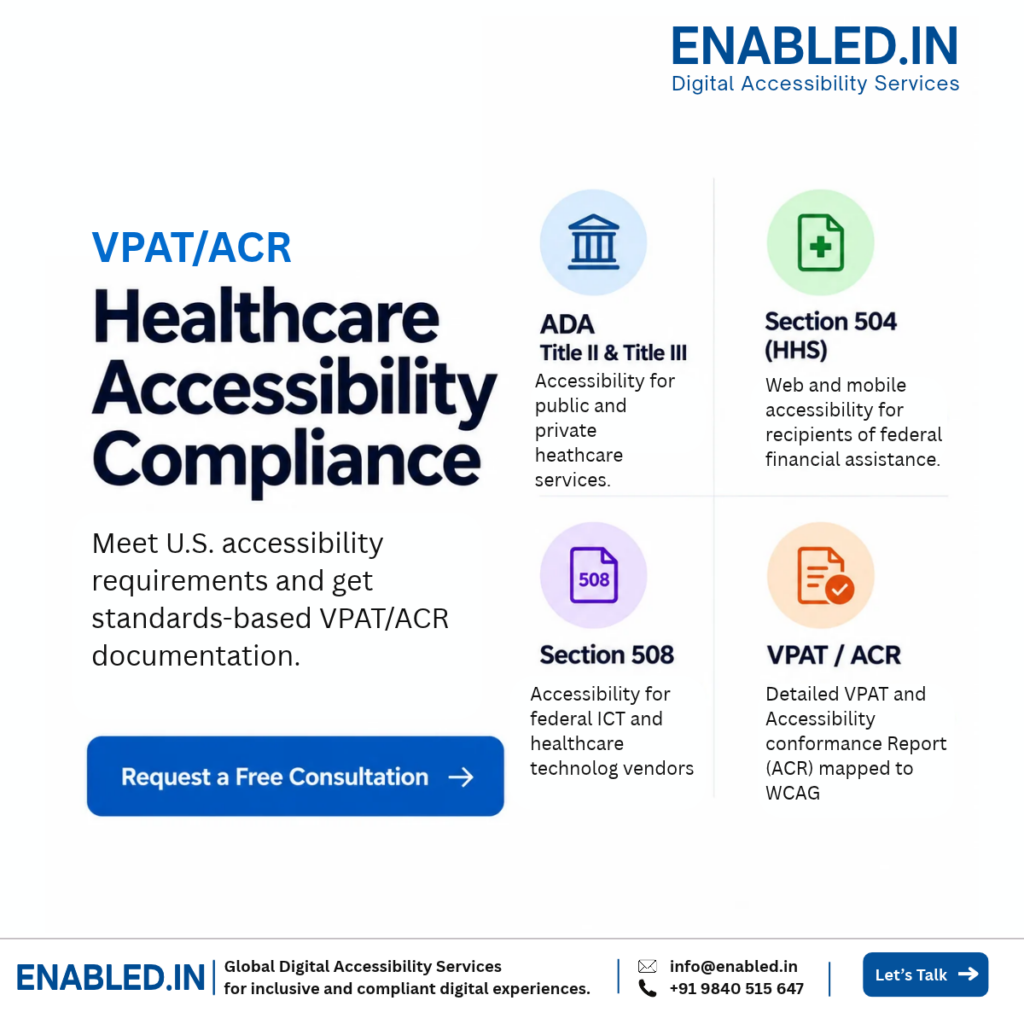
Different requirements may apply depending on whether the organization is public or private, receives federal financial assistance, or supplies technology to a federal agency.
ADA Title II
Relevant to state and local government healthcare programs, services and activities.
Specific web and mobile accessibility requirements use WCAG 2.1 Level AA for covered content and applications.
ADA Title III
Relevant to businesses and nonprofits serving the public, including doctors’ offices and private hospitals.
Digital barriers can affect access to the healthcare services these organizations provide.
HHS Section 504
Relevant to covered recipients of HHS federal financial assistance.
HHS web and mobile accessibility requirements use WCAG 2.1 Level AA.
Section 508
Relevant to information and communication technology developed, procured, maintained or used by federal agencies.
This is particularly important for healthcare technology vendors selling products to federal customers.
What about ADA Title I? Title I focuses primarily on employment. It may be relevant to recruitment, HR, training and employee-facing healthcare technology. For patient-facing healthcare services, Title II and Title III are more directly relevant.
Important: ADA, Section 504, Section 508 and WCAG are related, but they should not be treated as interchangeable. WCAG provides technical accessibility criteria. WCAG conformance should not be presented as an “ADA certification.”
State and Local Government Healthcare Accessibility
ADA Title II applies to state and local government programs, services and activities. This can include public healthcare and public health digital services.
Covered organizations should consider the accessibility of websites, mobile applications, appointment services, portals, online forms and other digital services used to provide access to government healthcare programs and activities.
The ADA Title II web and mobile accessibility rule uses WCAG 2.1 Level AA as its technical standard for covered web content and mobile applications, subject to the rule’s provisions and exceptions.
Private Hospitals, Medical Offices and Healthcare Services
ADA Title III is relevant to businesses and nonprofits that serve the public. Doctors’ offices and private hospitals are examples of public accommodations.
When healthcare services depend on websites, appointment systems, patient portals or other digital channels, inaccessible digital experiences can create barriers for people with disabilities.
Technical and legal requirements should be distinguished. WCAG provides measurable accessibility criteria. It should not be described as an ADA certification or legal guarantee.
Healthcare Web and Mobile Accessibility
Section 504 is particularly important for covered healthcare organizations receiving federal financial assistance from HHS.
HHS has established specific accessibility requirements for covered web content and mobile applications using WCAG 2.1 Level AA.
Healthcare organizations should identify which websites, patient portals, mobile applications, documents and third-party services fall within the applicable scope.
What Healthcare Technology Vendors Should Know
Section 508 is particularly important for healthcare technology companies providing information and communication technology to U.S. federal agencies.
Federal procurement may require vendors to explain how their software, electronic content or other ICT conforms to applicable Section 508 requirements.
- Identify Requirements
- Define Product Scope
- Accessibility Evaluation
- Remediation
- Re-testing
- Verified Findings
- VPAT / ACR
- Procurement Review
What accessibility information may a federal buyer request?
- Accessibility Conformance Report
- Applicable VPAT edition
- Product name and version
- Section 508 conformance information
- Testing and evaluation methodology
- Known accessibility limitations
- Accessibility features
- Remediation information
- Supporting accessibility evidence
For healthcare vendors: accessibility should be treated as part of product readiness, not only as documentation prepared after a buyer requests it.
What Should a Healthcare Accessibility Audit Cover?
Audit scope should reflect real healthcare workflows, user roles, platforms and the digital systems required to complete important patient tasks.
Healthcare Website
Navigation, services, locations, provider search, contact options and important healthcare content.
Appointment Scheduling
Provider selection, calendars, dates, time slots, patient details, validation and confirmation.
Patient Portal
Authentication, dashboards, medical records, results, messages, appointments and billing.
Healthcare Forms
Labels, instructions, required fields, validation, error identification and confirmation.
Telehealth
Waiting rooms, video controls, audio controls, chat, captions, notifications and post-visit actions.
Mobile Applications
Critical mobile journeys tested with relevant accessibility methods and assistive technologies.
PDFs and Electronic Documents
Patient forms, instructions, medical documents and reports required to access services.
Third-Party Systems
Payment, appointment, portal, chat and telehealth systems that affect the patient experience.
Test Whether the Patient Can Complete the Task
Accessibility testing should determine whether people using assistive technology can independently complete important healthcare workflows.
- Find Doctor
- Filter Specialty
- Select Location
- Choose Appointment
- Enter Patient Details
- Correct Errors
- Submit
- Receive Confirmation
How Should Healthcare Accessibility Be Tested?
Automated testing provides useful coverage, but it cannot determine whether every healthcare interaction or patient journey is accessible and usable.
Automated Testing
Identify detectable technical accessibility issues across the evaluated scope.
Expert Manual Testing
Evaluate structure, forms, dynamic content, focus behavior and issues requiring human judgment.
Keyboard Testing
Verify that important healthcare functions can be completed without relying on a mouse.
Assistive Technology
Test important workflows using relevant screen readers, browsers and operating systems.
Mobile Accessibility
Evaluate applicable mobile journeys using technologies such as VoiceOver and TalkBack.
Real-User Testing
Include people with disabilities where appropriate to identify practical usability barriers.
Example assistive technology matrix: Windows 11 + Chrome + NVDA, Windows + JAWS when required, macOS + Safari + VoiceOver, iOS + VoiceOver and Android + TalkBack.
What Should Developers Receive After the Audit?
Accessibility findings should help developers understand, reproduce, remediate and verify each identified barrier.
-
Issue and Location
Identify the affected page, screen, component or workflow.
-
User Impact
Explain how the barrier affects people with disabilities.
-
WCAG Reference
Map the issue to the applicable Success Criterion or accessibility requirement.
-
Steps to Reproduce
Provide clear testing instructions so developers can experience the reported behavior.
-
Expected Accessible Behavior
Explain what the corrected user experience should provide.
-
Remediation Guidance
Provide practical developer recommendations and code-level guidance where appropriate.
-
Re-test Status
Confirm whether the issue has been resolved or requires further remediation.
Accessibility Does Not End With the Audit Report
Accessibility issues should move through remediation and independent verification before they are considered resolved.
- Accessibility Audit
- Prioritize Findings
- Developer Guidance
- Remediation
- Re-testing
- Verified Findings
- Accessibility Evidence
- Ongoing Accessibility
A development ticket marked “fixed” should not automatically close an accessibility issue. The updated implementation should be re-tested to confirm that the original barrier has been resolved.
Need to define your healthcare accessibility scope?
Review your website, patient portal, mobile application or healthcare product before starting the audit.
How Does Accessibility Support Healthcare Technology Vendors?
Accessibility can become part of customer due diligence, compliance reviews and procurement before a healthcare technology product is approved.
Accessibility Questionnaires
Respond using evaluated product information rather than broad accessibility claims.
VPAT / ACR Requests
Use verified accessibility findings as the basis for conformance reporting.
Section 508
Support federal procurement when applicable Section 508 information is requested.
Customer Review
Explain tested scope, methodology, accessibility strengths and known limitations.
Remediation Evidence
Demonstrate that identified issues were addressed and independently re-tested.
Procurement Readiness
Provide structured accessibility information when accessibility is part of vendor evaluation.
From Accessibility Testing to VPAT/ACR
Not every healthcare product automatically requires a VPAT. However, government and enterprise customers may request an Accessibility Conformance Report during procurement.
VPAT
A standardized template used to document accessibility conformance information.
Accessibility Conformance Report
A completed report documenting how the evaluated product conforms to applicable accessibility criteria.
What should support an ACR?
- Product name and version
- Defined evaluation scope
- Applicable accessibility standards
- Testing methodology
- Assistive technologies and platforms used
- Verified conformance findings
- Known accessibility limitations
- Relevant third-party dependencies
- Remediation and re-test information
- Define Scope
- Audit Product
- Remediate
- Re-test
- Verify Findings
- Prepare VPAT / ACR
- Vendor Submission
- Procurement Review
A VPAT or ACR is not an ADA certification. The report should reflect the actual evaluated product, version, scope, testing methodology and verified findings.
What Should Procurement Teams Ask Healthcare Vendors?
Procurement teams should look beyond a simple claim that a product is “accessible” and review the evidence supporting that statement.
-
Do you have a current ACR?
Confirm whether formal accessibility conformance information is available.
-
What product and version were evaluated?
Confirm that the report matches the product being considered for purchase.
-
What was included in the scope?
Review modules, workflows, user roles, platforms and exclusions.
-
How was accessibility tested?
Review automated, manual, keyboard and assistive technology testing methods.
-
What limitations remain?
Review known barriers and areas that do not fully support applicable requirements.
-
What is the remediation plan?
Understand how known barriers will be corrected and verified.
Healthcare Accessibility Readiness Checklist
Use this checklist to identify whether your organization has the basic information needed for an accessibility review or procurement discussion.
- Applicable accessibility requirements identified
- ADA Title II applicability reviewed
- ADA Title III applicability reviewed
- HHS Section 504 applicability reviewed
- Section 508 procurement needs reviewed
- Critical patient journeys documented
- Website and portal evaluated
- Keyboard testing completed
- Screen reader testing completed
- Mobile testing completed where applicable
- Third-party dependencies identified
- Developers received remediation guidance
- Accessibility fixes were re-tested
- Verified accessibility evidence is available
- VPAT/ACR requirement reviewed
- Ongoing accessibility ownership defined
If several answers are “we do not know,” an accessibility scope review and baseline audit can help establish the current position.
Healthcare Accessibility Support From Audit to VPAT/ACR
Enabled.in supports healthcare organizations, technology vendors and development teams through the accessibility evaluation, remediation and conformance reporting lifecycle.
- Scope Review
- Accessibility Audit
- Manual & AT Testing
- Real-User Testing
- Developer Guidance
- Re-testing
- Verified Evidence
- VPAT / ACR
Digital Patient Experience Audits
Evaluate websites, patient portals, mobile applications and critical healthcare journeys.
Accessibility & Procurement Readiness
Evaluate products, remediate barriers, verify fixes and prepare applicable VPAT/ACR documentation.
Remediation Support
Receive actionable findings, developer guidance and accessibility verification support.
Accessibility Evidence Review
Review conformance information, testing evidence and known product limitations.
Healthcare Digital Accessibility FAQ
Which ADA title applies to healthcare websites?
ADA Title II is relevant to state and local government healthcare services. ADA Title III is relevant to public-facing private healthcare organizations such as doctors’ offices and private hospitals.
Does ADA Title I apply to healthcare?
Title I focuses on employment. It may be relevant to recruitment and employee-facing systems, but it is not the primary ADA title for patient-facing healthcare services.
What does ADA Title II mean for digital accessibility?
The Title II web and mobile accessibility rule uses WCAG 2.1 Level AA for covered state and local government web content and mobile applications, subject to the rule’s provisions and exceptions.
What is HHS Section 504 for healthcare accessibility?
Section 504 can apply to covered recipients of HHS federal financial assistance and includes specific accessibility requirements for covered web content and mobile applications.
Why is Section 508 important for healthcare vendors?
Section 508 is important when healthcare ICT is developed, procured, maintained or used by U.S. federal agencies. Vendors may be asked for accessibility conformance information during procurement.
Is automated accessibility testing enough?
No. Automated testing can identify some technical issues, but manual, keyboard and assistive technology testing are needed for a more complete evaluation.
Should patient portals be accessibility tested?
Yes, when they are within scope. Authentication, medical records, results, appointments, messaging and billing can all contain accessibility barriers.
Do healthcare software vendors need a VPAT?
Not automatically. However, government and enterprise procurement teams may request an Accessibility Conformance Report based on an applicable VPAT format.
What is the difference between a VPAT and an ACR?
A VPAT is a structured reporting template. The completed accessibility conformance information is generally presented as an Accessibility Conformance Report, or ACR.
Is a VPAT or ACR an ADA certification?
No. A VPAT or ACR documents accessibility conformance information for an evaluated product. It should not be represented as an ADA certification.
Can Enabled.in support healthcare VPAT/ACR preparation?
Yes. Enabled.in can evaluate the agreed product scope, support remediation and re-testing, and prepare applicable VPAT/ACR documentation based on verified accessibility findings.
Is Your Healthcare Website, Application or Product Ready for an Accessibility Review?
Whether you are preparing for accessibility requirements, responding to a customer or procurement request, remediating an existing healthcare product, or preparing a VPAT/ACR, Enabled.in can support the accessibility lifecycle from initial audit through verification.
Discuss Your Healthcare Accessibility Requirements
A Digital Accessibility Practice of TenthPlanet Technologies
Email: info@enabled.in
Phone / WhatsApp: +91 98405 15647
Discover more from Enabled.in
Subscribe to get the latest posts sent to your email.