Digital identity, electronic signatures, payments and data-sharing platforms are becoming essential public infrastructure. Accessibility must be built into these systems, not added after deployment.
The World Bank’s 2026 regional assessment and the UAE’s digital accessibility initiative highlight the importance of inclusive digital government. This guide explains accessibility risks, testing priorities and practical steps for government teams and technology partners.
Executive Summary
The World Bank’s MENAAP regional assessment examines digital public infrastructure across 21 countries, including digital identity, e-signatures, payments and data exchange.
In November 2026, UAE TDRA reported direct accessibility evaluations involving government teams and people with disabilities.
These developments create an important opportunity: include accessibility requirements in DPI architecture, procurement, development and acceptance testing.
What Does the World Bank MENAAP Digital Public Infrastructure Assessment Cover?
The World Bank’s Digital Public Infrastructure for Inclusive Growth: MENAAP Regional Assessment examines the foundations needed for inclusive digital services across 21 countries.
It covers digital identity, electronic signatures, fast-payment systems, data-sharing platforms and the legal and institutional frameworks that support them.
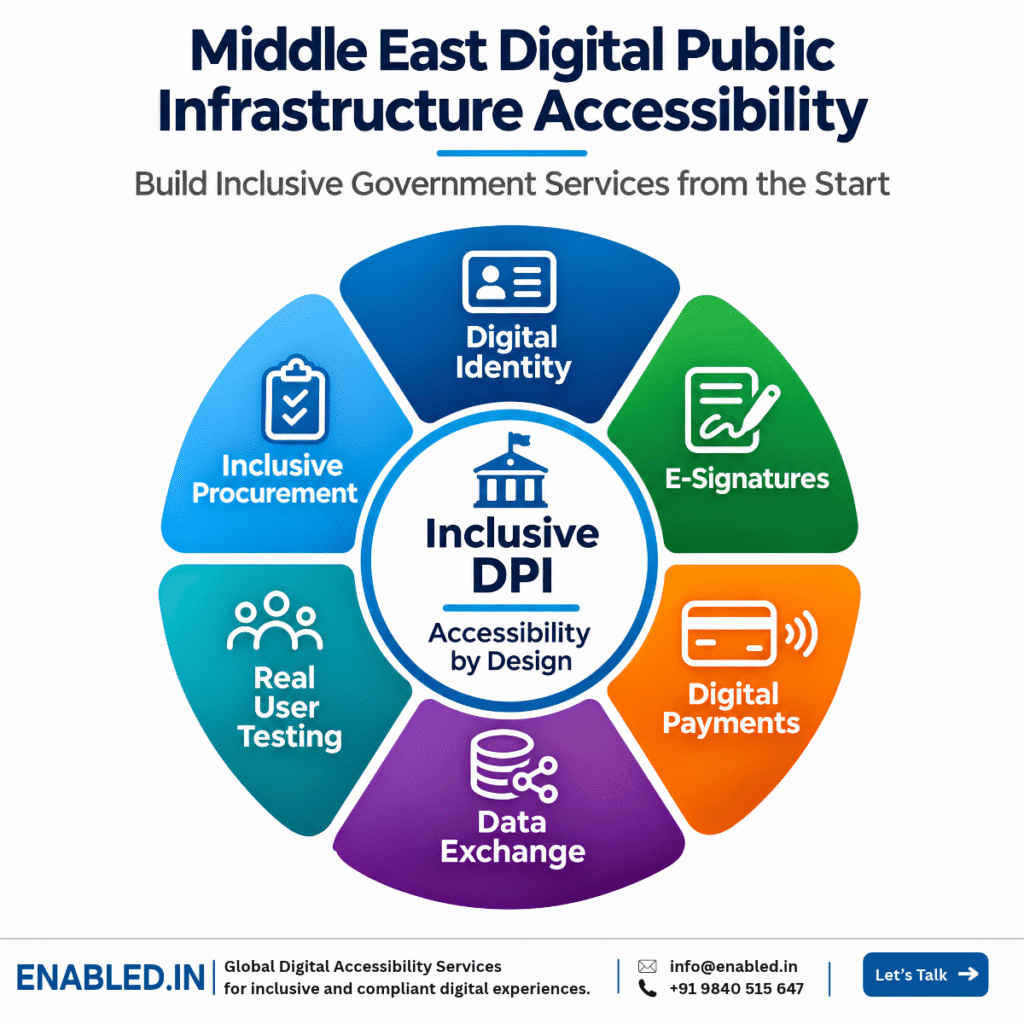
Four Core DPI Components
Registration, identity verification and authentication.
Document approval, digital consent and signing.
Payment initiation, confirmation and receipts.
Secure information sharing between connected services.
These systems are often reused across many public services. A barrier in one shared component may affect several connected applications.
Evidence limitation: The World Bank report is a digital infrastructure assessment, not a WCAG compliance audit. The accessibility recommendations in this article are practical conclusions drawn from its inclusion focus.
How Is the UAE Advancing Digital Accessibility in Government Services?
On 9 November 2026, the UAE Telecommunications and Digital Government Regulatory Authority (TDRA) announced outcomes from its third Digital Accessibility Forum.
Government teams and people with disabilities evaluated real digital services, identified barriers and discussed improvements.
Three Important Developments
- Real service testing: Accessibility reviews focused on actual digital service journeys.
- Participation: People with disabilities helped evaluate digital experiences.
- Ongoing evaluation: TDRA announced plans for a Digital Accessibility Testing Community involving assistive technology users.
These developments show why accessibility testing should include the people who rely on digital services, not only automated tools.
Where Do Accessibility Barriers Appear in Digital Public Infrastructure?
Digital public infrastructure supports essential tasks. Barriers in identity, signing or payment systems can prevent people from using connected services.
| Component | Possible Barrier | Impact |
|---|---|---|
| Identity Enrolment | Unlabelled fields | Users cannot register |
| Authentication | Inaccessible verification | Users cannot sign in |
| E-Signatures | Pointer-only signing | Users cannot approve documents |
| Consent | Unclear instructions | Users may not understand approval |
| Payments | Inaccessible error messages | Users cannot complete payments |
| Data Sharing | Inaccessible permission controls | Users cannot manage consent |
These are recommended accessibility test scenarios, not accessibility failures identified by the World Bank report.
How Should Digital ID, E-Signature and Payment Accessibility Be Tested?
Test complete user journeys, not only individual screens or components.
Digital Identity
- Accessible enrolment forms
- Clear verification instructions
- Keyboard-friendly authentication
- Accessible error recovery
- Mobile and screen reader support
E-Signatures and Consent
- Keyboard access to signing
- Accessible document previews
- Clear consent information
- Accessible confirmation
- Usable signed-document output
Government Payment Testing
- Accessible payment forms
- Clear fees and payment amounts
- Keyboard and screen reader support
- Accessible transaction authentication
- Understandable errors
- Accessible receipts and confirmation
Assistive Technology Coverage
| Platform | Technology | Focus |
|---|---|---|
| Windows | NVDA / JAWS | Forms and transaction completion |
| macOS | VoiceOver | Controls and document access |
| iOS | VoiceOver | Mobile identity and payments |
| Android | TalkBack | Mobile verification and payments |
| Keyboard | No mouse | Full transaction access |
Include real user testing with people with disabilities to identify barriers that automated scans may not detect.
How Can Accessibility Be Built into DPI Procurement and Governance?
Accessibility should be included in project requirements before suppliers begin development.
- Include accessibility requirements in procurement documents.
- Identify applicable national laws and technical standards.
- Use WCAG 2.2 AA as a testing benchmark where appropriate.
- Request accessibility evidence for shared components.
- Include assistive technology testing in acceptance criteria.
- Require remediation and retesting before final acceptance.
- Monitor accessibility after major updates.
Compliance note: Accessibility laws differ across countries. WCAG 2.2 AA is recommended here as a technical benchmark, not as a universal legal requirement across MENAAP.
Six Steps to Inclusive DPI Accessibility Assurance
- Map Shared DPI Systems Identify identity, authentication, signatures, payments and data exchange.
- Define Accessibility Requirements Set testing standards, user needs and acceptance criteria.
- Test High-Risk Journeys Review enrolment, login, consent, signing and payment.
- Include Real Users Test with people with disabilities and assistive technology users.
- Fix and Retest Remediate shared components and validate changes.
- Monitor Accessibility Review updates, vendor changes and new services.
How Enabled.in Supports Inclusive DPI Programmes
Enabled.in provides WCAG accessibility audits, assistive technology testing, real user testing, remediation guidance, retesting and conformance reporting.
An Inclusive DPI Accessibility Assurance assessment can review digital identity, authentication, e-signatures, consent, payments and connected government services.
Frequently Asked Questions
What is digital public infrastructure?
Digital public infrastructure includes shared systems such as digital identity, payments and data exchange that support public and private services.
Why is accessibility important for DPI?
Barriers in shared systems can prevent people with disabilities from accessing many connected services.
Did the World Bank report audit WCAG compliance?
No. The assessment examines regional digital infrastructure and inclusive growth. It is not a WCAG compliance audit.
What did UAE TDRA announce in November 2026?
TDRA reported accessibility evaluations involving government teams and people with disabilities. It also described plans for a Digital Accessibility Testing Community.
Which DPI services should be tested first?
Start with identity enrolment, authentication, e-signatures, consent and government payments.
How can Enabled.in support DPI accessibility?
Enabled.in provides accessibility audits, assistive technology testing, real user evaluation, remediation support and retesting.
Make Digital Government Accessible from the Start
Planning a digital identity, e-signature, payment or connected government platform?
Enabled.in can help your team define accessibility requirements, test user journeys and validate fixes before deployment.
Request a DPI Accessibility AssessmentEmail: sathasivam@enabled.in
Phone / WhatsApp: +91 9840515647
Sources and References
Discover more from Enabled.in
Subscribe to get the latest posts sent to your email.