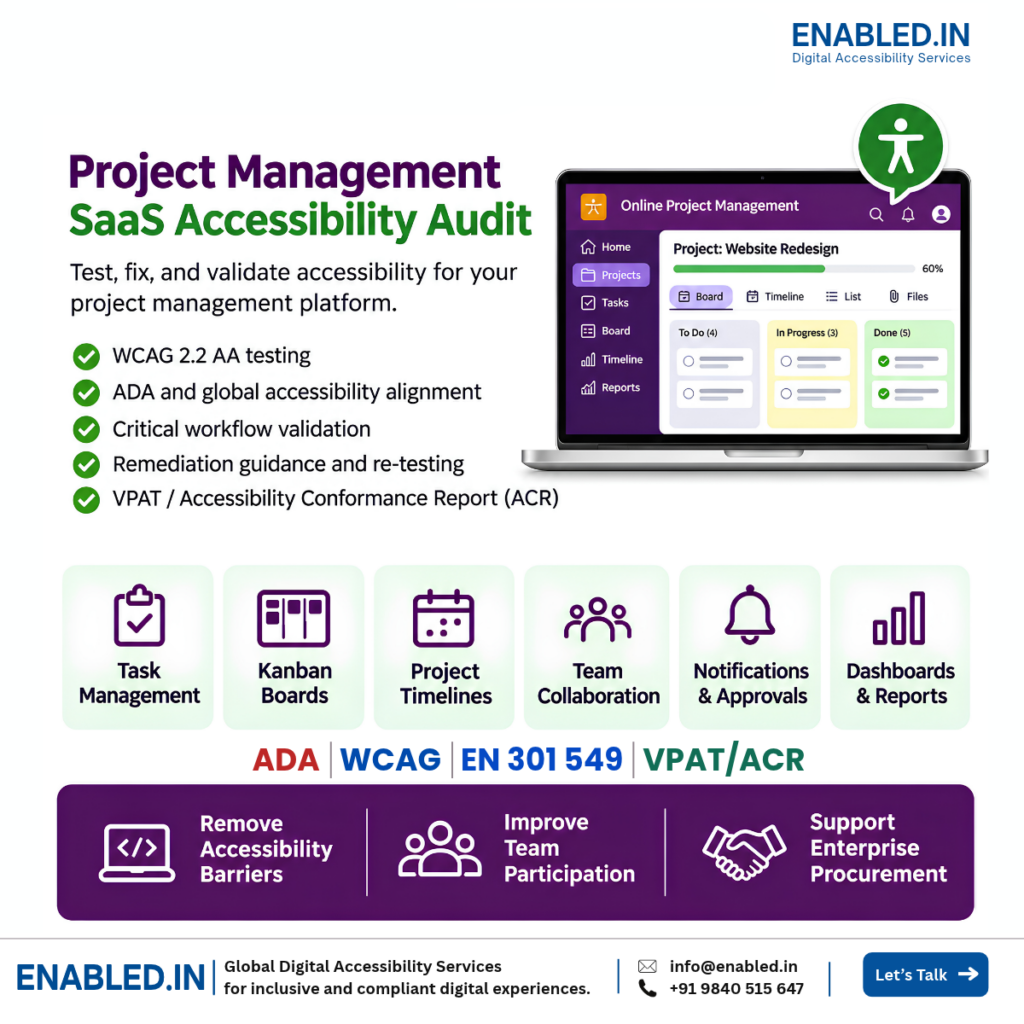
PROJECT MANAGEMENT SAAS · WCAG 2.2 AA · VPAT/ACR
Can every team member create tasks, manage projects, and work with others without accessibility barriers?
A project management accessibility audit checks whether people can use project management software with a keyboard, screen reader, and other accessibility tools.
We test important tasks such as:
- Creating and assigning tasks
- Managing Kanban boards
- Updating project timelines
- Adding comments and mentions
- Reviewing notifications and approvals
- Reading project dashboards and reports
Accessibility testing helps SaaS vendors find barriers, improve user experience, and support enterprise procurement reviews.
How does Enabled.in help project management SaaS vendors?
Enabled.in provides accessibility audits, automated and manual testing, screen reader testing, remediation guidance, and re-testing. We assess agreed workflows against WCAG 2.2 AA and help vendors address applicable ADA and other accessibility requirements. We also prepare VPAT-based Accessibility Conformance Reports (ACRs) when commissioned.
Why project management SaaS accessibility matters
Project management tools help teams plan work, assign tasks, track progress, and share updates. When these tools are not accessible, some team members may struggle to complete important work.
Equal team participation
Help employees use task boards, timelines, comments, and project updates with assistive technology.
Reliable workflows
Find barriers that affect task creation, status changes, approvals, and reporting.
Enterprise procurement
Support accessibility reviews with clear audit evidence and VPAT/ACR information when required.
Better product quality
Improve shared components such as dropdowns, dialogs, tables, notifications, and drag-and-drop controls.
Six critical project management user journeys
Accessibility testing should cover complete tasks, not only individual screens. A task board may look accessible but fail when a user moves a card, changes a date, or opens a dialog.
-
Create and assign a task
Project managerUser taskCreate task → Set priority → Assign owner → Save
Accessibility barrier
The assignee dropdown has no accessible name. Keyboard users cannot select a team member.
Expected behavior
Form fields have clear labels. Dropdowns work with a keyboard and expose their name, role, and state.
Related WCAG: 2.1.1 Keyboard, 3.3.2 Labels or Instructions, 4.1.2 Name, Role, Value
-
Manage a Kanban board
Team memberUser taskOpen board → Move task → Update status
Accessibility barrier
Tasks can only be moved using drag-and-drop with a mouse. Keyboard users cannot change the task status.
Expected behavior
Users can move tasks with a keyboard or an accessible alternative, such as a Move to column control. Status changes are communicated clearly.
Related WCAG: 2.1.1 Keyboard, 2.5.7 Dragging Movements, 4.1.3 Status Messages where applicable
-
Update a project timeline
Project managerUser taskOpen timeline → Select date → Change milestone
Accessibility barrier
The Gantt chart shows tasks only through visual bars. The date picker cannot be operated with a keyboard.
Expected behavior
Users can access task dates, dependencies, and milestones through an accessible view. Date controls work with a keyboard.
Related WCAG: 1.1.1 Non-text Content, 1.3.1 Info and Relationships, 2.1.1 Keyboard
-
Collaborate with team members
Team memberUser taskOpen discussion → Add comment → Mention teammate
Accessibility barrier
The comment editor has no accessible label. The mention suggestions cannot be used with a keyboard.
Expected behavior
The editor has a clear accessible name. Users can navigate mention suggestions, select a person, and submit comments.
Related WCAG: 2.1.1 Keyboard, 3.3.2 Labels or Instructions, 4.1.2 Name, Role, Value
-
Review notifications and approvals
ReviewerUser taskOpen notification → Review request → Approve
Accessibility barrier
New notifications are not announced. When an approval dialog opens, keyboard focus remains behind it.
Expected behavior
Important status updates are accessible. Focus enters the dialog, and users can review and complete the approval.
Related WCAG: 2.4.3 Focus Order, 4.1.2 Name, Role, Value, 4.1.3 Status Messages where applicable
-
Review project dashboards and reports
Project directorUser taskOpen dashboard → Filter reports → Export
Accessibility barrier
Project progress is shown only through visual charts. Exported reports have missing headings and table structure.
Expected behavior
Users can access important data through text or accessible tables. Exported documents have a logical structure and reading order.
Related WCAG: 1.1.1 Non-text Content, 1.3.1 Info and Relationships, 1.3.2 Meaningful Sequence
These WCAG mappings are examples. Final applicability depends on the tested component and workflow.
What we test in project management SaaS
Project management platforms include many connected features. We review the agreed modules and user roles to identify accessibility barriers.
Task and project management
- Task creation and editing
- Task assignment and priority
- Project creation and settings
- Subtasks and checklists
- Task status changes
Boards and timelines
- Kanban boards
- Drag-and-drop interactions
- Gantt charts
- Milestones and dependencies
- Calendar and date controls
Team collaboration
- Comments and mentions
- Rich-text editors
- Notifications and alerts
- File attachments
- Approval workflows
Dashboards and reporting
- Project progress charts
- Workload reports
- Filters and data tables
- Exported PDF reports
- Mobile views and apps
We also review shared components, including menus, dialogs, search, forms, dropdowns, and navigation.
Common accessibility barriers in project management tools
Many project management tools use dynamic interfaces. Content may change after a user moves a task, applies a filter, or submits a form. These changes need careful testing.
- Drag-and-drop boards: Tasks cannot be moved without a mouse or dragging gesture.
- Gantt charts: Dates, milestones, and dependencies are available only through visual bars.
- Task forms: Missing labels, unclear required fields, and errors that are not explained.
- Rich-text editors: Formatting controls and mentions are difficult to use with assistive technology.
- Dynamic notifications: Important status changes are not announced to screen reader users.
- Dialogs and popovers: Keyboard focus moves to the wrong place or becomes trapped incorrectly.
- Dashboards: Charts and progress indicators lack accessible data or explanations.
- Responsive layouts: Content is clipped or controls become difficult to use at high zoom.
How Enabled.in tests project management accessibility
Automated tools can find some accessibility issues. They cannot confirm that every project workflow is usable. We combine automated testing with manual and assistive technology testing.
Automated testing
Find detectable issues across agreed screens and shared components.
Keyboard testing
Check task boards, forms, menus, dialogs, focus order, and controls.
Screen reader testing
Test agreed workflows using NVDA, JAWS, VoiceOver, and TalkBack, as applicable.
Visual accessibility
Review contrast, text resizing, reflow, visible focus, and non-text content.
Dynamic interaction testing
Check task updates, notifications, dialogs, filters, and content loaded after actions.
Real-user testing
Involve persons with disabilities when included in the agreed scope.
Our six-step accessibility audit process
- Confirm scope and user roles
Review modules, project roles, test accounts, supported devices, and workflows.
- Select critical workflows
Identify tasks involving boards, timelines, collaboration, approvals, and reports.
- Test and document barriers
Record issues, reproduction steps, evidence, and relevant WCAG criteria.
- Provide remediation guidance
Explain the problem, expected behavior, and practical fixes for developers.
- Re-test agreed fixes
Check corrected issues and document remaining barriers.
- Prepare VPAT/ACR reporting
When commissioned, prepare a report based on the tested version and scope.
ADA and WCAG 2.2 AA requirements for project management SaaS
Project management vendors may serve businesses, public agencies, universities, and global enterprise customers. Requirements depend on the product, buyer, and market.
- WCAG 2.2 AA: A technical accessibility target for websites and SaaS applications.
- ADA: U.S. accessibility duties may apply to covered employers, public entities, and services.
- Section 508: Relevant to covered U.S. federal technology procurement and use.
- EN 301 549: A European ICT accessibility standard used in applicable procurement and rules.
- European Accessibility Act: May apply to covered products and services depending on the offering.
We confirm required standards and versions before testing. An accessibility audit does not guarantee legal compliance.
Project management VPAT/ACR for enterprise procurement
Enterprise buyers may ask project management SaaS vendors for accessibility conformance information before purchasing or renewing software.
What is a VPAT/ACR?
A VPAT is a reporting template used to prepare an Accessibility Conformance Report (ACR). The ACR describes which accessibility requirements a product supports and where limitations remain.
How does an accessibility audit support an ACR?
Audit evidence helps vendors explain the accessibility status of tested features and workflows. The report should reflect the tested product version and scope.
What will your team receive?
- Accessibility audit findings
- WCAG success criterion mapping
- Issue locations and reproduction steps
- Assistive technology observations
- Remediation guidance
- Re-testing results, when included
- VPAT/ACR, when commissioned
An ACR is not a certification or a guarantee of legal compliance.
Why choose Enabled.in?
Enabled.in, a digital accessibility practice of TenthPlanet Technologies, provides accessibility audits, assistive technology testing, remediation guidance, re-testing, and VPAT/ACR reporting.
We focus on real user tasks. For project management platforms, this includes creating tasks, moving Kanban cards, updating timelines, adding comments, approving requests, and reviewing project reports.
Our findings help development teams understand accessibility barriers and plan practical fixes.
If your platform also includes employee services or finance workflows, explore our Accounting and Payroll Accessibility Audit Guide .
Frequently asked questions
What is a project management accessibility audit?
It checks whether people can use project management software with a keyboard, screen reader, and other accessibility tools.
Does project management software need to meet ADA requirements?
ADA duties may apply to covered organizations and services. Requirements depend on how the software is used and who provides it.
Do you test Kanban board accessibility?
Yes. We can test task navigation, card movement, status changes, and keyboard alternatives.
Can you audit Gantt charts and project timelines?
Yes. We review access to task dates, milestones, dependencies, and timeline controls.
Do you test drag-and-drop accessibility?
Yes. We check keyboard operation and alternatives to dragging gestures, where required.
Can you test comments and team mentions?
Yes. We can test rich-text editors, mention suggestions, notifications, and collaboration workflows.
Is automated testing enough for project management SaaS?
No. Manual and assistive technology testing are needed for complex boards, timelines, dialogs, and dynamic workflows.
Which screen readers do you use?
Depending on the agreed test matrix, we use NVDA, JAWS, VoiceOver, and TalkBack.
Can you test authenticated project management platforms?
Yes. We use agreed test accounts, user roles, and suitable test environments.
Can Enabled.in help developers fix accessibility issues?
Yes. We provide issue evidence, expected behavior, and remediation guidance.
Can you prepare a project management VPAT/ACR?
Yes, when commissioned. The report is based on the tested product version, evidence, and agreed criteria.
How do we request an accessibility audit?
Share your modules, user roles, key workflows, supported devices, and approximate screen count. We can then discuss scope and timelines.
Discover more from Enabled.in
Subscribe to get the latest posts sent to your email.