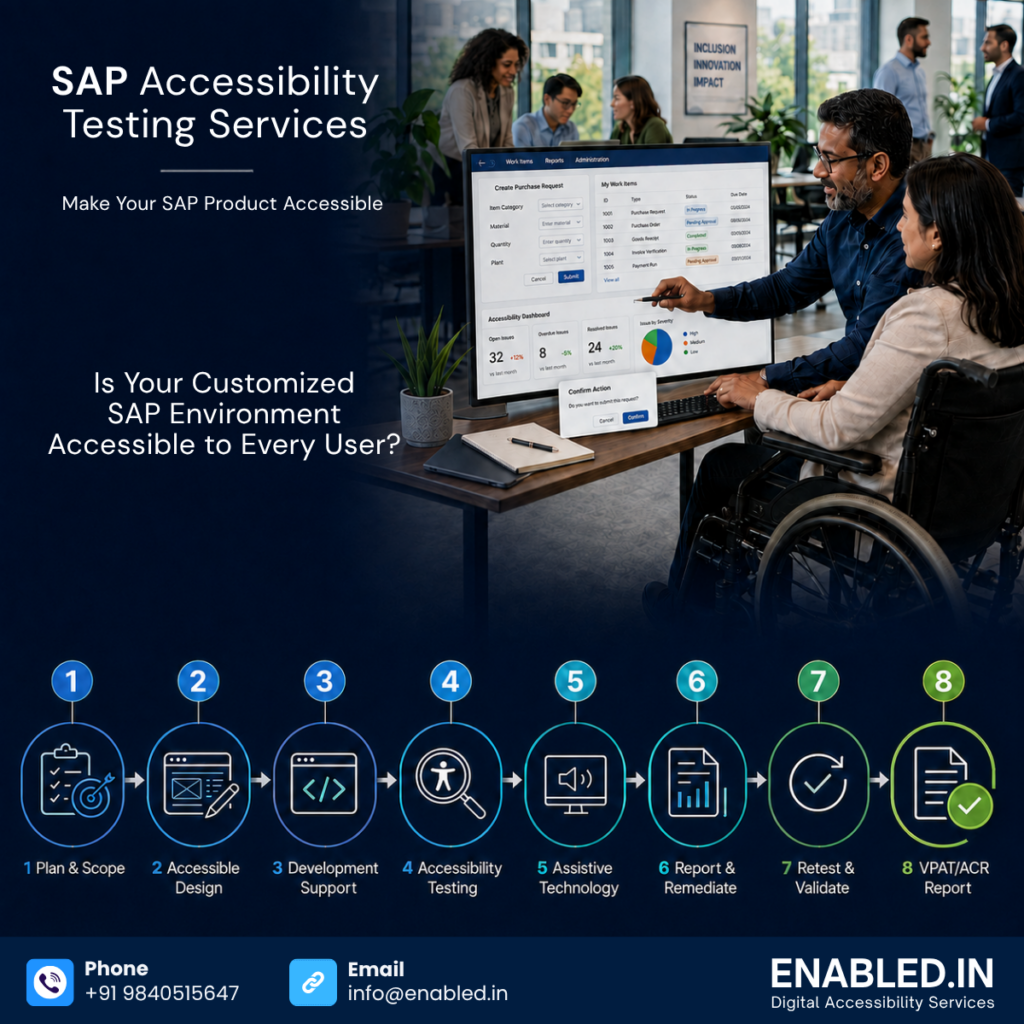
Is Your Customized SAP Environment Accessible to Every User?
SAP accessibility testing: SAP supports essential business activities across finance, procurement, and human resources. It also aids in manufacturing and supply chains. Customer service and enterprise reporting are included as well. Employees use SAP applications daily.
They apply for leave and send expenses. They approve purchases and manage customer information. They also review financial data and finish operational tasks.
These activities must be accessible to people with disabilities:
- Keyboard users should finish approvals without getting stuck.
- Screen-reader users should understand tables, forms, notifications, and error messages.
- People with low vision should be capable of enlarging the screen without losing information or functionality.
SAP provides accessibility capabilities and publishes information about product conformance.
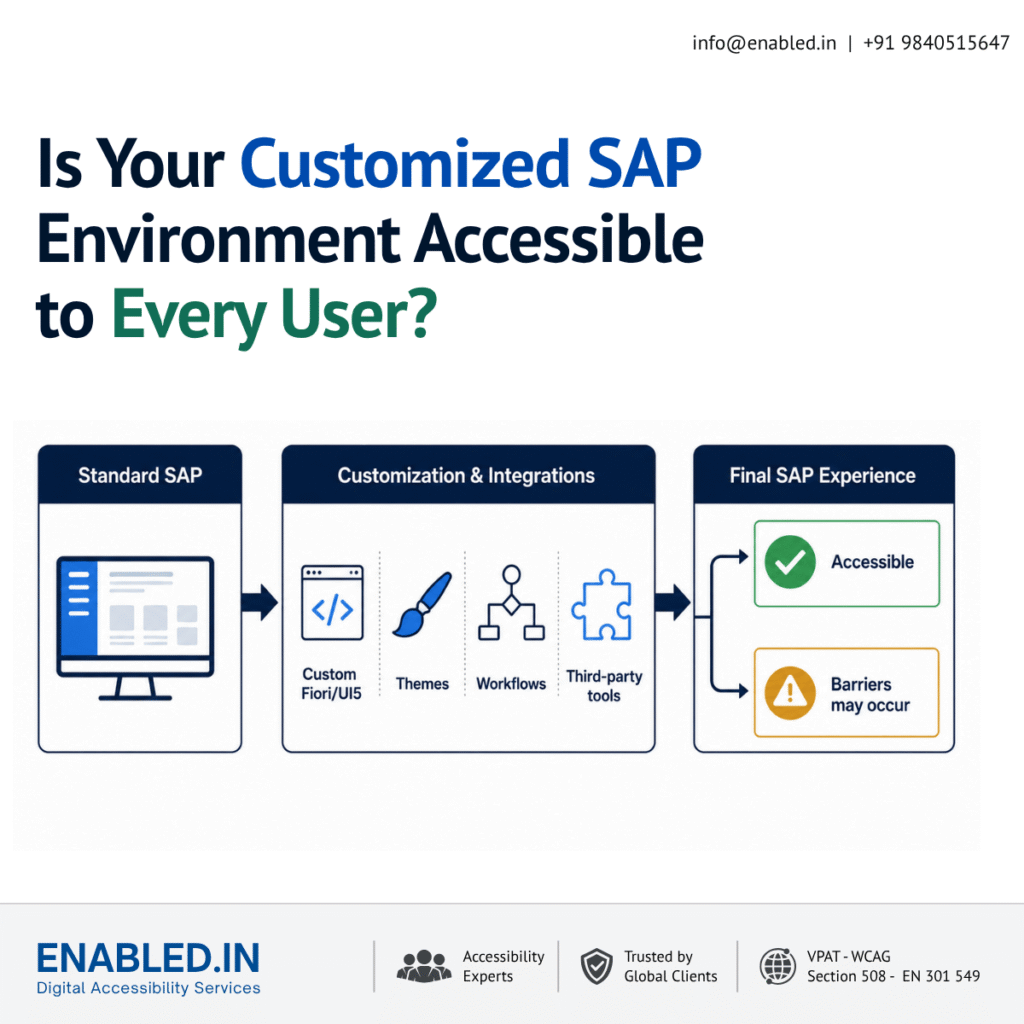
However, an organization’s final SAP environment is rarely identical to the standard product. Configuration, custom development, extensions, content, branding and integrations can introduce accessibility barriers. For this reason, accessibility must be evaluated within the organization’s actual implementation and critical business processes.
Planning an SAP implementation, customization, migration or upgrade? Enabled.in can assess your critical SAP journeys against WCAG 2.2 AA, EN 301 549 and Section 508. Contact our accessibility team for a focused SAP Accessibility Readiness Assessment.
Who Should Read This Guide?
This article is relevant to organizations using SAP and to the partners responsible for implementing, customizing or supporting it, including:
- CIOs, CTOs and enterprise-application leaders
- SAP programme and transformation teams
- Digital accessibility and compliance leaders
- Human resources and employee-experience teams
- Procurement and vendor-risk teams
- SAP implementation and consulting partners
- Fiori, SAPUI5 and portal development teams
- Quality assurance and user-acceptance testing teams
- Public-sector suppliers and regulated organizations
Accessibility should be included in programme governance from the outset. This means considering it when an SAP system is selected, designed, customized, tested, procured, or upgraded. It should not be added only after users report barriers.
Does SAP Have Accessibility Gaps?
The precise answer is that accessibility gaps can occur in an implemented SAP environment. This is especially true when it has been customized or connected to other technologies.
It would be misleading to describe every SAP product as inaccessible. SAP states that it provides information about product conformance with WCAG 2.2, EN 301 549 and Section 508 through Accessibility Conformance Reports. Nevertheless, a product-level report can’t automatically represent every customer’s configured solution.
The final user experience may contain:
- Custom SAP Fiori and SAPUI5 applications
- Modified S/4HANA screens and workflows
- Customer-specific SuccessFactors processes
- Customized SAP Ariba procurement journeys
- Third-party controls and embedded applications
- Custom reports, dashboards and data visualizations
- Employee, supplier and customer portals
- Organization-specific forms and validation rules
- PDF documents and spreadsheets generated from SAP
- Custom mobile applications
- Branding, themes and interface modifications
Each addition can change how well people with disabilities can operate and understand the system.
Where Accessibility Barriers Commonly Occur
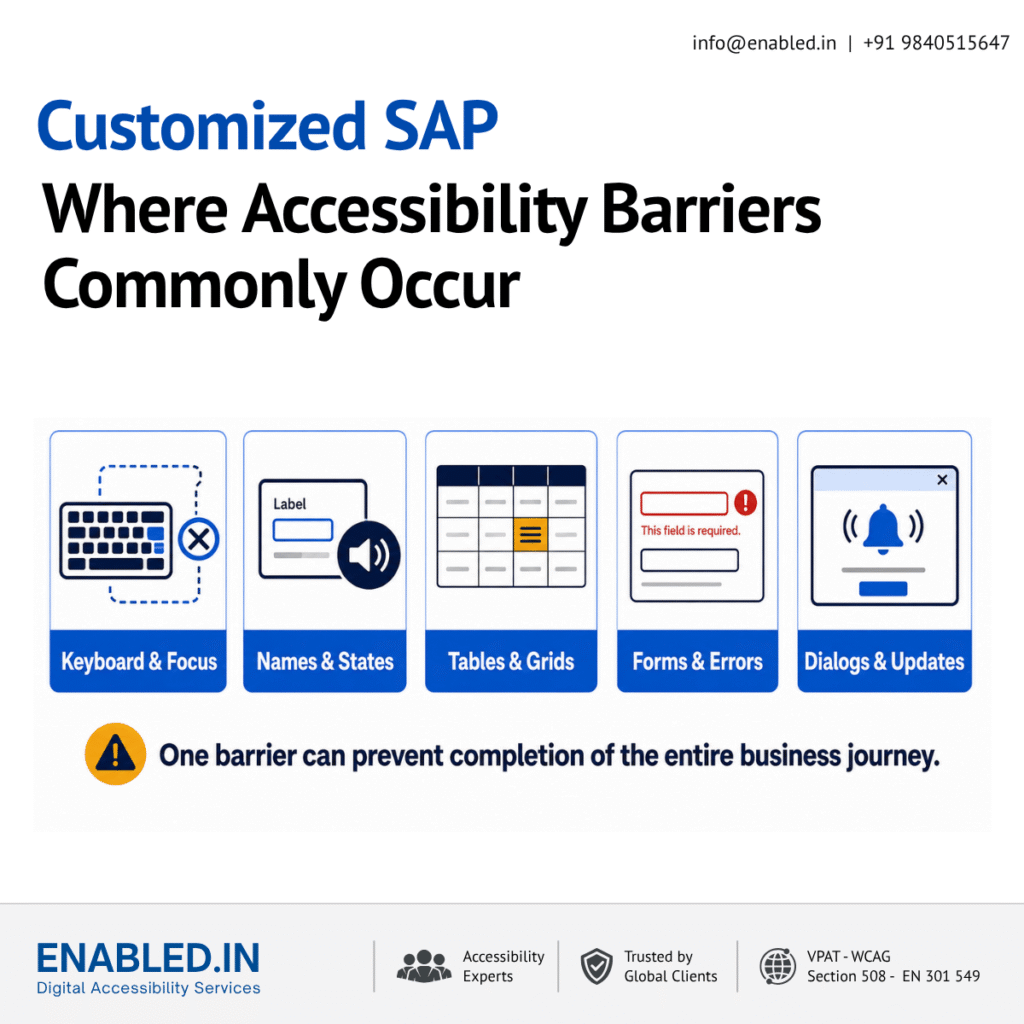
- Custom SAP Fiori and SAPUI5 applications :
- SAP Fiori provides a structured design approach, but custom applications still depend on how components are selected and implemented. Developers may create non-standard controls. They may override expected behaviour. They might also use visual information without an equivalent programmatic description, leading to accessibility problems.
- Common risks include inaccessible icon buttons and missing accessible names. They also include incorrect heading structure. Unclear form instructions pose a risk. Controls that do not expose their name, role, value, or state to assistive technology also pose a risk.
- Keyboard navigation and focus management
- People who cannot use a mouse may depend on a keyboard, switch device or voice-control software. Every interactive element must be reachable and operable, and the focus indicator must remain visible.
- Complex SAP workflows can develop problems. These include an illogical focus order and keyboard traps. Focus might move behind a dialog. Menus may not be operated predictably. Additionally, focus might fail to move to an error or newly displayed content.
- Complex data tables and grids
- ERP applications frequently contain large tables with sorting, filtering, selection, editing, frozen columns and expandable rows. Visually, relationships may appear obvious; for a screen-reader user, they must be communicated programmatically.
- Testing should verify table headers, row, and column relationships. It should also check selection states and sorting status. Ensure that editable cells and keyboard interaction are functioning correctly. Confirm announcements occur when data changes.
- Forms, validation and approval workflows
- SAP processes often require users to enter financial, employee, procurement or compliance information. Barriers occur when fields lack clear labels. The required status is communicated only through colour. Instructions are incomplete. Errors are not associated with the affected fields.
- Users should be informed what went wrong, where the error occurred and how to correct it. Error handling is particularly important where an action creates a legal, financial or operational commitment.
- Dialog, notifications and dynamic updates
- Modern SAP applications update content without loading a new page. Success messages, warnings, loading states and validation feedback may appear visually but remain silent to screen-reader users.
- Dialog also require correct accessible names, focus containment, predictable Escape-key behaviour and appropriate focus restoration after closing.
- Colour contrast, zoom and reflow
- Custom themes and corporate branding can reduce contrast even when the underlying component was originally accessible. Text, icons, boundaries, focus indicators and status information must remain perceivable.
- Users should be able to zoom or enlarge content without losing information. Controls should not overlap, and users should not be forced to scroll in two directions for ordinary text content.
- Reports and generated documents
- An accessible application can still produce an inaccessible PDF, spreadsheet or report. Missing document tags, incorrect reading order, unmarked headings, inaccessible tables and images without alternative text can prevent independent use.
- Accessibility therefore needs to cover both the SAP interface and the documents produced by the workflow.
- Third-party integrations
- A complete business journey may move between SAP and an identity provider. It may also engage with a payment platform, document-signing service, learning system, or custom portal. The journey is only as accessible as its least accessible step. Testing a single product in isolation may miss barriers that prevent task completion.
Why a Standard SAP Accessibility Report May Not Be Enough
An Accessibility Conformance Report or VPAT for a standard SAP product is valuable procurement information. It describes the accessibility of a defined product and version under a stated testing scope.
It does not necessarily cover a customer’s:
- Custom code and UI components
- Unique business processes
- Configuration choices
- Uploaded or administrator-created content
- Third-party extensions
- Custom themes and branding
- Integrated portals and applications
- Generated documents
- Changes introduced after upgrades
Organizations should therefore retain the vendor documentation and separately test their implemented solution. A customer needing to provide accessibility evidence to a buyer, regulator, or public-sector organization may require an implementation-specific accessibility assessment. This assessment is also known as an ACR.
Which SAP Business Journeys Should Be Tested First?
Organizations do not always need to begin by testing every screen. A risk-based assessment can start with high-frequency and high-impact journeys, including:
- Employee sign-in and authentication
- Employee profile and personal-information updates
- Leave, attendance and timesheet submission
- Expense creation and approval
- Recruitment, job application and onboarding
- Purchase requisition and procurement approval
- Supplier registration and document submission
- Invoice review and payment authorization
- Financial reporting and dashboard analysis
- Customer-service and case-management workflows
The assessment should cover complete processes rather than isolated pages. A user may access every individual screen. However, they might still be unable to finish the journey. This could happen because of one inaccessible dialog. It could also be due to an inaccessible date picker, grid, or confirmation step.
Need a practical starting point? Begin with five to ten high-impact journeys. Enabled.in can identify the most significant barriers. They provide a prioritized remediation roadmap. They can also estimate the scope of a complete SAP accessibility audit.
Standards Relevant to SAP Accessibility
Depending on the organization, market and procurement context, an SAP accessibility assessment may consider:
- WCAG 2.2 Level AA for web content and application experiences
- EN 301 549 for ICT accessibility requirements in Europe
- Section 508 for United States federal procurement and ICT
- ADA-related accessibility obligations in the United States
- Applicable national disability, equality, procurement and employment requirements
- VPAT 2.5 / Accessibility Conformance Report documentation where requested by customers or procurement teams
Confirm the appropriate scope for each engagement. Do not assume that one standard addresses every contractual or legal requirement.
How an SAP Accessibility Audit Should Be Conducted
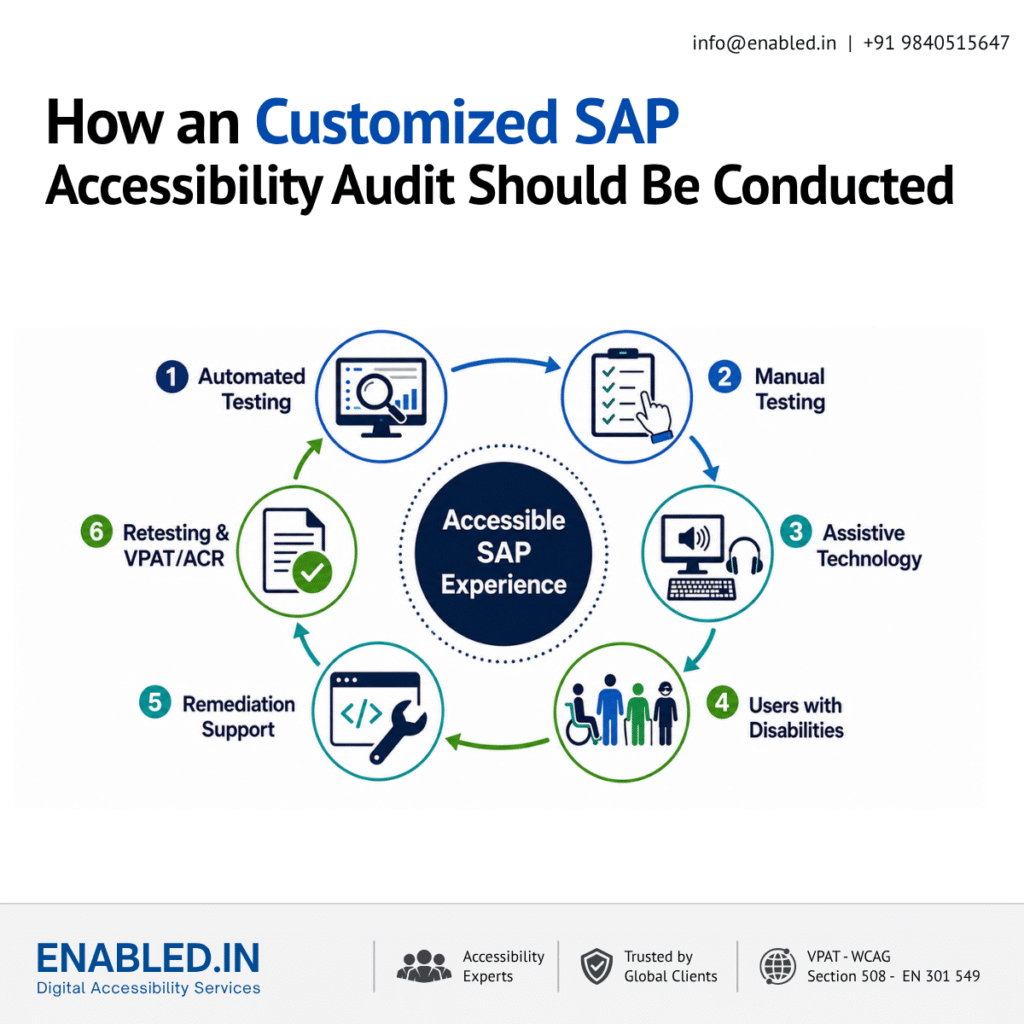
A reliable assessment combines multiple testing methods:
- Automated testing : Automated tools help identify issues such as missing names, invalid markup and certain colour-contrast failures. They are useful for coverage and regression checks but cannot determine whether a complete workflow is understandable and operable.
- Expert manual testing : Manual review is required for keyboard operation and focus order. Review is also needed for headings and labels. Instructions, errors, and dialogs must be checked as well. Table relationships, reflow, and the meaningful sequence of content require manual review too.
- Assistive-technology testing : Critical processes should be evaluated with relevant combinations. These include NVDA or JAWS on Windows, VoiceOver on Apple platforms, and TalkBack on Android. It also involves using magnification and voice-control technology.
- User-focused journey testing : Testing should reflect real tasks performed by employees, customers, suppliers and managers. Involving people with disabilities can reveal practical barriers that technical checks alone may not identify.
- Remediation support and retesting : An audit should provide reproducible findings, affected components, WCAG mapping, impact, severity and practical recommendations. After remediation, the affected workflows must be retested before closure.
Business Benefits of Accessible SAP Systems
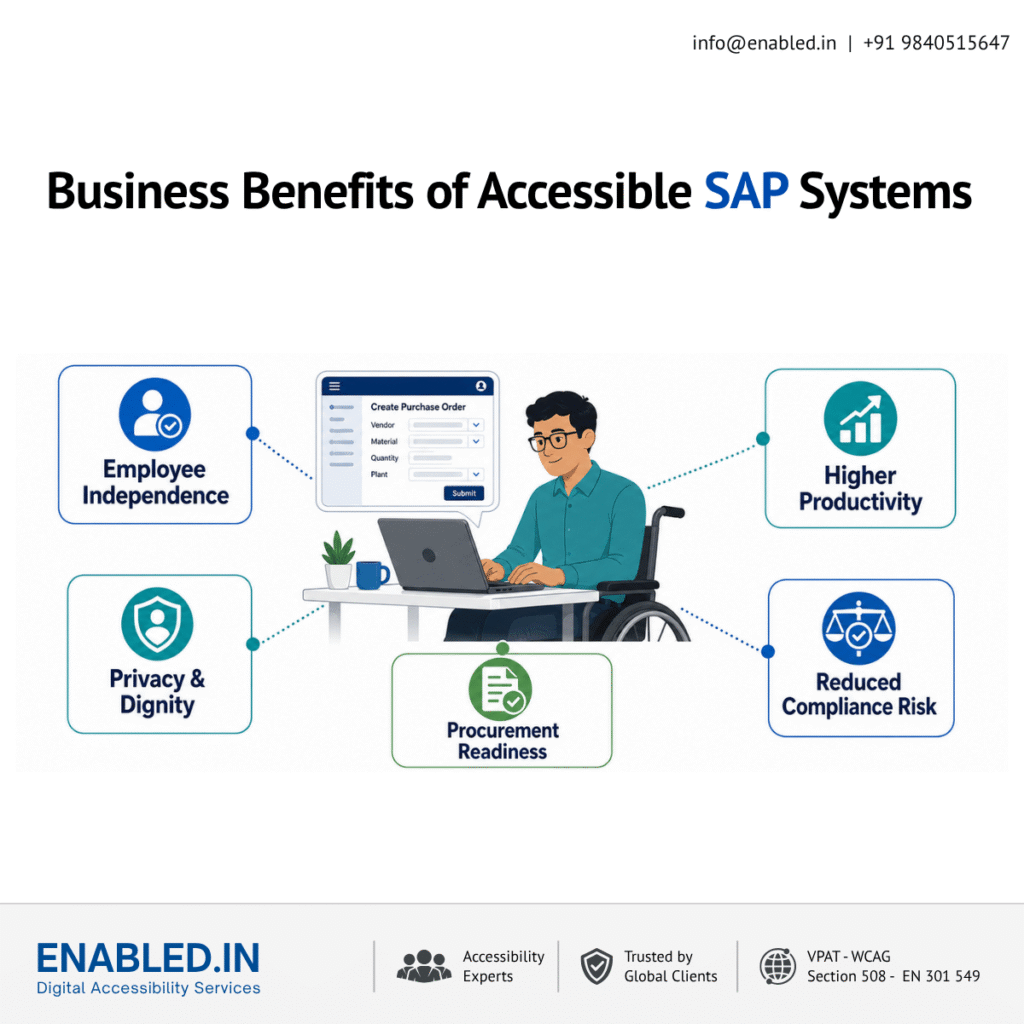
Improving SAP accessibility helps organizations:
- Enable employees with disabilities to work independently
- Reduce reliance on colleagues for routine or confidential tasks
- Improve recruitment and retention of diverse talent
- Strengthen procurement readiness
- Reduce legal and compliance risk
- Improve usability for keyboard users and people working in demanding environments
- Establish reusable accessible components for future development
- Reduce repeated accessibility defects through developer and QA training
- Demonstrate inclusion through measurable product evidence
Accessibility is therefore not only a compliance exercise. It supports productivity, privacy, independence and equal participation across the enterprise.
When Organizations Typically Need SAP Accessibility Services
The strongest time to arrange an independent assessment is:
- Before a new SAP implementation enters production
- During an S/4HANA migration or digital-transformation programme
- After developing or modifying Fiori and SAPUI5 applications
- When deploying SuccessFactors recruitment or employee self-service
- Before responding to a public-sector or enterprise procurement request
- When a customer asks for a VPAT or Accessibility Conformance Report
- After receiving accessibility complaints from employees or applicants
- Following a major upgrade, theme change or third-party integration
- When establishing an organization-wide accessibility programme
Testing earlier reduces the cost of remediation. When accessible interaction patterns and reusable components are corrected centrally, the improvement can benefit multiple screens and workflows.
SAP Accessibility Testing Services from Enabled.in
Enabled.in brings more than 17 years of digital accessibility experience to enterprise applications and customized ERP environments. Our approach combines automated testing, expert manual evaluation, assistive-technology testing and user-focused validation. We work with product, development, QA, compliance and procurement teams to turn findings into practical remediation actions.
SAP accessibility services can include:
- Accessibility readiness assessment for critical SAP journeys
- SAP Fiori and SAPUI5 accessibility testing
- S/4HANA workflow assessment
- SuccessFactors and recruitment accessibility testing
- SAP Ariba supplier and procurement journey testing
- Employee, customer and supplier portal audits
- Keyboard and screen-reader testing
- Testing of complex forms, tables, dashboards and dialogs
- Accessible PDF and generated-document evaluation
- WCAG 2.2 AA, EN 301 549 and Section 508 mapping
- Detailed remediation guidance for developers
- Retesting and regression validation
- Implementation-specific VPAT/ACR support where appropriate
- Accessibility training for development, design and QA teams
Organizations can begin with a focused assessment of five to ten critical journeys. They can then expand the audit based on risk. Consider user impact and business priority as well.
Start with a Focused SAP Accessibility Readiness Assessment
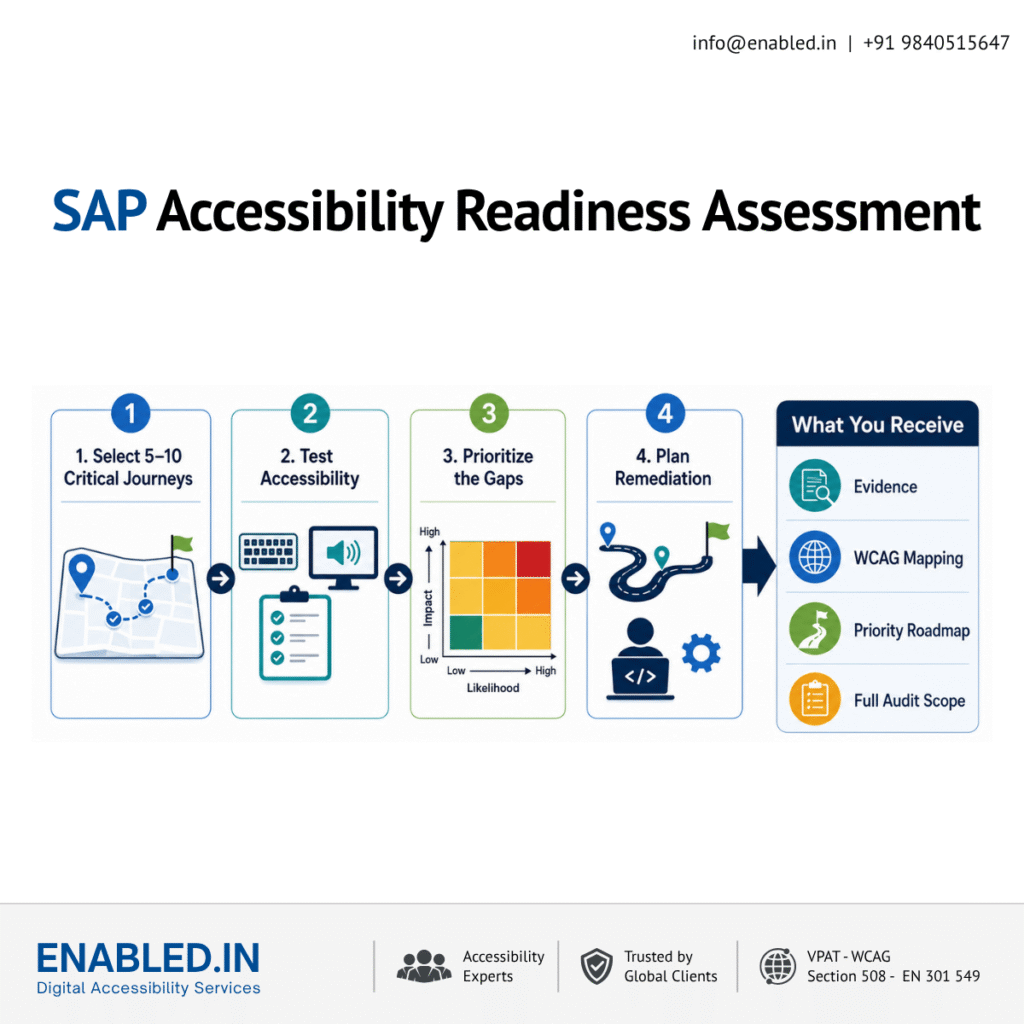
For organizations that need to understand their current position before committing to a full audit, Enabled.in offers a focused entry assessment.
The proposed assessment can include:
- Five to ten agreed critical business journeys
- Automated and expert manual accessibility testing
- Keyboard-only interaction testing
- Screen-reader testing with appropriate browser and platform combinations
- Review of forms, tables, dialogs, alerts and dynamic updates
- WCAG 2.2 Level A and AA mapping
- Business-impact and severity classification
- Screenshots and reproducible evidence
- Prioritized remediation recommendations
- Management summary and next-step audit scope
This assessment gives decision-makers a clear view of risk while giving developers actionable information they can use immediately.
Frequently Asked Questions – SAP Accessibility
Yes. Custom controls, workflows, themes, forms, reports and third-party extensions can change keyboard behaviour, screen-reader output, contrast, focus management and other accessibility characteristics.
Usually, a vendor ACR describes a defined standard product and version. It should not be assumed to cover customer-specific customizations, third-party integrations or content unless these are explicitly included in its scope.
Start with essential employee, recruitment, procurement, supplier, finance and approval journeys. Prioritize processes that are frequently used, legally significant, privacy-sensitive or necessary for a person to perform their job independently.
No. Automated testing detects only certain issue types. Complex ERP components and end-to-end workflows require manual keyboard, screen-reader, visual and functional testing.
Accessibility should be included during design and development, before production release, after major customization or migration, and as part of regression testing following upgrades.
Yes. End-to-end journey testing is recommended because a single inaccessible step can prevent task completion. The scope can include screens, tabs, dialogs, filters, tables, generated documents, integrations and confirmation states involved in the process.
Yes. The service can include finding walkthroughs, remediation guidance, accessibility consultations, retesting and regression validation. This helps teams understand both the defect and the accessible interaction expected from the corrected component.
Build an SAP Experience Every User Can Operate Independently
If your organization is implementing, customizing, or upgrading SAP, you can conduct a focused accessibility assessment. It can identify barriers before they affect employees, applicants, customers, suppliers, or procurement decisions.
Enabled.in can evaluate critical SAP journeys, document accessibility gaps, guide remediation and validate improvements against the agreed standards.
Contact Enabled.in to discuss SAP Fiori accessibility testing, an end-to-end SAP accessibility audit or implementation-specific VPAT/ACR support.
- Email: sathasivam@enabled.in
- Website: https://enabled.in/
Discover more from Enabled.in
Subscribe to get the latest posts sent to your email.