US Federal Procurement | SaaS Accessibility
Section 508 Compliance for SaaS Vendors
VPAT 2.5Rev, ACR and Federal Procurement Guide
Federal agencies need accessible technology. SaaS vendors need reliable evidence to demonstrate accessibility.
Is your SaaS platform ready for a Section 508 accessibility review? Learn how to assess your product, prepare an Accessibility Conformance Report (ACR), document known barriers and support federal procurement requirements.
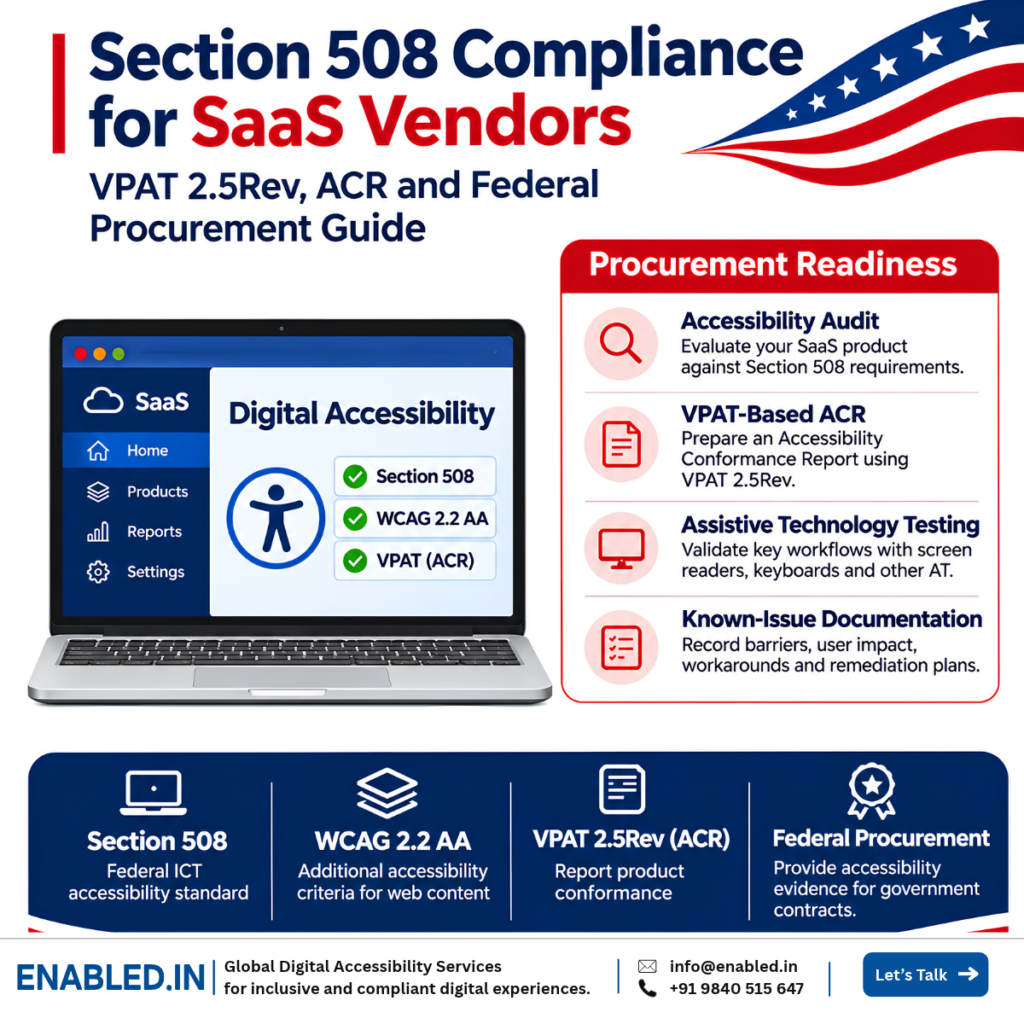
Federal Procurement Readiness
What Accessibility Evidence Should SaaS Vendors Prepare?
Federal buyers may request accessibility documentation to evaluate whether a SaaS product meets applicable Section 508 requirements.
The following four areas help vendors prepare for accessibility reviews and procurement discussions.
Accessibility Audit
Evaluate relevant product features and workflows against applicable Section 508 accessibility requirements.
VPAT-Based ACR
Document accessibility conformance using the appropriate ITI VPAT 2.5Rev reporting template.
Assistive Technology Testing
Validate important workflows using screen readers, keyboard navigation and supported assistive technologies.
Known-Issue Documentation
Record accessibility barriers, affected workflows, user impact, available workarounds and remediation recommendations.
Note: The exact documentation required depends on the federal solicitation.
Does a SaaS Vendor Need a VPAT for US Federal Contracts?
Federal agencies must address applicable Section 508 accessibility requirements when buying information and communication technology, unless an exception or exemption applies.
Government buyers commonly request an Accessibility Conformance Report (ACR), often prepared using the ITI Voluntary Product Accessibility Template (VPAT).
The VPAT is the blank template. The completed document is an ACR. Vendors must follow the accessibility documentation requirements in the specific solicitation.
Important: There is no official VPAT certification, and an ACR does not guarantee a contract award.
What Is Section 508?
Section 508 of the Rehabilitation Act requires federal agencies to make covered information and communication technology accessible to people with disabilities.
The Revised Section 508 Standards address websites, software, electronic content and other covered ICT.
SaaS and Web Applications
Cloud platforms, dashboards, portals and online services.
Mobile Applications
Mobile interfaces and supported user workflows.
Software and Hardware
Desktop applications, installed software and covered devices.
Electronic Content
Reports, documents, help materials and electronic information.
Federal acquisition rules, including FAR 39.203, address accessibility in ICT procurement.
Which SaaS Vendors Should Prepare?
Section 508 directly governs federal agencies. SaaS vendors seeking federal contracts may need to demonstrate accessibility through procurement requirements.
Relevant products include:
- ERP and CRM applications
- HR, payroll and employee portals
- Learning management systems
- Healthcare and appointment platforms
- Document management and e-signature tools
- Recruitment and applicant tracking systems
- AI chatbots and virtual assistants
- Helpdesk and project management software
- Reporting and analytics dashboards
- Custom-developed government applications
Procurement tip: Review the actual solicitation. Standard commercial software and customised government implementations may require different accessibility evidence.
What Is the Difference Between VPAT and ACR?
| Term | Meaning | Purpose |
|---|---|---|
| VPAT | Voluntary Product Accessibility Template | Blank template for reporting accessibility conformance |
| ACR | Accessibility Conformance Report | Completed report for a specific product |
| Accessibility Audit | Technical product assessment | Provides findings and evidence for conformance claims |
| Issue Detail Supplement | Companion accessibility issue document | Explains known barriers, severity and user impact |
An ACR should identify the product, version, evaluation methods, applicable criteria and conformance results. A blank VPAT does not demonstrate that a product has been tested.
Is a VPAT Mandatory for Federal Procurement?
The word “Voluntary” is part of the VPAT name. It does not mean that federal buyers must accept a proposal without accessibility evidence.
A federal solicitation may require a completed ACR or equivalent accessibility documentation. Requirements depend on the product, contract, applicable exceptions and agency instructions.
Key distinction: The VPAT is a voluntary reporting template. An ACR may still be required by a specific procurement.
Which VPAT 2.5Rev Edition Should Vendors Use?
ITI released VPAT 2.5Rev in April 2025. Four editions are available.
| Edition | Standards | Typical Use |
|---|---|---|
| VPAT 2.5Rev 508 | Revised Section 508 | US federal reporting |
| VPAT 2.5Rev EU | EN 301 549 | European ICT reporting |
| VPAT 2.5Rev WCAG | WCAG 2.0, 2.1 and 2.2 | WCAG-focused reporting |
| VPAT 2.5Rev INT | Section 508, EN 301 549 and WCAG | Products serving multiple markets |
For US federal procurement, the 508 edition is often the relevant starting point. The INT edition may suit products sold internationally. Follow the format requested in the solicitation.
What Accessibility Testing Is Needed Before an ACR?
A reliable ACR should be based on actual product evaluation. Automated testing can identify some technical failures, but it cannot confirm that users can complete every important task.
Recommended Assistive Technology Matrix
| Environment | Technology | Testing Focus |
|---|---|---|
| Windows / Chrome | NVDA | Navigation, forms and widgets |
| Windows / supported browser | JAWS | Screen reader task completion |
| macOS / Safari | VoiceOver | Navigation and reading order |
| iOS | VoiceOver | Mobile interaction |
| Android | TalkBack | Touch navigation and feedback |
The final testing matrix should match the product’s supported environments and procurement requirements.
Section 508 vs WCAG 2.2 AA
The Revised Section 508 Standards incorporate WCAG 2.0 Level A and AA success criteria for applicable web content. WCAG 2.2 AA provides additional accessibility criteria beyond WCAG 2.0.
| Area | Section 508 | WCAG 2.2 AA |
|---|---|---|
| Referenced WCAG version | WCAG 2.0 A and AA | WCAG 2.2 A and AA |
| Focus not obscured | Not a separate WCAG 2.0 criterion | 2.4.11 Focus Not Obscured (Minimum) |
| Dragging alternatives | Not a separate WCAG 2.0 criterion | 2.5.7 Dragging Movements |
| Target size | Not a separate WCAG 2.0 criterion | 2.5.8 Target Size (Minimum) |
| Repeated data entry | Not a separate WCAG 2.0 criterion | 3.3.7 Redundant Entry |
| Accessible authentication | Not a separate WCAG 2.0 criterion | 3.3.8 Accessible Authentication (Minimum) |
Recommended approach: Evaluate applicable Section 508 requirements for federal reporting. Add WCAG 2.2 AA testing to identify newer accessibility barriers. Section 508 also includes requirements beyond WCAG, depending on the ICT product.
What Is a Supplemental Accessibility Report?
A Supplemental Accessibility Report (SAR) provides more information about the product’s accessibility evaluation and features.
It may include:
- Evaluation methods
- Tested platforms and versions
- Accessibility features
- Assistive technology support
- Known accessibility limitations
- Accessible configuration instructions
- Accessible content creation features, where applicable
GSA’s acquisition guidance discusses SAR documentation for standard ICT items. Vendors should check the actual solicitation for required submissions.
What Is the ACR Issue Detail Supplement?
The ACR Issue Detail Supplement is a companion document developed by GSA to describe known accessibility barriers in more detail. GSA updated its guidance in October 2026.
It helps buyers understand the severity, affected functions, user impact and workarounds for reported issues.
| Field | What to Document |
|---|---|
| Severity | Critical, major or minor accessibility issue |
| Affected Area | Page, screen, component or workflow |
| User Impact | Who is affected and what task becomes difficult |
| Workaround | Available alternative method, if any |
Example: Inaccessible Date Picker
Issue: The appointment form’s date picker cannot be operated using only a keyboard.
Affected workflow: Appointment scheduling.
User impact: Keyboard-only users cannot select a date, preventing them from completing the booking.
Workaround: No alternative date entry method is available.
Recommended fix: Provide a keyboard-operable date picker or an accessible text entry alternative.
The supplement is recommended by GSA as a procurement best practice. It is not automatically required for every federal contract.
How Should Vendors Report Known Accessibility Barriers?
A useful ACR should describe actual product accessibility rather than hide known problems.
VPAT 2.5Rev uses four conformance terms:
- Supports: The product meets the applicable criterion.
- Partially Supports: Some functions meet the criterion while others do not.
- Does Not Support: The product does not meet the criterion.
- Not Applicable: The criterion does not apply to the product.
Remarks should describe evaluation results. When a criterion is not fully supported, identify affected functions and relevant limitations.
Avoid vague statements: “Some accessibility issues exist” does not explain what users cannot do. Identify the component, failed interaction, affected workflow and user impact instead.
Can Federal Buyers Test SaaS Products Independently?
Yes. Federal acquisition guidance encourages agencies to consider independent accessibility evaluation. A buyer may request access to a representative product release and test important workflows.
Common Procurement Test Tasks
- Sign in and complete authentication
- Navigate the main dashboard
- Create and edit a record
- Complete a multi-step form
- Use data tables and filters
- Export and read a report
- Recover from form errors
- Complete a task using a screen reader
SaaS vendors should be ready to demonstrate accessible workflows, not only submit written claims.
Common VPAT and ACR Mistakes
Outdated ACR
The report covers an older product version or interface.
Automated Testing Only
Manual keyboard and screen reader testing are missing.
Generic Remarks
Conformance statements do not explain observed behaviour.
Missing Product Scope
Modules, integrations and custom workflows are not identified.
Unsupported Claims
The report states “Supports” without adequate evaluation.
Missing User Impact
Known issues are reported without practical consequences.
How Often Should a SaaS ACR Be Updated?
There is no single universal ACR update schedule for all SaaS products. Vendors should review the report when important product changes affect accessibility.
Common Review Triggers
- Major application release
- New modules or workflows
- Changes to navigation or forms
- New third-party components
- Changes to supported platforms
- Significant accessibility remediation
- New procurement requirements
- Customer requests for current evidence
Include the tested product version and evaluation date so buyers understand the report’s scope.
Section 508 ACR Procurement Readiness Process
Scope
Identify the product, version, modules and solicitation.
Map
Identify applicable Section 508 and additional criteria.
Test
Perform manual, automated and assistive technology evaluation.
Remediate
Resolve barriers and document remaining issues.
Retest
Validate fixes and update conformance evidence.
Report
Prepare the ACR and requested supporting documents.
How Enabled.in Helps SaaS Vendors
Enabled.in supports software vendors preparing accessibility evidence for US government procurement.
For SaaS platforms serving federal agencies, state and local governments, and public-sector organisations, explore Enabled.in’s ADA Title II, Section 508, WCAG accessibility testing and VPAT/ACR services .
ADA Title II and Section 508 are separate legal frameworks. The applicable requirements depend on the public entity and technology.
Section 508 Accessibility Audit
Evaluate relevant application requirements and complete workflows.
WCAG 2.2 AA Testing
Identify additional barriers beyond incorporated WCAG 2.0 criteria.
Assistive Technology Testing
Test with NVDA, JAWS, VoiceOver, TalkBack and keyboards.
Remediation Support
Provide developer-ready findings, user impact and technical recommendations.
VPAT 2.5Rev ACR Preparation
Prepare evidence-based conformance reports using the appropriate ITI template.
Procurement Evidence Support
Support issue details, evaluation methods, remediation evidence and buyer questionnaires.
Service clarification: Enabled.in provides independent accessibility assessment, ACR preparation and technical reporting. There is no official VPAT certification.
Federal SaaS Accessibility Readiness Checklist
Frequently Asked Questions
What is Section 508?
Section 508 requires federal agencies to make covered ICT accessible to people with disabilities.
Do SaaS vendors need a VPAT?
Federal buyers commonly request an ACR prepared using a VPAT. The solicitation determines required documentation.
What is the latest VPAT version?
ITI lists VPAT 2.5Rev, released in April 2025, as the current version.
What is the difference between VPAT and ACR?
VPAT is the blank reporting template. A completed VPAT for a specific product is an Accessibility Conformance Report.
Is WCAG 2.2 AA required by Section 508?
The Revised Section 508 Standards incorporate WCAG 2.0 A and AA. WCAG 2.2 AA provides additional criteria.
What is an ACR Issue Detail Supplement?
It is a companion document describing known accessibility barriers, severity, affected workflows, user impact and available workarounds.
Is there an official VPAT certification?
No. ITI does not approve or certify completed VPATs.
Can federal buyers test a SaaS product?
Yes. Buyers may conduct accessibility testing or request a product demonstration, subject to procurement arrangements.
How often should an ACR be updated?
Review it when significant product changes affect accessibility or procurement requirements call for current evidence.
How can Enabled.in help?
Enabled.in provides Section 508 audits, WCAG testing, assistive technology validation, remediation support, retesting and ACR preparation.
Section 508 Procurement Readiness
Does Your SaaS Product Have the Accessibility Evidence Federal Buyers Need?
Prepare an evidence-based Accessibility Conformance Report with testing, known-issue documentation and remediation guidance.
Enabled.in can help assess your product and prepare technical documentation for procurement review.
Email: sathasivam@enabled.in
Phone / WhatsApp: +91 9840515647
Official References
- Federal Acquisition Regulation: FAR 39.203
- Section508.gov: Create an ACR Using VPAT
- ITI: VPAT 2.5Rev Templates and Instructions
- GSA: Request Accessibility Information from Vendors
- GSA: ACR Issue Detail Supplement
- Section508.gov: Sell Accessible Products and Services
- W3C: WCAG 2.2
Reviewed November 2026. Federal procurement requirements vary by solicitation. Confirm applicable standards, exceptions and agency instructions before submission.
Contact a Digital Accessibility Expert
Sathasivam Kannupayan
Head of Digital Accessibility Services at Enabled.in. IAAP Certified Professional in Web Accessibility (CPWA), with over 17 years of experience in accessibility audits, assistive technology testing, enterprise SaaS accessibility and VPAT/ACR preparation.
Discover more from Enabled.in
Subscribe to get the latest posts sent to your email.