Shopify ADA Compliance: Requirements, Risks and Accessibility Checklist
Shopify ADA compliance - Is your Shopify store accessible to customers with disabilities? Learn how ADA requirements, WCAG 2.2 Level AA, accessibility testing and remediation apply to Shopify and Shopify Plus stores.
Is Shopify ADA Compliant?
Shopify provides accessibility features and guidance, but a Shopify store is not automatically ADA compliant.
Accessibility depends on the theme, content, third-party apps, custom code, product interactions, cart, checkout and other customer journeys. Merchants should test their actual store, fix confirmed accessibility barriers and verify the fixes.
WCAG 2.2 Level AA provides a strong technical benchmark for accessibility testing. However, WCAG conformance does not automatically prove legal compliance with the ADA.
Shopify ADA Compliance at a Glance
| Area | What Shopify Merchants Should Know |
|---|---|
| Platform | Shopify and Shopify Plus |
| Primary US law | Americans with Disabilities Act (ADA) |
| Technical target | WCAG 2.2 Level AA |
| Areas to test | Theme, navigation, search, product pages, variants, cart, checkout, forms and apps |
| Testing methods | Automated, manual, keyboard and assistive technology testing |
| Screen readers | NVDA, JAWS, VoiceOver and TalkBack |
| Common risks | Keyboard barriers, missing labels, poor contrast, inaccessible forms and screen reader problems |
| Documentation | VPAT/ACR may be useful when requested by enterprise customers or procurement teams |
| Recommended action | Test real customer journeys, fix confirmed barriers and re-test |
What Is Shopify ADA Compliance?
Shopify ADA compliance means providing accessible access to the goods and services offered through a Shopify store, in line with applicable requirements of the Americans with Disabilities Act.
The ADA is a US civil rights law. Title III prohibits disability discrimination by covered businesses that serve the public.
The US Department of Justice explains that ADA requirements can apply to goods and services businesses provide through websites.
For a Shopify merchant, accessibility barriers can prevent customers with disabilities from browsing products or completing purchases.
Example: Inaccessible Product Variants
A customer who is blind uses a screen reader to buy shoes. The product page visually shows sizes 7, 8, 9 and 10, but the screen reader does not announce the labels or selected state.
The customer cannot confidently choose the correct size. This creates an accessibility barrier.
Example: Inaccessible Checkout
A customer cannot use a mouse and navigates using a keyboard. They add a product to the cart, but an important checkout control cannot receive keyboard focus.
The customer cannot continue with the purchase. The product page may be accessible, but the complete shopping journey is not.
Accessibility should cover the full customer journey.
Does the ADA Apply to Shopify Stores?
The ADA can apply to online goods and services offered by businesses covered by Title III. However, the exact legal position can depend on the business, jurisdiction and circumstances.
Courts in the United States have taken different approaches to website accessibility. Some have applied Title III to online-only services. Others have considered whether there is a connection between the website and a physical place of public accommodation.
Shopify merchants should not assume that operating only online removes accessibility obligations.
Businesses should obtain legal advice about their specific ADA responsibilities.
Does the ADA Require WCAG 2.2 AA?
WCAG 2.2 Level AA is not a universal legal requirement for every private Shopify store under ADA Title III. However, WCAG provides a widely used technical framework for identifying and fixing website accessibility barriers.
WCAG stands for Web Content Accessibility Guidelines. It is published by the World Wide Web Consortium (W3C).
WCAG includes three conformance levels:
- Level A
- Level AA
- Level AAA
For Shopify accessibility testing, WCAG 2.2 Level AA provides a practical technical benchmark for evaluating many common accessibility barriers.
Why Shopify Accessibility Matters
Accessibility affects more than legal risk. It affects whether customers can actually use your store.
People may shop online using:
- Screen readers
- Keyboard navigation
- Screen magnification
- Voice commands
- Switch devices
- Zoom and text enlargement
- Captions and transcripts
- Other assistive technologies
Accessibility can also help people with temporary or situational limitations. For example, a person with an injured hand may temporarily rely on keyboard or voice navigation.
An accessible Shopify store gives more customers a fair opportunity to browse and buy.
Is Shopify Automatically Accessible?
No. Shopify provides accessibility features and guidance, but the final accessibility of a store depends on how the merchant builds and manages it.
| Shopify Component | Possible Accessibility Problem |
|---|---|
| Theme | Keyboard navigation does not work correctly |
| Homepage | Incorrect heading structure |
| Navigation | Menus cannot be operated with a keyboard |
| Product images | Important images have missing or poor alternative text |
| Product variants | Size or color states are not announced |
| Filters | Selected filters are not communicated |
| Cart | Quantity or cart changes are not announced |
| Forms | Labels or error messages are missing |
| Third-party apps | Popups or widgets create keyboard barriers |
| Checkout | Form or payment interactions create accessibility barriers |
| Customer accounts | Login or authentication creates barriers |
What Is WCAG 2.2 AA for Shopify?
Perceivable
Customers must be able to access important information. Meaningful product images should have suitable text alternatives.
Operable
Customers must be able to operate the store. Menus, filters, product options and buttons should work with a keyboard.
Understandable
Content and interactions should be clear. Checkout errors should explain what went wrong and how to correct it.
Robust
Content should work with supported browsers and assistive technologies, including screen readers.
Important WCAG 2.2 Checks for Shopify Stores
| WCAG Success Criterion | Shopify Example |
|---|---|
| 1.1.1 Non-text Content | Meaningful product images have appropriate text alternatives |
| 1.3.1 Info and Relationships | Headings, forms and groups have correct structure |
| 1.4.3 Contrast (Minimum) | Text has sufficient contrast |
| 1.4.10 Reflow | Content remains usable at narrow viewport widths |
| 1.4.11 Non-text Contrast | Important controls and visual states have sufficient contrast |
| 2.1.1 Keyboard | Interactive functionality works with a keyboard |
| 2.1.2 No Keyboard Trap | Users can move into and out of interactive components |
| 2.4.3 Focus Order | Keyboard focus follows a logical order |
| 2.4.7 Focus Visible | Keyboard users can identify the focused control |
| 2.4.11 Focus Not Obscured (Minimum) | Focused controls are not fully hidden |
| 2.5.3 Label in Name | Accessible names include visible control labels |
| 2.5.8 Target Size (Minimum) | Pointer targets meet applicable size or spacing requirements |
| 3.3.1 Error Identification | Form errors are identified clearly |
| 3.3.3 Error Suggestion | Helpful correction guidance is provided where applicable |
| 3.3.8 Accessible Authentication (Minimum) | Authentication avoids prohibited cognitive function tests |
| 4.1.2 Name, Role, Value | Controls expose correct information to assistive technologies |
| 4.1.3 Status Messages | Important updates can be announced without moving focus |
Shopify ADA Accessibility Checklist
Use this checklist to identify common warning signs. It does not replace a complete WCAG accessibility audit.
Homepage and Navigation
- Clear main heading
- Keyboard-accessible navigation
- Visible keyboard focus
- Logical focus order
- Skip link where appropriate
- Accessible search controls
- Accessible promotional banners
Search and Product Filters
- Keyboard-accessible search suggestions
- Clear filter names
- Selected filters communicated
- Filters can be removed
- Result changes announced where needed
- Accessible sorting controls
Product Pages
- Useful alternative text
- Clear product names and prices
- Keyboard-accessible size options
- Accessible color options
- Selected variants announced
- Accessible stock status
- Clear Add to Cart controls
Shopping Cart
- Keyboard-accessible quantity controls
- Meaningful Remove button names
- Understandable cart totals
- Cart updates announced
- Accessible error messages
- Reachable checkout controls
Checkout and Payment
- Clear form labels
- Required fields identified
- Errors explained in text
- Easy error correction
- Accessible payment controls
- Accessible order confirmation
Mobile Accessibility
- Text can be enlarged
- Content reflows appropriately
- Suitable target sizes or spacing
- Accessible mobile menus
- Forms work with mobile screen readers
- Controls expose names, roles and states
6 Common Shopify Accessibility Problems
Product Variants Cannot Be Selected
A keyboard user cannot choose a product size or color.
Cart Updates Are Not Announced
The cart count changes visually, but a screen reader receives no useful update.
Poor Color Contrast
Text in a promotional banner is difficult to read.
Inaccessible Popups
Keyboard focus stays behind a popup, or the customer cannot close it.
Checkout Errors Are Difficult to Understand
A field receives a red border but there is no useful text explaining the problem.
Product Filters Are Not Accessible
A filter changes visually, but its state or updated results are not communicated.
Are Shopify Accessibility Apps and Overlays Enough?
No. An accessibility app or overlay cannot guarantee that a Shopify store is ADA compliant or WCAG conformant.
Some accessibility apps provide useful user controls. However, they should not replace fixing accessibility problems in the website itself.
An accessibility widget may not correctly repair:
- Incorrect form labels
- Broken keyboard navigation
- Inaccessible product variants
- Poor focus management
- Missing status messages
- Custom application problems
- Checkout interaction barriers
Automated tools and accessibility apps can support an accessibility program. They should not replace manual and assistive technology testing.
How to Test a Shopify Store for Accessibility
A meaningful accessibility assessment should use more than one testing method.
-
Automated Accessibility Testing
Tools such as axe, Accessibility Insights and Lighthouse can help identify detectable technical issues, including some contrast, markup and accessible-name problems.
-
Manual Keyboard Testing
Test important journeys without using a mouse: Homepage → Search → Product → Select Size → Add to Cart → Checkout.
-
Screen Reader Testing
Test agreed journeys using relevant assistive technologies such as NVDA with Chrome and VoiceOver with Safari.
-
Real-User Testing
Where included in scope, testing by people with disabilities can identify practical barriers that technical checks may not fully reveal.
-
Remediation
Document the issue, affected users, relevant WCAG criteria, reproduction steps and recommended remediation.
-
Re-testing
After developers make changes, test the affected functionality again and verify that the accessibility problem has been resolved.
Automated Checker vs Professional Shopify Accessibility Audit
| Testing Area | Automated Checker | Professional Audit |
|---|---|---|
| Automated code checks | Yes | Yes |
| Some contrast testing | Yes | Yes |
| Manual keyboard testing | No | Yes |
| Screen reader testing | No full human assessment | Yes |
| Product variant testing | Limited | Yes |
| Filter interaction testing | Limited | Yes |
| Cart journey testing | Limited | Yes |
| Checkout testing | Limited | Yes, within agreed scope and access |
| Manual WCAG assessment | No | Yes |
| Developer-ready findings | Limited | Yes |
| Re-testing | Automated checks only | Yes, where scoped |
| VPAT/ACR preparation | No | Available where appropriate |
Automated tools are useful, but accessibility cannot be fully evaluated by scanning code alone.
Can Shopify Stores Face ADA Accessibility Lawsuits?
Yes. Businesses operating Shopify stores can face accessibility complaints or legal claims when customers with disabilities encounter barriers.
The legal position can depend on the business, jurisdiction and facts of the case.
Common accessibility problems can include:
- Keyboard barriers
- Missing form labels
- Inaccessible menus
- Poor focus management
- Inaccessible product selectors
- Missing alternative text
- Checkout barriers
An accessibility audit does not guarantee that a business will avoid a complaint or lawsuit. However, identifying, fixing and monitoring barriers can form an important part of an accessibility program.
Does Shopify Provide a VPAT or ACR?
Shopify publishes accessibility conformance information for selected products, but this does not automatically describe the accessibility of an individual merchant's complete store.
A merchant's store may also include:
- Custom themes
- Third-party applications
- Product content
- Custom forms
- Custom components
- Integrations
- Customer accounts
- B2B features
Does Every Shopify Store Need a VPAT?
No.
A VPAT, or Voluntary Product Accessibility Template, is a reporting template. A completed report based on a VPAT is commonly called an Accessibility Conformance Report (ACR).
An ACR may be requested by:
- Enterprise customers
- Procurement teams
- Government customers
- Educational institutions
- Business partners
How Much Does a Shopify ADA Accessibility Audit Cost?
Shopify accessibility audit pricing depends on the number of unique templates, customer journeys, interactive components, third-party apps, assistive technologies and re-testing requirements.
The number of URLs alone does not provide an accurate accessibility testing scope.
Why URL Count Alone Can Be Misleading
A store may have 5,000 product URLs but only a few unique product templates.
Another store may have only 100 URLs but include complex filters, subscriptions, B2B features and custom applications. The second store may require more accessibility testing.
What Should an Accessibility Audit Quote Include?
- Pages, templates and customer journeys included
- WCAG version and conformance level
- Browser testing matrix
- Assistive technology testing matrix
- Automated testing
- Manual accessibility testing
- Issue reporting and evidence
- Remediation guidance
- Re-testing scope
- Final accessibility documentation
Accessibility audit scope should be based on functionality, not only URL count.
When Should You Hire a Shopify Accessibility Testing Company?
Consider professional accessibility testing when:
- Launching a new Shopify store
- Migrating to Shopify Plus
- Changing your Shopify theme
- Redesigning important customer journeys
- Adding major third-party applications
- Introducing B2B functionality
- Receiving accessibility complaints
- Preparing for enterprise procurement
- Preparing accessibility documentation
- Expanding into markets with accessibility requirements
How Enabled.in Tests Shopify Accessibility
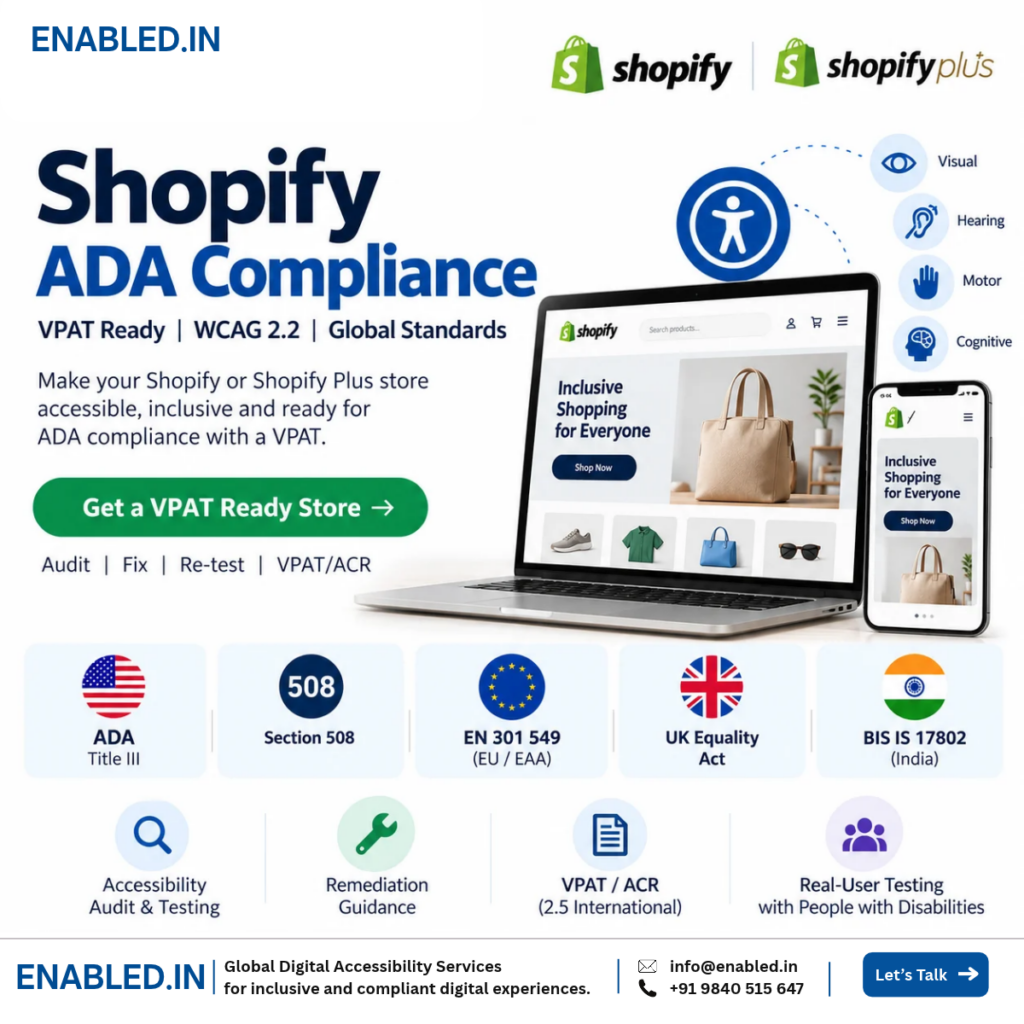
Enabled.in provides accessibility audit and testing services for Shopify and Shopify Plus stores.
Automated Testing
We use accessibility testing tools to identify detectable technical issues.
Manual Testing
Accessibility specialists review important pages, templates and interactive components.
Keyboard Testing
We test important customer journeys without relying on a mouse.
Assistive Technology Testing
Testing can include NVDA, JAWS, VoiceOver and TalkBack based on the agreed project scope.
Real-User Testing
Where included in scope, people with disabilities test important customer journeys.
Remediation and Re-testing
Developers receive practical findings. Agreed fixes are tested again to verify remediation.
VPAT/ACR
Where appropriate and included in the project scope, Enabled.in can prepare accessibility conformance documentation after assessment and re-testing.
Why Enabled.in?
Enabled.in Digital Accessibility Services is a digital accessibility practice of Tenth Planet Technologies.
- 17+ years of digital accessibility experience
- IAAP CPWA-certified expertise
- DHS Trusted Tester International
- WCAG 2.2 Level AA testing
- Manual accessibility testing
- Assistive technology testing
- Real-user testing with people with disabilities
- Accessibility remediation guidance
- Re-testing
- VPAT/ACR services
Our goal is not only to identify accessibility problems.
We help teams understand what is wrong, who it affects, why it matters and how to fix it.
Shopify ADA Compliance FAQs
Is Shopify ADA compliant
Shopify provides accessibility features and guidance, but using Shopify does not automatically make a merchant's store ADA compliant. Themes, apps, content, custom code, product interactions, cart and checkout experiences can introduce accessibility barriers.
Does the ADA apply to Shopify stores?
The ADA can apply to online goods and services offered by covered businesses. Legal interpretations can vary by jurisdiction and business circumstances.
Does Shopify need to meet WCAG 2.2 AA?
WCAG 2.2 AA provides a strong technical benchmark for accessibility testing. However, it is not a universal legal requirement for every private Shopify store under ADA Title III.
Can a Shopify store face an ADA lawsuit?
Yes. Businesses operating Shopify stores may face accessibility complaints or legal claims. The legal outcome depends on the business, jurisdiction and specific circumstances.
Are Shopify themes accessible?
Shopify provides accessibility guidance for themes. However, an accessible theme does not guarantee an accessible finished store. Apps, customizations, content and integrations can introduce barriers.
Is Shopify Dawn ADA compliant?
Using Shopify Dawn does not automatically make a completed store ADA compliant. Merchant customizations, content, applications and customer journeys should still be evaluated.
Can an accessibility app make Shopify ADA compliant?
No accessibility app or overlay can guarantee ADA compliance. Accessibility problems should be identified and fixed in the underlying store.
Is Shopify Checkout accessible?
Shopify publishes accessibility conformance information for selected platform products, including Checkout. Merchants should still consider their actual checkout configuration and complete customer journey when evaluating accessibility.
How do I test my Shopify store for accessibility?
Combine automated testing with manual keyboard testing, screen reader testing and real customer journey testing. Important journeys should include search, product selection, cart and checkout.
How much does a Shopify accessibility audit cost?
Cost depends on unique templates, interactive features, customer journeys, third-party applications, assistive technologies and re-testing requirements. A scope-based quote is more accurate than estimating by URL count alone.
Does my Shopify store need a VPAT?
Not every Shopify store requires a VPAT/ACR. It may be useful when enterprise customers, procurement teams, government organizations or business partners request accessibility conformance information.
How often should Shopify accessibility be tested?
Review accessibility after major theme changes, redesigns, new applications and important functionality updates. Periodic testing can also identify barriers introduced over time.
Does Shopify Plus need accessibility testing?
Yes. Shopify Plus implementations can include custom components, B2B journeys, applications and integrations. These features should be tested based on their actual functionality.
Can Enabled.in audit a Shopify store?
Yes. Enabled.in provides Shopify and Shopify Plus accessibility audits, WCAG 2.2 AA testing, manual testing, assistive technology testing, real-user testing where scoped, remediation guidance, re-testing and VPAT/ACR services.
Discover more from Enabled.in
Subscribe to get the latest posts sent to your email.