A school or university wants to buy your learning platform. The product demonstration went well, and the buyer is ready to move forward.
Then the procurement team asks:
“Please provide your current VPAT.”
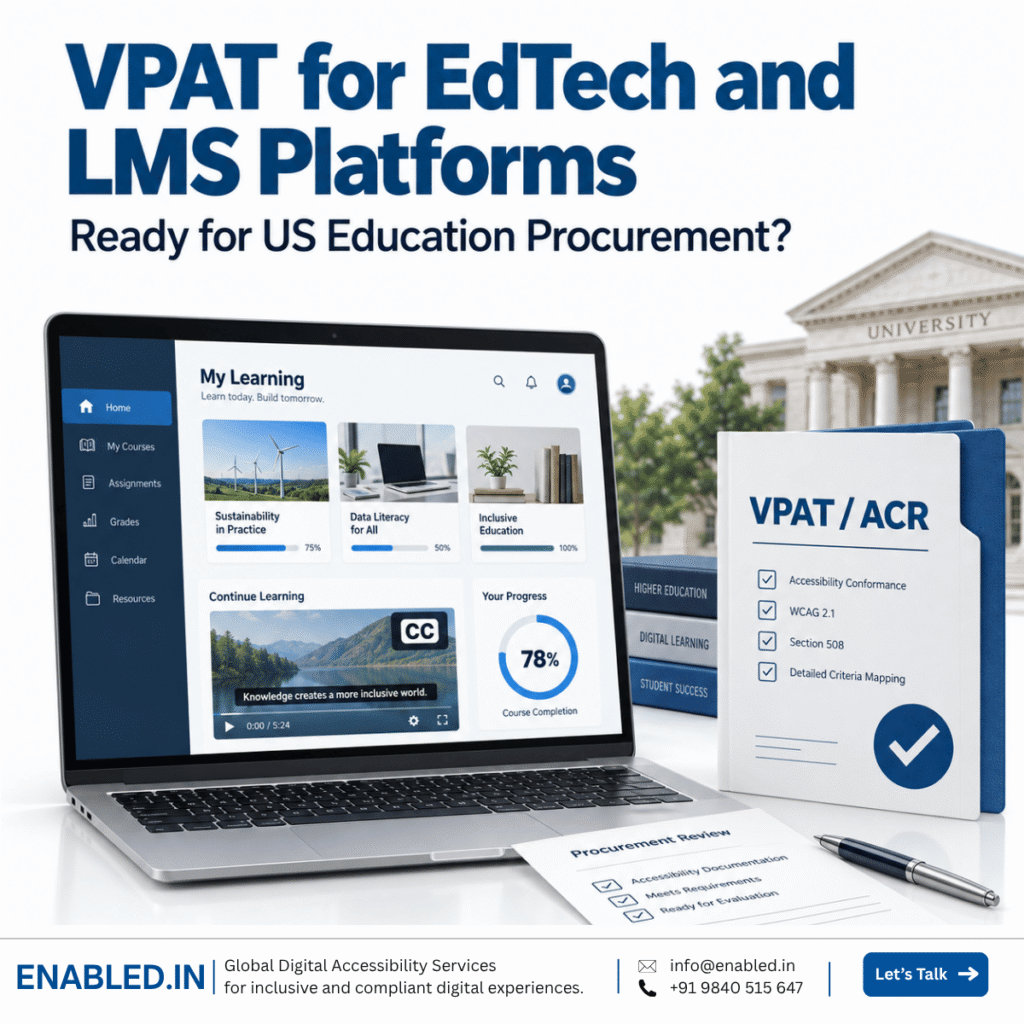
Why Are Customers Asking for a VPAT?
Accessibility is now an important part of technology purchasing.
A school, university or government customer may request a VPAT when:
- Completing a legal or compliance review
- Responding to an accessibility complaint
- Reviewing risks before purchase
- Checking whether students with disabilities can use the product
The request may come from procurement, legal, compliance, information technology or an accessibility team.
The customer may ask:
- Does your product meet WCAG?
- Do you have a VPAT or ACR?
- Which VPAT edition did you use?
- Which product version was reviewed?
- When was the product last audited?
- Which user roles were included?
- Were the mobile apps included?
- What accessibility barriers remain?
- When will the ACR be updated?
The vendor must provide clear and accurate answers. General claims such as “our platform is accessible” may not be enough.
The Main Problem for EdTech Companies
Many EdTech companies start thinking about accessibility only after a customer requests a VPAT.
At this point:
- The sales deadline may be close.
- The product may not have been audited.
- The existing VPAT may be outdated.
- New features may not be covered.
- Product teams may not know which accessibility issues remain.
Accessibility then becomes a last-minute sales problem.
A better approach is to review the product before the final procurement stage. This gives the company time to understand the issues, plan corrections and prepare reliable documentation.
Which EdTech Products May Need a VPAT?
Accessibility requirements can affect many education and training products.
These include:
- Learning Management Systems
- Learning Experience Platforms
- Student Information Systems
- Virtual classroom platforms
- Online examination systems
- Video-learning platforms
- School and university portals
- Library and research platforms
- Parent and student applications
- Course-authoring tools
- AI grading and feedback tools
- Mobile learning applications
The VPAT should cover the product being sold. Auditing only the company’s public website does not show whether the LMS itself is accessible.
Why Accessibility Matters to US Education Buyers
Schools and universities must provide equal access to students with disabilities.
An inaccessible platform can prevent a student from:
- Registering for a course
- Signing in
- Finding course materials
- Watching a learning video
- Completing an assessment
- Uploading an assignment
- Reading instructor feedback
- Checking grades
- Joining a discussion
- Downloading a certificate
Accessibility can also affect instructors and administrators with disabilities.
For this reason, accessibility is not only a technical feature. It can affect product approval, contracts and long-term customer trust.
US Accessibility Requirements for EdTech Platforms
Several US accessibility requirements may affect an education provider or its purchasing decisions.
ADA Title II
Title II of the Americans with Disabilities Act applies to state and local government entities. This includes:
- Public schools
- Public school districts
- Community colleges
- Public universities
- Public libraries
- State and local education agencies
The current compliance dates are:
| Public entity | Compliance date |
|---|---|
| Population of 50,000 or more | April 26, 2027 |
| Population below 50,000 | April 26, 2028 |
| Special district governments | April 26, 2028 |
ADA Title III
ADA Title III may apply to private educational organisations covered as places of public accommodation.
These organisations may include certain:
- Private schools
- Training providers
- Professional education services
- Test-preparation businesses
- Online learning businesses
Some organisations may be excluded or treated differently under the law. Each institution should obtain legal advice about its position.
Section 504 of the Rehabilitation Act
Section 504 prohibits disability discrimination in programmes or activities that receive federal financial assistance.
Many US schools, colleges and universities receive federal funds. They must provide students with disabilities equal access to their programmes and services.
A VPAT can help the institution review the product. However, the institution may also request an audit report, remediation plan or contract commitment.
Revised Section 508
Revised Section 508 applies to US federal agencies and their information and communication technology.
It may be relevant when an EdTech company:
- Sells training software to a federal agency
- Provides an LMS to the federal government
- Responds to a federal request for proposal
- Offers employee-training technology to federal customers
- Supplies an education product under a federal contract
A federal buyer may request a VPAT 2.5 508 or VPAT 2.5 INT.
Section 508 should not be described as a law that applies directly to every US school or university. Its importance depends on the buyer and contract.
State and Institutional Requirements
States, university systems and individual institutions may have their own accessibility policies.
A customer may require:
- WCAG conformance
- A current VPAT/ACR
- An independent accessibility audit
- A list of known accessibility barriers
- A remediation roadmap
- Accessibility contract terms
- A named accessibility contact
- Regular progress reports
- An updated ACR after major releases
- A plan for responding to user complaints
Always review the customer’s request instead of assuming that one VPAT will meet every buyer’s needs.
Which VPAT Edition Does an EdTech Company Need?
ITI provides four VPAT 2.5Rev editions.
| VPAT edition | Common purpose |
|---|---|
| VPAT WCAG | Reports against applicable WCAG requirements |
| VPAT 508 | Reports against Revised Section 508 |
| VPAT EU | Reports against EN 301 549 |
| VPAT INT | Combines WCAG, Revised Section 508 and EN 301 549 |
The right edition depends on:
- The customer’s request
- The target country
- The type of customer
- The procurement documents
- The standards named in the contract
- The product’s future markets
A company selling only to US federal customers may need the 508 edition. A company selling across the US and Europe may benefit from the INT edition.
The customer’s requirement should be confirmed before the audit begins.
Does VPAT 2.5 Include WCAG 2.2?
The current VPAT 2.5 WCAG and INT editions include WCAG 2.2 reporting. The 508 and EU editions reflect the WCAG versions included in their related standards.
An EdTech company should clearly confirm:
- The required VPAT edition
- The WCAG version
- The required conformance level
- Whether Level AAA is included
- Whether mobile applications are included
- Whether additional standards are required
For many projects, WCAG Level A and Level AA are the main targets. Level AAA should not be claimed unless it has been added to the scope and assessed.
Why Is an Accessibility Audit Needed?
The ACR should report the product’s real accessibility status.
Without an audit, the company may not know:
- Which requirements the product supports
- Which requirements it only partly supports
- Which requirements it does not support
- Which barriers affect important learning tasks
- Whether new features created new problems
- Whether the current product matches the old VPAT
- Whether mobile apps need separate reports
- Whether third-party tools are covered
- Whether earlier accessibility fixes still work
An audit gives the company reliable information. This information supports the statements made in the ACR.
The audit also helps the product team answer customer questions with evidence instead of assumptions.
What Should the Audit Cover?
The scope should reflect the actual product being sold.
Learner Experience
This may include:
- Registration and login
- Dashboard
- Course search
- Enrollment
- Course navigation
- Learning materials
- Video and audio
- Assessments
- Assignments
- Discussions
- Grades and feedback
- Certificates
- Notifications
- Help and support
Instructor Experience
This may include:
- Course creation
- Content upload
- Assessment creation
- Assignment management
- Learner communication
- Grading
- Feedback
- Reports and analytics
Administrator Experience
This may include:
- User management
- Roles and permissions
- Course management
- Institutional settings
- Reports
- Integrations
- Billing
- Account settings
The final scope may also include:
- Android apps
- iOS apps
- Authoring tools
- Digital documents
- Video content
- Third-party integrations
- AI features
The ACR should clearly state what was included and excluded.
Common VPAT Problems in EdTech Procurement
1. The VPAT Is Outdated
The report covers an older product version. Major features and interface changes are missing.
2. The Product Scope Is Unclear
The report does not say whether learner, instructor, administrator or mobile experiences were included.
3. The Remarks Are Too General
The ACR uses phrases such as “the platform is accessible” without giving useful information.
4. Every Requirement Is Marked “Supports”
A report that claims full support without clear evidence may concern the buyer.
5. Known Barriers Are Not Reported
The customer later discovers issues that should have been explained in the ACR.
6. Only the Marketing Website Was Reviewed
The public website does not represent the accessibility of the logged-in LMS.
7. Mobile Apps Are Included Without a Separate Review
A web audit does not automatically cover native Android and iOS apps.
8. Third-Party Tools Are Ignored
The LMS may depend on external video players, assessment tools, payment systems or proctoring services.
9. The VPAT Is Treated as a Certificate
A completed ACR reports the product’s accessibility. It does not certify the product as fully accessible.
10. The Report Does Not Match the Customer’s Request
The vendor may provide a WCAG edition when the customer asked for VPAT 508 or INT.
When Should an EdTech VPAT Be Updated?
An ACR should describe the current product version.
Consider reviewing or updating it after:
- A major product redesign
- A new learner dashboard
- A new assessment system
- A new design system
- New instructor or administrator modules
- A new mobile app
- New AI tutor or grading features
- Major changes to course navigation
- A new media player
- Authentication changes
- Major third-party integrations
- Significant accessibility remediation
You may also need an update when:
- A customer requests a recent ACR
- The existing report is several releases old
- You enter a new market
- A contract is being renewed
- The buyer requests another VPAT edition
- The required standards change
A continuously developed SaaS platform should not treat its ACR as a permanent document.
What Should You Do When a Customer Requests a VPAT?
Step 1: Review the Customer’s Request
Confirm:
- Which VPAT edition is required
- Which accessibility standards are named
- Which product is being purchased
- Which platforms must be covered
- The required delivery date
- Whether an independent audit is required
Step 2: Review Your Existing Documentation
Check whether you already have:
- An accessibility audit
- A VPAT/ACR
- A remediation plan
- Retest results
- An accessibility roadmap
- An accessibility statement
Confirm whether these documents match the current product.
Step 3: Define the Product Scope
List:
- Product modules
- User roles
- Main user journeys
- Web and mobile platforms
- Third-party components
- Product version
- Customer-specific requirements
Step 4: Complete the Accessibility Audit
The audit should evaluate the agreed product scope against the required accessibility standards.
Step 5: Address Important Findings
The product team should review and prioritise the reported barriers. Critical issues affecting important learner journeys should receive early attention.
Step 6: Verify the Corrections
Completed fixes should be reviewed before the final conformance statements are prepared.
Step 7: Prepare the ACR
The ACR should clearly identify:
- Product name
- Product version
- Report date
- Evaluation scope
- Standards covered
- Conformance level for each requirement
- Clear remarks
- Known limitations
How Accessibility Readiness Supports EdTech Sales
A clear accessibility process can help an EdTech company:
- Respond faster to VPAT requests
- Reduce procurement delays
- Improve RFP responses
- Answer customer questions with evidence
- Identify problems before the customer finds them
- Plan remediation based on risk
- Build trust with education buyers
- Prepare for public-sector contracts
- Support contract renewals
- Expand into new markets
A VPAT alone does not guarantee a sale. However, poor or missing accessibility information can make a sale more difficult.
How Enabled.in Helps EdTech and LMS Companies
Enabled.in helps EdTech providers complete accessibility audits and prepare reliable VPAT/ACR documentation.
Our support can include:
- Review of the customer’s accessibility request
- Product and user-journey scoping
- Accessibility audit against the agreed requirements
- Clear reporting of accessibility barriers
- Prioritised remediation guidance
- Support for product and development teams
- Retesting and validation
- Review of an existing VPAT
- Preparation of VPAT 2.5 WCAG, 508, EU or INT
- Support for future product updates
We can assess:
- Learner portals
- Instructor portals
- Administrator applications
- Assessment platforms
- Course-authoring tools
- Android and iOS learning apps
- AI learning features
- Digital learning content
- Integrated education services
Has a Customer Requested Your VPAT?
Do not wait until the final procurement stage to review your EdTech platform’s accessibility.
Enabled.in can help you understand:
- Which VPAT edition you need
- Which product areas should be included
- Whether your existing VPAT is still current
- Which accessibility requirements apply
- What should be completed before the customer’s deadline
Contact: Sathasivam Kannupayan
Email: info@enabled.in
Phone: +91 98405 15647
Frequently Asked Questions
Is a VPAT required for every EdTech product?
No. However, schools, universities, government organisations and enterprise customers may request one during procurement.
Is a VPAT an accessibility certificate?
No. The VPAT is a reporting template. Once completed for a product, it becomes an Accessibility Conformance Report.
Can we prepare a VPAT without an accessibility audit?
A reliable ACR should be based on suitable evaluation evidence. Without an audit, the reported conformance levels may be inaccurate or difficult to support.
Which VPAT edition should an LMS company use?
It depends on the customer and market. US federal customers may request VPAT 508. Customers buying across several markets may request VPAT INT.
Does the VPAT need to cover every LMS module?
The scope depends on the product being purchased and the customer’s requirements. The ACR must clearly explain what was included and excluded.
Does a web VPAT cover Android and iOS apps?
Not automatically. Native mobile apps require platform-specific accessibility evaluation.
Does the VPAT include uploaded course content?
Only if the course content is included in the agreed scope. Documents, videos and third-party content should be clearly included or excluded.
How often should an EdTech VPAT be updated?
Review the ACR after major product changes, new modules, new mobile apps or significant accessibility remediation. It should represent the product version being sold.
Can Enabled.in review an existing VPAT?
Yes. Enabled.in can compare the existing ACR with the current product, identify gaps and recommend the work required for an update.
Does a VPAT guarantee that we will win the contract?
No. It supports the buyer’s accessibility review, but the final decision depends on the customer’s complete procurement requirements.
Discover more from Enabled.in
Subscribe to get the latest posts sent to your email.