Why Accessibility Is Important in Every ERP Section
ERP accessibility testing – An ERP connects many business areas, like sales, customers, warehouses, finance, payments, logistics and reports. Employees, customers, suppliers, managers and business partners use these systems every day.
Users include people who:
- Are blind or have low vision
- Are deaf or hard of hearing
- Can’t use a mouse
- Have limited hand movement
- Have learning, memory or attention-related disabilities
- Use screen readers, screen magnification, voice control or switch devices
- Have temporary injuries or age-related limitations
When one ERP section is not accessible, the entire business process may stop. For example, an employee may create a purchase order. The same employee may not be able to review the invoice. They might also not be able to approve the payment.
1. ERP Core Platform
How users use it
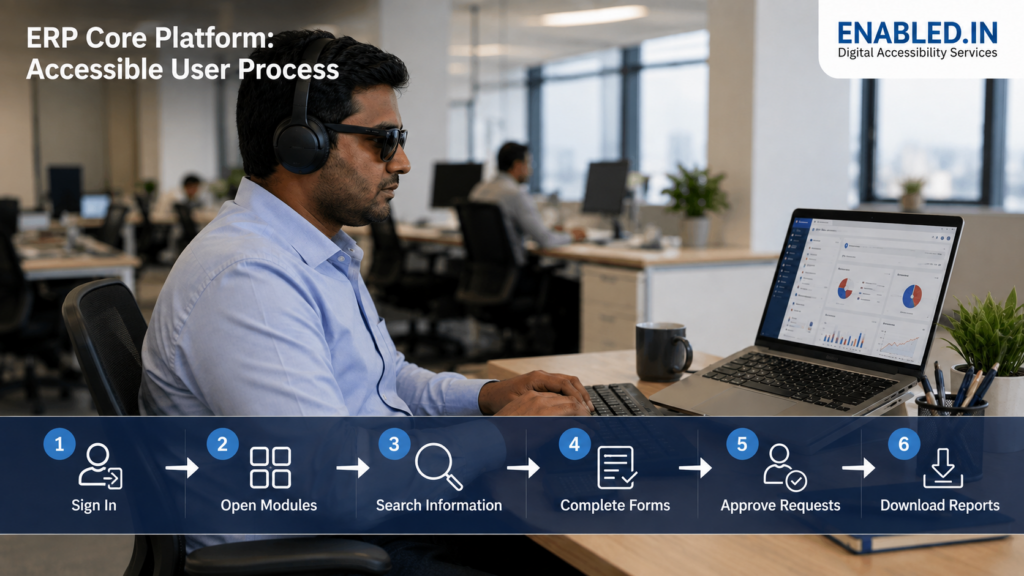
The ERP is the main platform. Users sign in, open modules, search for information, complete forms, manage records, approve requests and download reports.
Possible barriers
- Login fields do not have clear labels.
- Users cannot open the main menu using a keyboard.
- Screen readers do not announce menu names or states.
- Dashboard charts have no text explanation.
- Dialog boxes do not receive keyboard focus.
- Data tables are difficult to understand.
- Error messages are unclear.
- Notifications are visible but not announced.
- Content is lost when users zoom the screen.
- Session timeout warnings are inaccessible.
Impact on users
Employees may be unable to sign in, move between modules, find information or complete their daily work. They may need help from colleagues, which affects privacy and independence.
Why accessibility is required
The ERP core platform controls access to every other module. If the core platform is not accessible, users may be blocked from the complete system.
2. E-commerce
How users use it
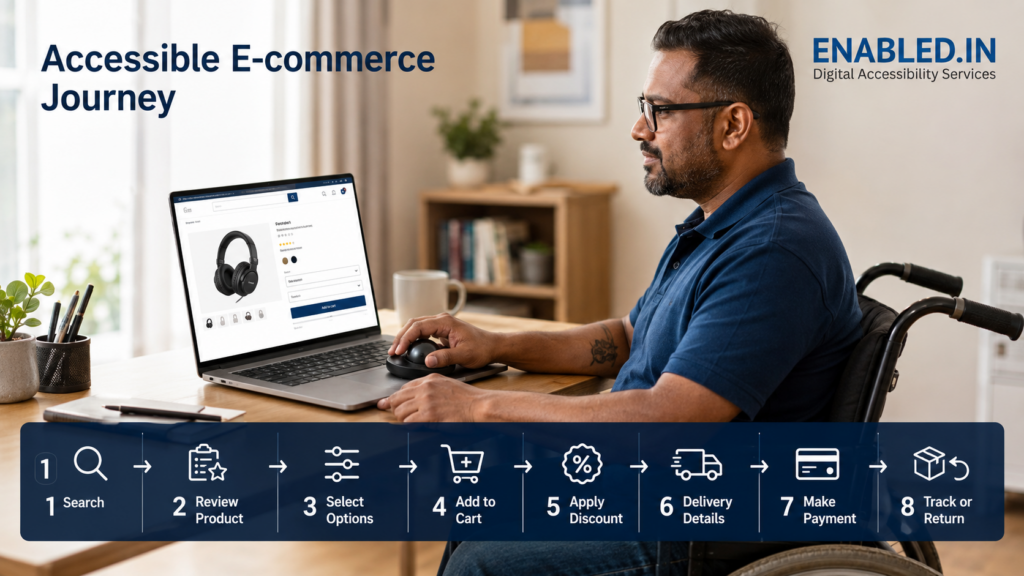
Customers use e-commerce systems to:
- Search for products
- Review product details
- Select product options
- Add products to the cart
- Apply discount codes
- Enter delivery information
- Make payments
- Track, cancel or return orders
Employees use the connected ERP to manage products, pricing, stock, orders and refunds.
Possible barriers
- Product images do not have alternative text.
- Search suggestions are not announced.
- Filters cannot be used with a keyboard.
- Product options are identified only by colour.
- Add-to-cart confirmation is not announced.
- Cart quantity cannot be changed without a mouse.
- Checkout fields do not have proper labels.
- Form errors are not clearly explained.
- Payment dialogs do not receive keyboard focus.
- Moving banners cannot be paused.
Impact on users
A customer may select the wrong product, miss important information or fail to complete the purchase. An employee with a disability may be unable to update products or process orders.
Why accessibility is required
Accessible e-commerce allows all customers to buy products independently. It can also reduce abandoned carts, support requests and lost sales.
3. Customer Relationship Management – CRM
How users use it
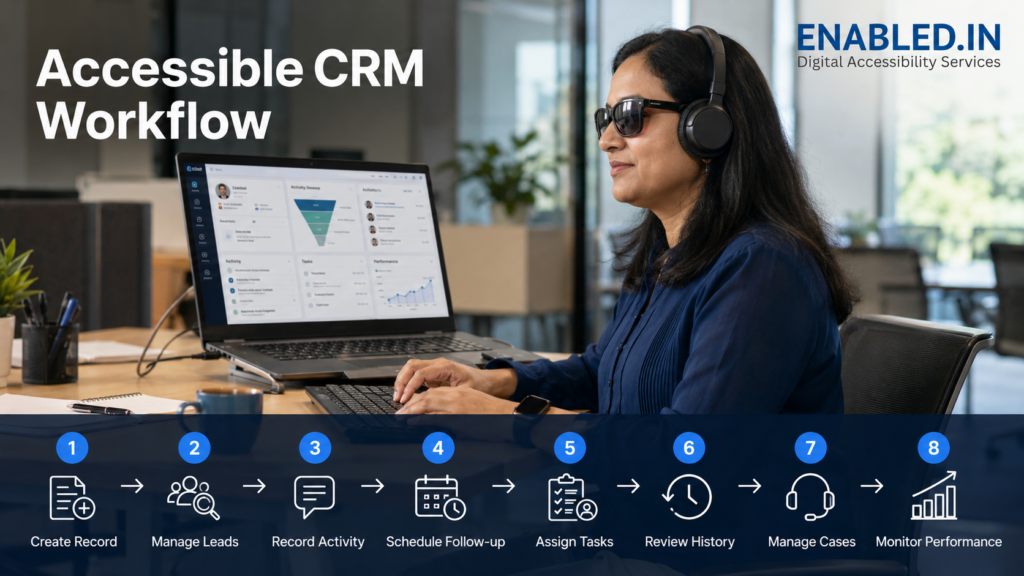
Sales and customer-support teams use CRM to:
- Create customer records
- Manage leads and opportunities
- Record calls and emails
- Schedule meetings and follow-ups
- Assign tasks
- Review customer history
- Manage support cases
- Monitor sales performance
Possible barriers
- Sales cards can be moved only by drag and drop.
- Buttons have icons but no accessible names.
- Customer statuses are shown only by colour.
- Data tables are difficult to use with a screen reader.
- Date pickers cannot be used with a keyboard.
- Pop-up forms do not receive keyboard focus.
- Required fields are not clearly identified.
- Notifications are not announced.
- Charts do not have text summaries.
Impact on users
An employee may be unable to create a lead. They might struggle to update a customer record. Scheduling a call or closing a support request could also be difficult. This can affect customer service and sales.
Why accessibility is required
CRM accessibility helps employees with disabilities perform sales and support work independently. It also improves the accuracy and quality of customer information.
4. Warehouse Management System – WMS
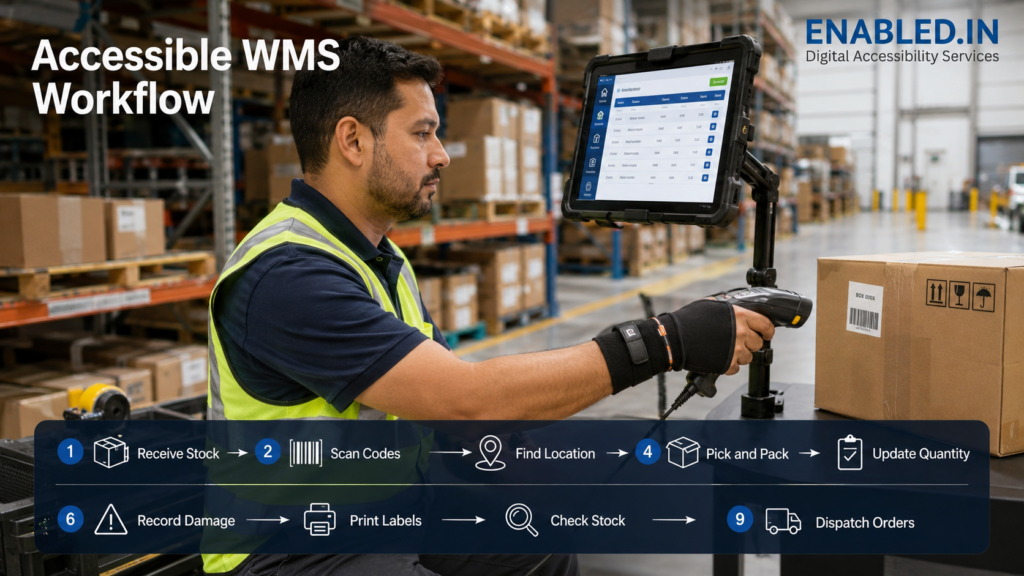
How users use it
Warehouse employees use WMS to:
- Receive stock
- Scan product codes
- Find storage locations
- Pick and pack orders
- Update quantities
- Record damaged items
- Print labels
- Complete stock checks
- Dispatch orders
The system may be used on computers, tablets, mobile devices and handheld scanners.
Possible barriers
- Buttons and touch targets are too small.
- Text has poor colour contrast.
- Instructions are provided only through sound.
- Warnings are identified only by colour.
- Scanner actions have no manual alternative.
- Tables are difficult to use with assistive technology.
- Error messages disappear too quickly.
- Text cannot be enlarged.
- The system requires precise hand movement.
- Warehouse maps have no text-based alternative.
Impact on users
Employees may select the wrong item, enter the wrong quantity, miss a warning or fail to complete a stock update. This can result in stock errors, delivery delays and safety risks.
Why accessibility is required
Accessible warehouse systems support accuracy, safety and productivity. They also help employees who have permanent disabilities, temporary injuries or age-related limitations.
5. Finance and Accounting
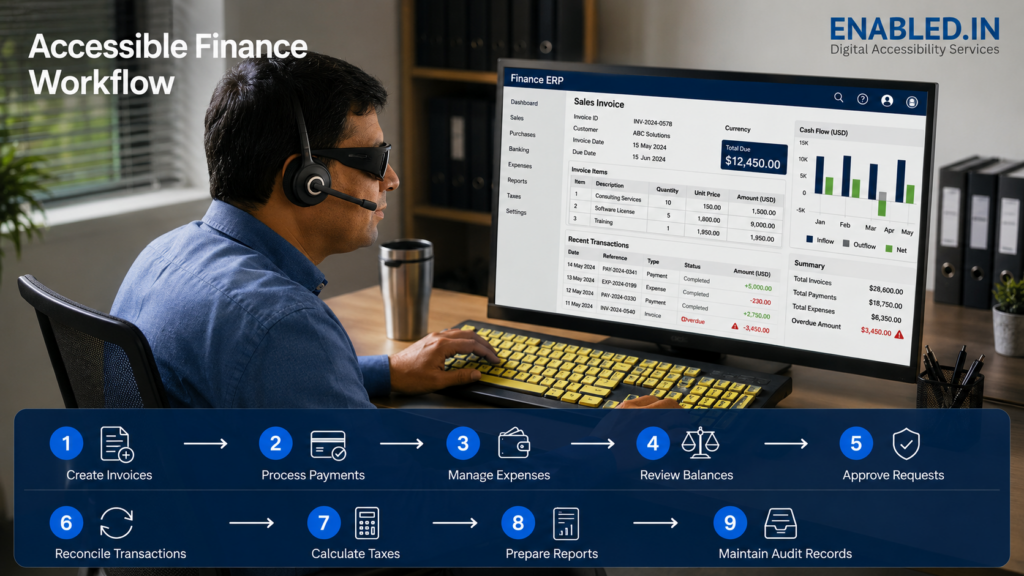
How users use it
Finance teams use the ERP to:
- Create invoices
- Process payments
- Manage expenses
- Review account balances
- Approve financial requests
- Reconcile transactions
- Calculate taxes
- Prepare financial reports
- Maintain audit records
Possible barriers
- Financial tables do not have clear row and column headings.
- Negative values and overdue amounts are shown only by colour.
- Amount fields do not clearly announce the currency or format.
- Date controls cannot be used with a keyboard.
- Approval buttons have unclear names.
- Reports and invoices are provided as inaccessible PDFs.
- Charts have no accessible data alternative.
- Error messages do not explain how to correct the problem.
- Confirmation dialogs do not show clear transaction details.
Impact on users
A finance employee may enter the wrong amount, miss an overdue payment or approve the wrong transaction. These mistakes can create financial and compliance risks.
Why accessibility is required
Finance work requires accuracy and confidentiality. Users must be able to read, verify, correct and approve financial information independently.
6. Payments
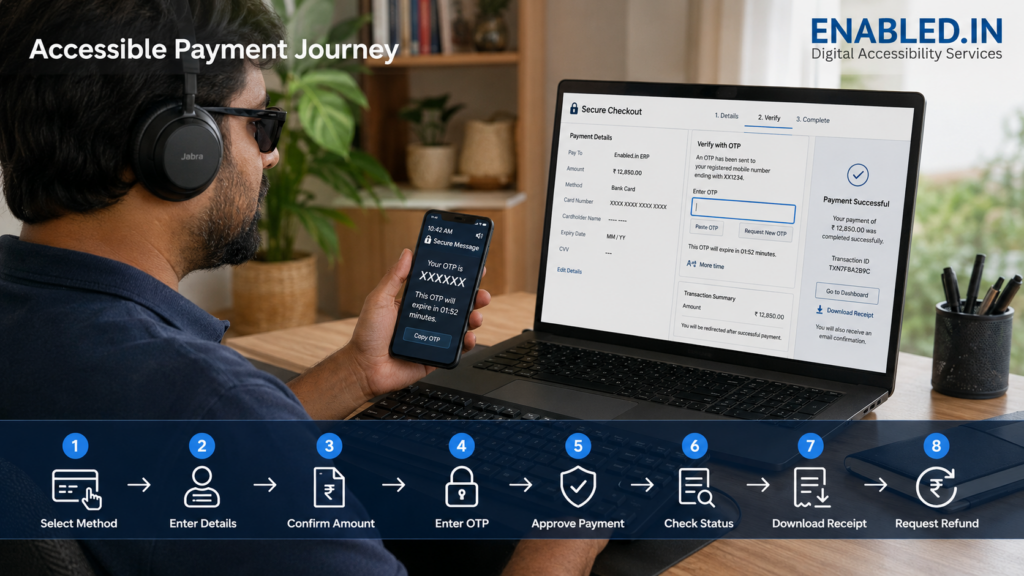
How users use it
Customers, employees and suppliers use payment functions to:
- Select a payment method
- Enter card or bank details
- Confirm the payment amount
- Enter an OTP
- Approve or reject a payment
- Check payment status
- Download a receipt
- Request a refund
Possible barriers
- Card and bank fields do not have labels.
- OTP fields do not work with screen readers.
- Users cannot paste an OTP.
- OTP expiry warnings are not announced.
- Users do not receive enough time to complete payment.
- Payment errors are unclear.
- Payment status is shown only through colour.
- Security keyboards cannot be used without a mouse.
- Keyboard focus moves unexpectedly.
- Receipts are provided as inaccessible documents.
Impact on users
A person may be unable to complete a payment independently. They may have to share their card details, OTP or other private information with someone else.
Why accessibility is required
Every user must be able to complete payments safely and privately. No one should have to share confidential financial information because the payment system is inaccessible.
7. Logistics
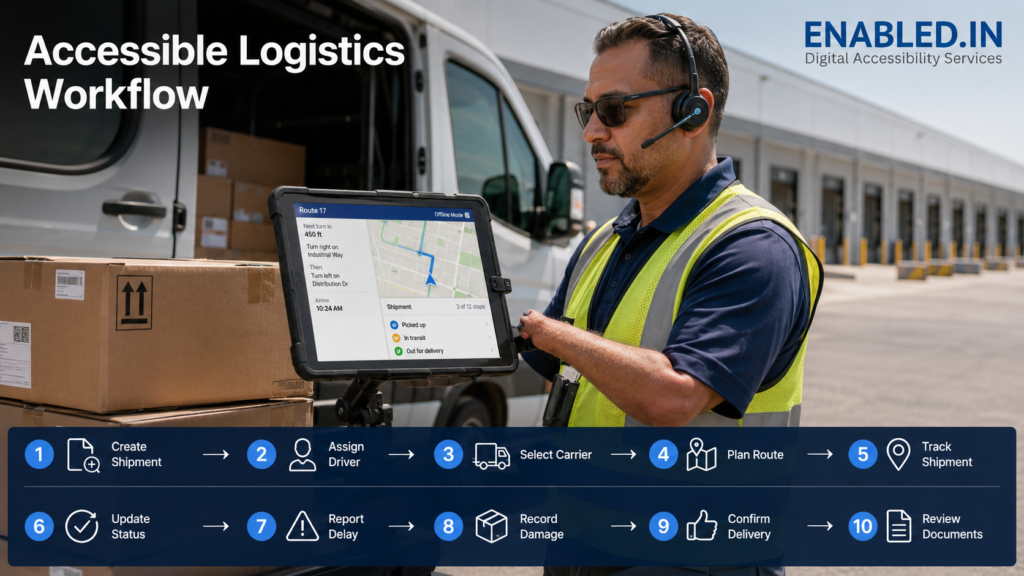
How users use it
Logistics teams, delivery employees and customers use the system to:
- Create shipments
- Assign drivers
- Select carriers
- Plan delivery routes
- Track shipments
- Update delivery status
- Report delays
- Record damaged items
- Confirm delivery
- Review delivery documents
Possible barriers
- Maps do not provide text-based route details.
- Location markers cannot be used with a keyboard.
- Delivery status is shown only by colour.
- Live tracking updates are not announced.
- Signature controls require precise hand movement.
- Mobile buttons are too small.
- Route changes are provided only through sound.
- The application does not support voice control.
- Offline and error messages are unclear.
Impact on users
An employee may choose the wrong route, miss a delivery update or fail to record proof of delivery. Customers may be unable to track important shipments.
Why accessibility is required
Accessible logistics systems improve delivery accuracy, communication and customer experience. They are also important for employees working on mobile devices or in difficult environments.
8. Business Intelligence and Analytics
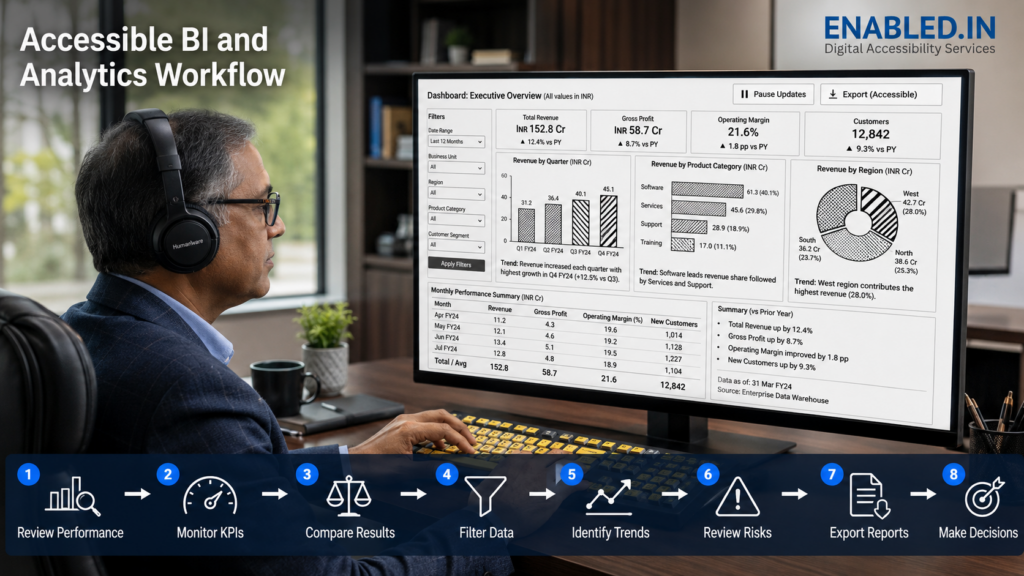
How users use it
Managers and analysts use dashboards to:
- Review business performance
- Monitor key performance indicators
- Compare results
- Filter data
- Identify trends
- Review risks
- Export reports
- Make business decisions
Possible barriers
- Charts use only colour to show differences.
- Graphs have no text summary.
- Information appears only when the mouse is placed over a chart.
- Screen readers cannot identify chart labels or values.
- Filters have unclear names.
- Dashboard items have an incorrect reading order.
- Automatically updated content interrupts users.
- Charts overlap when the screen is zoomed.
- Exported reports are inaccessible.
Impact on users
Managers may miss an important trend, misunderstand the information or make decisions using incomplete data.
Why accessibility is required
Every authorised user must receive the same important business information. Charts should also be available as text summaries and accessible data tables.
How Enabled.in Helps Make ERP Systems Accessible
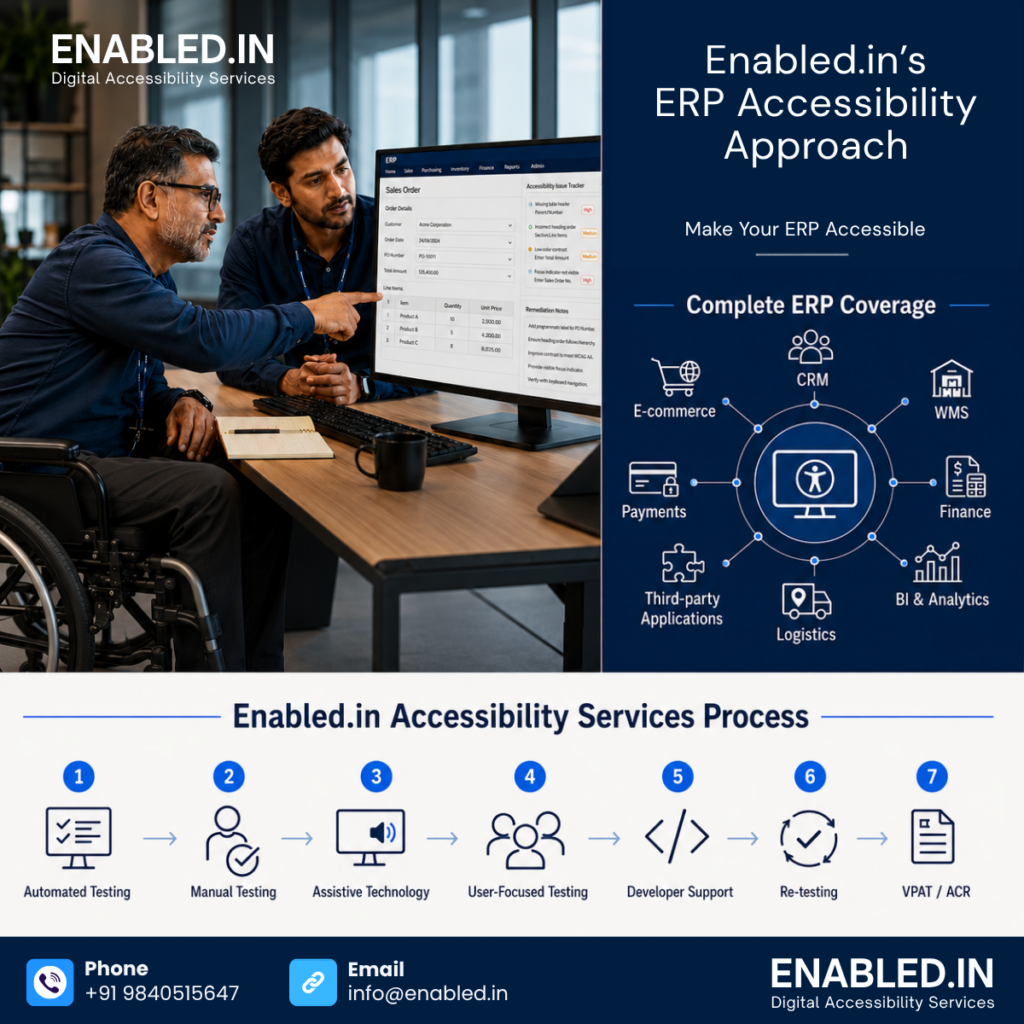
ERP accessibility requires more than checking a few pages with an automated tool. The complete system must be tested across modules, user roles, workflows, integrations, dialogs, reports and documents.
Enabled.in supports organisations throughout the accessibility journey, from the first audit to remediation, re-testing and VPAT/ACR preparation.
Enabled.in’s ERP Accessibility Approach
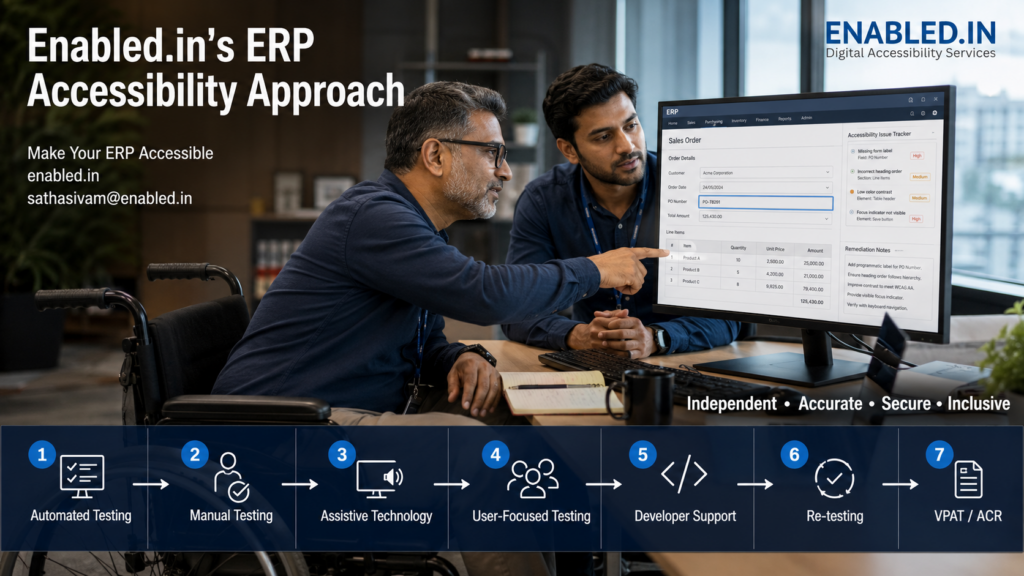
Our approach combines:
Automated testing + Manual testing + Assistive-technology testing + User-focused testing + Developer support + Re-testing + VPAT/ACR
This approach helps organisations move beyond a basic compliance check and build an ERP that people can use independently.
Business Benefits
Working with Enabled.in can help organisations:
- Support employees with disabilities
- Improve productivity
- Reduce user errors
- Protect private and financial information
- Improve data accuracy
- Reduce support requests
- Strengthen procurement readiness
- Meet customer accessibility requirements
- Reduce legal and compliance risks
- Build a more inclusive workplace
Enabled.in helps organisations make the ERP journey accessible. This includes login and daily operations. It also encompasses approvals, payments, reports, and third-party integrations. Our goal is to ensure that every authorised user can complete their work independently, accurately, securely and with dignity.
Reach to us:
Need support with ERP accessibility auditing, remediation or VPAT/ACR preparation?
Contact Enabled.in Digital Accessibility Services
Website: https://enabled.in/
Email: sathasivam@enabled.in
Discover more from Enabled.in
Subscribe to get the latest posts sent to your email.