AI CHATBOTS · AI AGENTS · WCAG 2.2 AA · VPAT/ACR
Can every user ask an AI assistant a question, understand its response, and complete a task using a keyboard or screen reader?
An AI chatbot accessibility audit checks whether people with disabilities can use conversational AI platforms, AI assistants, and AI agent workflows without unnecessary barriers.
AI interfaces are different from traditional websites. Responses can appear in real time. New controls may appear after a message is sent. An AI agent may also ask for approval before taking an action.
These features need accessibility testing across complete user journeys, not only individual screens.
How does Enabled.in help AI chatbot and AI agent vendors?
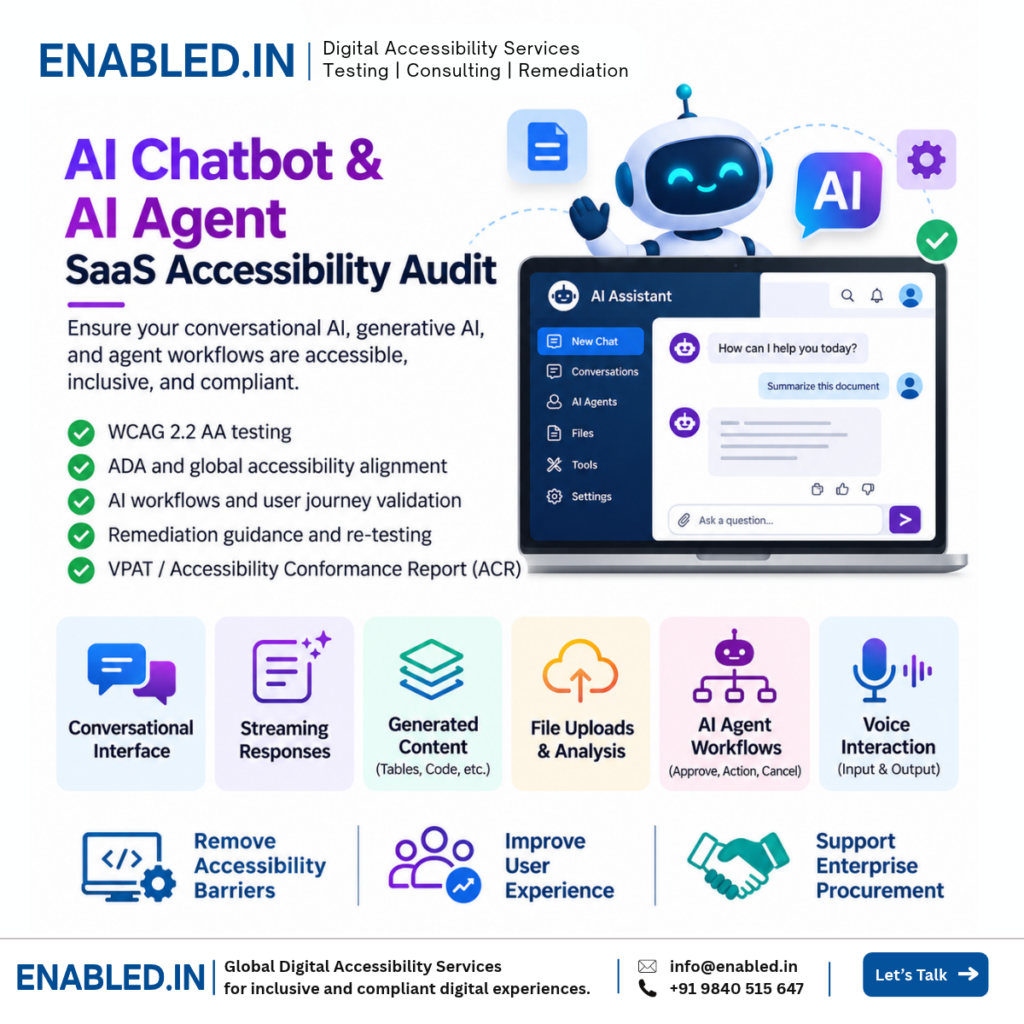
Enabled.in provides WCAG 2.2 AA accessibility audits, keyboard and screen reader testing, remediation guidance, re-testing, and VPAT/ACR reporting. We assess chat input, streaming responses, conversation history, file uploads, dynamic notifications, and AI agent approval workflows. Testing is based on the agreed product scope and supported technologies.
Why AI chatbot accessibility matters
AI chatbots are now used for customer support, education, employee services, healthcare, banking, and enterprise software. People use them to find information, create content, complete forms, and manage business tasks.
If a chatbot cannot be used with a keyboard or screen reader, users may be unable to access the same services as others.
Equal access to AI services
Help users interact with AI assistants using assistive technology and different input methods.
Accessible conversations
Make messages, responses, errors, and controls easier to understand and operate.
Enterprise procurement
Support buyer accessibility reviews with test evidence and VPAT/ACR information.
Safer AI workflows
Help users review, confirm, or cancel AI agent actions before they are completed.
What we test in AI chatbot and agent platforms
Accessibility testing should include the full conversational experience and the controls used before, during, and after an AI response.
Chat interface
- Message input and Send button
- Conversation navigation
- New chat and chat history
- Copy, edit, and regenerate controls
- Message feedback and ratings
AI response content
- Streaming text responses
- Headings and lists
- Tables and code blocks
- Links and citations
- Charts and generated visual content
Multimodal features
- File and image uploads
- Voice input and output
- Audio controls and transcripts
- Image descriptions
- Accessible alternatives to gestures
AI agent workflows
- Tool and action selection
- Permission requests
- Human approval dialogs
- Progress and status updates
- Error recovery and cancellation
Eight critical AI accessibility testing scenarios
The following examples show how accessibility barriers can affect real AI chatbot and agent users. Each scenario includes the user task, the barrier, expected behavior, and relevant WCAG criteria.
-
Send a message to an AI chatbot
Keyboard and screen reader userUser journeyOpen chat → Enter question → Send → Read response
Accessibility barrier
The message field has no accessible label. The Send button is represented only by an icon without an accessible name.
Expected behavior
The input and Send button have clear names. Users can enter and submit messages with a keyboard and understand the controls through a screen reader.
WCAG: 2.1.1 Keyboard, 3.3.2 Labels or Instructions, 4.1.2 Name, Role, Value
-
Read a streaming AI response
Screen reader userUser journeySend prompt → Wait for response → Read generated answer
Accessibility barrier
The response appears visually, but the screen reader receives no useful update. Alternatively, every new word is announced, making the response difficult to follow.
Expected behavior
The interface communicates response status without overwhelming the user. Users can navigate to the completed response and read it in a logical order.
WCAG: 1.3.2 Meaningful Sequence, 4.1.3 Status Messages where applicable
-
Navigate conversation history
Keyboard userUser journeyOpen history → Select conversation → Review messages
Accessibility barrier
Previous conversations are available only through mouse hover. The active conversation is not identified programmatically.
Expected behavior
Conversations are keyboard accessible. The selected item is identified clearly, and focus follows a logical order.
WCAG: 2.1.1 Keyboard, 2.4.3 Focus Order, 4.1.2 Name, Role, Value
-
Use AI-generated tables and code
Screen reader userUser journeyAsk question → Receive table → Review data → Copy result
Accessibility barrier
AI-generated table content is displayed without table headers. Code controls have unclear names.
Expected behavior
Tables use meaningful structure and headers. Code is readable, and copy controls have accessible names and keyboard support.
WCAG: 1.3.1 Info and Relationships, 2.1.1 Keyboard, 4.1.2 Name, Role, Value
-
Upload a document for AI analysis
Employee or customerUser journeySelect file → Upload → Review progress → Read result
Accessibility barrier
Upload is available only through drag-and-drop. Progress and upload errors are not communicated to screen reader users.
Expected behavior
Users can select files through a keyboard accessible control. Upload status and errors are communicated clearly.
WCAG: 2.1.1 Keyboard, 2.5.7 Dragging Movements, 4.1.3 Status Messages where applicable
-
Use voice-based AI interaction
User with hearing or speech disabilitiesUser journeyStart voice session → Ask question → Receive answer
Accessibility barrier
Important information is available only through audio. The user cannot access a text-based alternative.
Expected behavior
Provide suitable text alternatives for prerecorded or live audio content as required by applicable criteria. Users should be able to access essential tasks without relying on speech alone.
WCAG: 1.2.1 Audio-only and Video-only (Prerecorded), 1.2.9 Audio-only (Live, AAA) where applicable; additional criteria depend on the implementation
-
Approve an AI agent action
Enterprise employeeUser journeyRequest action → Review details → Approve or cancel
Accessibility barrier
An approval dialog appears, but focus stays behind it. Approve and Cancel buttons are not announced correctly.
Expected behavior
Focus moves into the dialog. The requested action and consequences are clear. Users can approve or cancel using a keyboard.
WCAG: 2.1.1 Keyboard, 2.4.3 Focus Order, 4.1.2 Name, Role, Value
-
Recover from an AI error or failed action
All usersUser journeySubmit request → Error occurs → Review → Retry
Accessibility barrier
A failed action displays a visual error without a clear explanation. The retry control cannot be reached with a keyboard.
Expected behavior
Errors are identified and explained. Users can find the error, understand the next step, and retry or cancel without losing essential information.
WCAG: 2.1.1 Keyboard, 3.3.1 Error Identification, 4.1.3 Status Messages where applicable
WCAG mappings are illustrative. The final criteria depend on the tested interface and behavior. WCAG 2.2 AA does not require every AAA criterion.
Accessibility challenges unique to conversational AI
AI systems create content and change interface states while users interact with them. Accessibility must work across those changes.
Dynamic content and live updates
AI responses may stream one sentence at a time. The interface should communicate useful status updates without interrupting reading or moving focus unexpectedly.
Generated content structure
AI responses may include headings, lists, tables, code blocks, images, and citations. These elements need accessible structure and controls.
AI agent permissions and confirmations
An agent may send an email, update a record, or perform another task after receiving permission. Users need accessible ways to understand the action, review its details, and confirm or cancel it.
Context and conversation continuity
Users should be able to understand which conversation is active, where a response begins, and whether a task has completed or failed.
Multimodal interaction
Voice, images, documents, and interactive results introduce different accessibility requirements. Testing should include the supported input and output methods within the agreed scope.
How Enabled.in tests AI chatbot accessibility
Automated testing
Identify detectable accessibility issues in the interface and rendered content.
Keyboard testing
Review message entry, navigation, controls, dialogs, and AI agent workflows.
Screen reader testing
Test with NVDA, JAWS, VoiceOver, and TalkBack as defined in the project test matrix.
Dynamic state testing
Check streaming responses, loading states, error messages, and status updates.
Visual and responsive testing
Check contrast, text resizing, reflow, focus visibility, and content presentation.
Real-user testing
Engage persons with disabilities when included in the agreed project scope.
Our AI accessibility audit process
-
Confirm platform scope
Review chat features, agent capabilities, supported devices, roles, and test accounts.
-
Identify critical user journeys
Select message, response, file upload, voice, and agent approval workflows.
-
Conduct accessibility testing
Combine automated, manual, keyboard, and assistive technology testing.
-
Provide developer guidance
Document actual behavior, expected behavior, reproduction steps, and relevant WCAG criteria.
-
Re-test accessibility fixes
Verify agreed corrections and identify remaining issues.
-
Prepare VPAT/ACR reporting
When commissioned, document accessibility conformance for the tested product and scope.
ADA, WCAG 2.2 AA, Section 508, and EAA considerations
Accessibility requirements for AI chatbots depend on the service, customer, jurisdiction, and how the product is used.
- WCAG 2.2 AA: A technical standard used to evaluate web accessibility.
- ADA: Accessibility obligations may apply to covered organizations and services in the U.S.
- Section 508: Relevant to covered U.S. federal ICT procurement and use.
- EN 301 549: An ICT accessibility standard relevant to applicable European requirements.
- European Accessibility Act: Applies to defined categories of products and services, not automatically to every AI chatbot or SaaS platform.
We confirm the applicable standards before testing. An accessibility audit does not, by itself, establish legal compliance.
AI chatbot and AI agent VPAT/ACR reporting
Enterprise buyers may request an Accessibility Conformance Report when evaluating an AI chatbot, AI assistant, or AI agent platform.
What is a VPAT?
The Voluntary Product Accessibility Template is used to prepare an Accessibility Conformance Report, or ACR.
What does an ACR explain?
It documents how the tested product supports applicable accessibility criteria and identifies limitations based on available evidence.
What deliverables can Enabled.in provide?
- WCAG accessibility audit report
- Issue evidence and reproduction steps
- Screen reader and keyboard observations
- Developer remediation guidance
- Re-testing results when included
- VPAT/ACR when commissioned
A VPAT/ACR is not an accessibility certification. It should accurately reflect the tested version, features, and scope.
AI Accessibility Audit and Testing Services for Enterprise Platforms
AI accessibility extends beyond chatbots and conversational interfaces. Enterprise AI platforms may include AI agents, document analysis, automated decision support, generated content, and multi-step workflows.
Enabled.in helps organizations evaluate accessibility barriers across AI-powered applications through automated and manual testing, keyboard and screen reader testing, remediation guidance, and VPAT/ACR reporting.
Accessibility standards and procurement requirements
Depending on the product, intended users, and target market, accessibility assessments may consider WCAG 2.2 AA, ADA, Section 508, EN 301 549, and applicable European Accessibility Act requirements.
For a broader overview of AI accessibility services, supported testing approaches, compliance considerations, and accessibility conformance reporting, explore our AI Accessibility Audit and Testing Services: WCAG, EAA, Section 508 and VPAT/ACR .
Why choose Enabled.in for AI accessibility testing?
Enabled.in is a digital accessibility practice of TenthPlanet Technologies. We support SaaS vendors and enterprise teams with accessibility auditing, assistive technology testing, remediation guidance, re-testing, and VPAT/ACR reporting.
Our testing focuses on practical user journeys, including dynamic interfaces and multi-step tasks. We document barriers so developers can understand the issue and implement suitable corrections.
Explore our related Project Management SaaS Accessibility Audit Guide for examples of testing dynamic enterprise workflows.
Frequently asked questions
What is an AI chatbot accessibility audit?
It checks whether people can use AI chat interfaces and workflows with assistive technology and accessible input methods.
Do AI chatbots need to meet WCAG 2.2 AA?
WCAG 2.2 AA is a useful accessibility testing target. Applicable requirements depend on the product, customer, and legal context.
Can AI-generated responses create accessibility barriers?
Yes. Generated content may include inaccessible tables, images, controls, or poorly structured text.
How do you test streaming AI responses?
We check whether users can understand response status and read generated content without unnecessary interruptions.
Do you test AI agent approval workflows?
Yes. We can test permission requests, approval dialogs, confirmations, and error recovery within the agreed scope.
Can you test voice-based AI assistants?
Yes. We can review supported voice controls, transcripts, and accessible alternatives as defined in the test scope.
Do you test AI chatbot file uploads?
Yes. We check keyboard access, file selection, progress updates, errors, and related controls.
Is automated testing enough for AI accessibility?
No. Dynamic responses and complex workflows also require manual and assistive technology testing.
Which screen readers do you use?
Depending on the agreed matrix, we test with NVDA, JAWS, VoiceOver, and TalkBack.
Can you test authenticated enterprise AI platforms?
Yes. Testing can use agreed accounts, roles, environments, and permissions.
Can Enabled.in prepare an AI chatbot VPAT/ACR?
Yes, when commissioned. The report is based on the tested product version, scope, and accessibility evidence.
How can we request an AI accessibility audit?
Share your chatbot or agent features, key workflows, supported devices, and approximate number of screens. We can then discuss scope and timelines.
Discover more from Enabled.in
Subscribe to get the latest posts sent to your email.