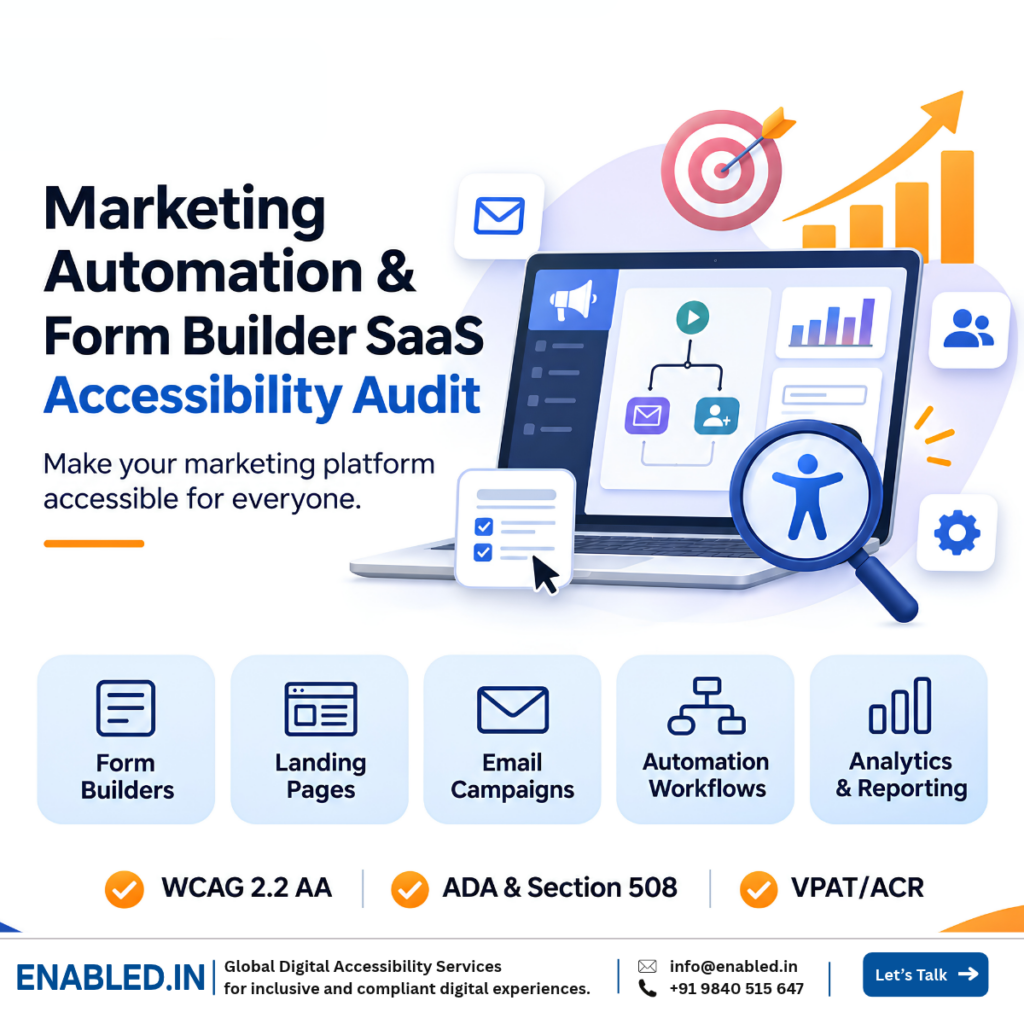
MARKETING AUTOMATION · FORM BUILDERS · WCAG 2.2 AA · VPAT/ACR
Can every marketer create a campaign, build a form, manage leads, and review analytics using a keyboard or screen reader?
A marketing automation accessibility audit evaluates whether people with disabilities can use marketing SaaS platforms, form builders, landing page editors, email campaign tools, and lead management workflows.
These platforms often include drag-and-drop editors, dynamic form fields, visual workflow builders, scheduling calendars, dashboards, and automated notifications. Each feature can create barriers when accessibility is not considered.
Accessibility testing should cover both the platform used by marketers and the customer-facing content generated by the platform. An accessible editor does not automatically produce accessible forms, landing pages, or emails.
What does a marketing automation accessibility audit cover?
It covers campaign creation, form builders, landing page editors, email templates, lead management, automation workflows, analytics dashboards, and published customer experiences. Enabled.in provides automated and manual accessibility testing, WCAG 2.2 AA evaluation, keyboard and screen reader testing, remediation guidance, re-testing, and VPAT/ACR reporting based on the agreed scope.
Why accessibility matters for marketing automation SaaS
Marketing software supports campaign planning, lead generation, customer communication, and performance reporting.
Accessibility barriers can prevent employees from managing campaigns and prevent customers from completing important actions such as registration, enquiries, and subscriptions.
Inclusive marketing operations
Support marketing professionals who use keyboards, screen readers, magnification, and other assistive technologies.
Accessible lead generation
Help visitors complete contact forms, registration flows, subscriptions, and customer enquiries.
Enterprise procurement readiness
Provide accessibility evidence to customers evaluating SaaS products against their procurement requirements.
Better customer experience
Improve navigation, form clarity, error recovery, and workflow usability for a wider range of users.
Marketing automation and form builder features we test
Form builders
- Field creation and configuration
- Required fields and validation
- Conditional questions
- Multi-step forms
- File uploads and confirmations
Landing page builders
- Page templates and content blocks
- Drag-and-drop editing
- Heading structure and image alternatives
- Responsive layouts and reflow
- Published landing pages
Email marketing
- Campaign creation
- Email template editors
- Links, images, and headings
- Campaign scheduling
- Rendered email accessibility
Automation and lead management
- Visual workflow builders
- Triggers, conditions, and actions
- Contact and lead tables
- Segmentation and filters
- Analytics and report exports
11 critical marketing SaaS accessibility testing scenarios
These examples explain real user tasks, potential accessibility barriers, expected behavior, and relevant WCAG 2.2 AA success criteria.
1. Create a lead generation form
User journey: Open form builder → Add fields → Configure labels → Save → Publish.
Fields can only be added through mouse dragging. Field settings have missing accessible names.
Users can add and configure fields with a keyboard. Provide a non-dragging single-pointer alternative where required. Controls expose clear names and states.
WCAG: 2.1.1 Keyboard, 2.5.7 Dragging Movements, 4.1.2 Name, Role, Value.
2. Complete a published customer form
User journey: Open landing page → Enter details → Submit → Review confirmation.
Fields use placeholders without labels. Validation errors appear only in red, and affected fields are not identified.
Inputs have programmatically associated labels. Required information and errors are clearly identified in text, and users can correct them.
WCAG: 1.3.1 Info and Relationships, 1.4.1 Use of Color, 3.3.1 Error Identification, 3.3.2 Labels or Instructions.
3. Configure conditional form questions
User journey: Select an answer → Additional fields appear → Complete fields → Continue.
New fields appear visually but cannot be discovered through a screen reader. Focus moves unexpectedly.
Conditional fields have correct labels and relationships. Focus remains predictable, and users can locate and complete new questions. Qualifying status messages are announced without requiring focus.
WCAG: 1.3.1 Info and Relationships, 2.4.3 Focus Order, 4.1.2 Name, Role, Value; 4.1.3 Status Messages where applicable.
4. Build and publish a landing page
User journey: Select template → Add content → Reorder sections → Preview → Publish.
Content blocks require dragging. The published page has missing image alternatives, unclear headings, and inaccessible controls.
Editing controls are keyboard operable. Non-dragging single-pointer alternatives are provided where required. Published pages expose meaningful structure and appropriate text alternatives.
WCAG: 1.1.1 Non-text Content, 1.3.1 Info and Relationships, 2.1.1 Keyboard, 2.5.7 Dragging Movements.
5. Create and schedule an email campaign
User journey: Select template → Edit message → Choose audience → Schedule campaign.
Audience selection is not keyboard operable. Calendar controls have no accessible names. Generated emails contain unclear links.
Audience selection and scheduling work with a keyboard and screen reader. Email content has meaningful links, headings, and image alternatives.
WCAG: 2.1.1 Keyboard, 2.4.4 Link Purpose (In Context), 4.1.2 Name, Role, Value.
6. Configure an automation workflow
User journey: Select trigger → Add condition → Add action → Review → Activate.
The workflow canvas depends on dragging visual nodes. Screen reader users cannot understand connections or edit conditions.
Provide keyboard-operable controls and suitable non-dragging pointer alternatives. Users can identify relationships, configure actions, and review the workflow.
WCAG: 1.3.1 Info and Relationships, 2.1.1 Keyboard, 2.5.7 Dragging Movements, 4.1.2 Name, Role, Value.
7. Review leads and campaign analytics
User journey: Open dashboard → Filter leads → Review results → Export report.
Charts communicate results only through color. Data tables lack headers, and export buttons have identical or unclear names.
Provide accessible data representations, meaningful table headers, and descriptive controls. Users can access key information without relying only on visual charts.
WCAG: 1.1.1 Non-text Content, 1.3.1 Info and Relationships, 1.4.1 Use of Color, 4.1.2 Name, Role, Value.
8. Correct errors in a multi-step registration form
User journey: Enter contact details → Select preferences → Review → Submit.
Users return to an earlier step without clear error information. They must re-enter previously supplied details within the same process, and the current step is unclear.
Errors are identified and explained. Previously entered information is available for reuse when required by WCAG 3.3.7. Users can understand the current step and recover without unnecessary repetition.
WCAG: 2.4.3 Focus Order, 3.3.1 Error Identification, 3.3.2 Labels or Instructions, 3.3.7 Redundant Entry where applicable.
9. Sign in to the marketing SaaS platform
User journey: Open login → Enter credentials → Complete verification → Access dashboard.
The login flow blocks password managers or paste functionality. Authentication requires a cognitive function test without a qualifying alternative or assistance.
Support accessible authentication methods, including suitable password manager and paste functionality. Provide alternatives or mechanisms that satisfy the applicable authentication requirements.
WCAG: 3.3.8 Accessible Authentication (Minimum), 3.3.1 Error Identification, 4.1.2 Name, Role, Value where applicable.
10. Publish and validate generated content
User journey: Configure template → Preview output → Publish → Test customer experience.
The editor is accessible, but generated forms contain unlabeled fields. Published landing pages have inaccessible menus, and email templates lose meaningful heading structure.
Generated content preserves accessible labels, structure, and controls. Representative published outputs are tested separately from the authoring platform.
WCAG: 1.1.1 Non-text Content, 1.3.1 Info and Relationships, 2.1.1 Keyboard, 4.1.2 Name, Role, Value, depending on the output.
11. Manage subscriptions and consent preferences
User journey: Open subscription form → Choose preferences → Confirm consent → Update or unsubscribe.
Consent checkboxes lack labels. The unsubscribe link is unclear, and confirmation messages are not communicated to screen reader users.
Consent controls have clear names and states. Subscription preferences can be changed with a keyboard, and qualifying confirmation messages are programmatically determinable.
WCAG: 2.1.1 Keyboard, 2.4.4 Link Purpose (In Context), 3.3.2 Labels or Instructions, 4.1.2 Name, Role, Value; 4.1.3 Status Messages where applicable.
These mappings are illustrative. Final WCAG findings depend on observed behavior, applicable exceptions, and the requirements of each success criterion.
Marketing SaaS accessibility testing matrix
This matrix helps product owners, QA leaders, and accessibility teams plan testing across important marketing workflows.
| Feature | Accessibility risk | Testing method | Expected result |
|---|---|---|---|
| Form builder | Mouse-only controls | Keyboard, pointer and screen reader | Fields can be added and configured |
| Published forms | Missing labels and unclear errors | Manual WCAG and AT testing | Inputs and errors are understandable |
| Conditional forms | Dynamic fields not discoverable | Focus and screen reader testing | New questions can be located and completed |
| Landing page editor | Drag-only editing | Keyboard and pointer testing | Accessible editing alternatives |
| Email campaigns | Inaccessible templates and scheduling | Manual and rendered email testing | Usable controls and readable content |
| Workflow builder | Visual-only relationships | Keyboard and screen reader testing | Actions and connections are understandable |
| Analytics | Visual-only charts | Screen reader and visual review | Accessible data representations |
| Authentication | Cognitive barriers and blocked paste | Manual authentication testing | Accessible login and verification |
| Published outputs | Inaccessible generated markup | Output and template testing | Accessible representative published content |
| Consent and preferences | Unlabeled controls and unclear status | Keyboard and AT testing | Accessible preference management |
| Mobile experience | Reflow and touch barriers | Responsive and mobile AT testing | Essential workflows remain usable |
On smaller screens, the table can scroll horizontally. Test the rendered table with keyboard navigation and screen readers in supported browsers.
Two accessibility layers every form builder vendor should test
Layer 1: Accessibility of the SaaS authoring platform
The authoring interface should support accessible editing, configuration, preview, and publishing. This includes form controls, content blocks, template settings, workflow editors, and campaign management.
Layer 2: Accessibility of generated customer-facing content
Forms, landing pages, and emails generated by the platform need separate evaluation. Accessible editing controls do not guarantee accessible output.
For example, a form builder may allow a marketer to create fields using a keyboard but generate input elements without programmatic labels. Both experiences must be evaluated.
Enabled.in recommends testing representative templates, published pages, forms, and emails. Audit reports should distinguish platform-generated issues from content choices controlled by authors.
Important WCAG 2.2 AA requirements for marketing SaaS
- 1.1.1 Non-text Content: Provide appropriate text alternatives for meaningful images and non-text content.
- 1.3.1 Info and Relationships: Expose labels, headings, tables, and relationships programmatically or through text.
- 1.4.3 Contrast (Minimum): Meet applicable text contrast requirements.
- 1.4.10 Reflow: Support required reflow without losing information or functionality, subject to permitted exceptions.
- 2.1.1 Keyboard: Ensure functionality is keyboard operable, subject to the criterion’s exception.
- 2.4.3 Focus Order: Preserve meaning and operability through a logical focus sequence.
- 2.4.7 Focus Visible: Provide a visible keyboard focus indicator.
- 2.4.11 Focus Not Obscured (Minimum): Ensure a focused component is not entirely hidden by author-created content.
- 2.5.7 Dragging Movements: Provide a qualifying single-pointer alternative to dragging unless an exception applies.
- 2.5.8 Target Size (Minimum): Meet the applicable 24-by-24 CSS pixel target size or spacing requirements, subject to exceptions.
- 3.3.1 Error Identification: Identify automatically detected input errors and describe them in text.
- 3.3.7 Redundant Entry: Avoid unnecessary re-entry of previously supplied information within the same process, subject to exceptions.
- 3.3.8 Accessible Authentication (Minimum): Avoid cognitive function tests during authentication unless qualifying alternatives or assistance are provided.
- 4.1.2 Name, Role, Value: Ensure custom controls expose appropriate accessibility information.
- 4.1.3 Status Messages: Ensure qualifying status messages can be programmatically determined without receiving focus.
Official reference: W3C Web Content Accessibility Guidelines 2.2 .
How Enabled.in conducts marketing SaaS accessibility audits
Our approach evaluates practical workflows and records evidence that development teams can use to understand and address barriers.
1. Scope and workflow review
Identify modules, user roles, templates, generated outputs, supported devices, and key business workflows.
2. Automated and manual testing
Identify detectable issues and evaluate interactive workflows against applicable WCAG success criteria.
3. Assistive technology testing
Test with NVDA, JAWS, VoiceOver, and TalkBack as defined in the agreed test matrix.
4. Issue evidence and developer guidance
Record the affected feature, reproduction steps, actual behavior, expected behavior, assistive technology observations, and WCAG mappings.
5. Remediation and re-testing
Provide guidance for resolving barriers and verify agreed fixes through re-testing.
6. VPAT/ACR preparation
When commissioned, prepare conformance reporting based on the tested product version, scope, and available evidence.
ADA, Section 508, EN 301 549 and EAA considerations
Marketing automation vendors may serve enterprises, government agencies, educational institutions, and customers in different jurisdictions.
Accessibility obligations depend on the organization, product, service, procurement arrangement, and applicable law.
- WCAG 2.2 AA: A technical standard used to evaluate web content and accessibility.
- ADA: Accessibility obligations may apply to covered U.S. organizations and services.
- Section 508: Relevant to covered U.S. federal ICT procurement and use.
- EN 301 549: An ICT accessibility standard relevant to applicable European requirements.
- European Accessibility Act: Applies to defined categories of products and services rather than automatically covering every marketing SaaS platform.
An accessibility audit provides technical evidence and remediation guidance. It does not independently establish legal compliance.
Marketing automation and form builder VPAT/ACR
Enterprise buyers may request an Accessibility Conformance Report (ACR) when evaluating marketing SaaS platforms.
The Voluntary Product Accessibility Template (VPAT) is used to prepare an ACR. The report documents how the tested product supports applicable accessibility criteria, including known limitations.
What should the ACR scope include?
- Product name and tested version
- Modules and workflows evaluated
- Supported browsers and assistive technologies
- Applicable accessibility standards
- Conformance observations and supporting remarks
- Known limitations and relevant exclusions
The report should clearly distinguish the SaaS authoring platform from generated forms, pages, and emails. It should not imply that every possible customer-created output has been tested.
Reference: ITI VPAT and Accessibility Conformance Reports .
What should SaaS vendors prepare before an accessibility audit?
Product owners and QA leaders can help define an effective audit by preparing:
- A list of modules, pages, and screens
- Key user roles and business workflows
- Test accounts and suitable test data
- Representative forms, templates, and published outputs
- Supported browsers, devices, and platforms
- Target standards and procurement requirements
- Expected remediation and reporting timelines
This information helps establish a clear test scope and reduces ambiguity in accessibility reporting.
Why choose Enabled.in for marketing SaaS accessibility testing?
Enabled.in is a digital accessibility practice of TenthPlanet Technologies. We support SaaS vendors with accessibility audits, assistive technology testing, remediation guidance, re-testing, and VPAT/ACR reporting.
Our testing focuses on practical user journeys, including campaign creation, form configuration, lead management, workflow automation, and customer-facing published content.
We document accessibility barriers using reproducible steps, actual and expected behavior, assistive technology observations, and relevant WCAG criteria.
Related accessibility services
Frequently asked questions
What is a marketing automation accessibility audit?
It evaluates whether people with disabilities can use marketing SaaS tools, including campaigns, forms, workflows, and dashboards.
Do you test form builder accessibility?
Yes. We can test field creation, labels, conditional questions, validation, keyboard access, and published forms.
Can an accessible form builder generate inaccessible forms?
Yes. Accessible editing controls do not guarantee accessible published output. Both the platform and representative generated forms should be evaluated.
Can you audit drag-and-drop landing page editors?
Yes. We evaluate keyboard operation, non-dragging pointer alternatives, and accessibility of published content.
Do you test email marketing accessibility?
Yes. Testing can include campaign editors, scheduling controls, templates, and rendered email content.
Can you test marketing automation workflows?
Yes. We review workflow navigation, triggers, conditions, actions, and alternatives to visual-only interaction.
Do you test login and authentication accessibility?
Yes. Testing can cover keyboard access, password manager compatibility, verification challenges, and accessible error recovery.
Is automated accessibility testing enough?
No. Complex workflows, dynamic forms, keyboard interactions, and screen reader behavior require manual evaluation.
Which assistive technologies do you use?
Depending on the agreed test matrix, testing can include NVDA, JAWS, VoiceOver, and TalkBack.
Can you test authenticated marketing platforms?
Yes. We can use agreed test accounts, user roles, and suitable environments.
Can Enabled.in help developers fix accessibility issues?
Yes. We provide issue evidence, reproduction steps, expected behavior, and remediation guidance.
Can you prepare a marketing SaaS VPAT/ACR?
Yes, when commissioned. The report reflects the tested product version, scope, and accessibility evidence.
How can we request an accessibility audit?
Share your modules, supported devices, key workflows, approximate screen count, and reporting requirements. We can then discuss scope and timelines.
Talk to a Digital Accessibility Expert
Sathasivam Kannupayan
Head of Digital Accessibility Services |
Enabled.in
With over 17 years of experience in digital accessibility, Sathasivam supports organizations with WCAG accessibility audits, assistive technology testing, remediation guidance, and VPAT/ACR reporting.
Need expert guidance for your marketing automation platform, form builder, website, mobile application, or enterprise software? Discuss your accessibility requirements with Enabled.in.
Talk to an Accessibility Expert
Email: sathasivam@enabled.in
Discover more from Enabled.in
Subscribe to get the latest posts sent to your email.